



Quick start without mFilter2 and miniShop2
Before reading this, read Quick start with mFilter2; here we only show the essentials for this scenario.
Setup
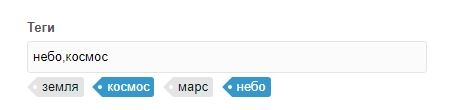
We use a simple setup: a site with articles as normal resources, pdoTools, and several TV fields where we store the values we want to build pages from. Example: TV tags with input type Auto-tag (the Tag input type may not work for you; the logic is the same). Output type Separator with comma , so values are listed. In the resource extra fields it looks like this:
Snippet call in catalog
Not the most elegant filtering (via tvFilters), but enough to show the possibilities.
modx
[[!pdoPage?
  &element=`pdoResources`
  &includeTVs=`tags`
  &tvPrefix=``
  &tpl=`tpl.statya`
  &tvFilters=`[[!#GET.tag:notempty=`tags==%[[!#GET.tag]]%`]]`
]]
The snippet first outputs all resources; if GET tag is passed, it filters by the TV. So /articles/?tag=space works.
SeoFilter system settings
Because Ajax replacements are enabled by default in the settings, turn them off with seofilter_ajax. Enable declensions. In seofilter_classes (default "msProduct") enter modDocument (comma-separated for several). Optionally limit the plugin to article templates by setting seofilter_templates to the id of the article template.
Add field to SeoFilter
Choose class modTemplateVar and key tags. Alias tag (as in pdoPage; you can change it anytime). Check Hide param in URL for URLs like /articles/kosmos.
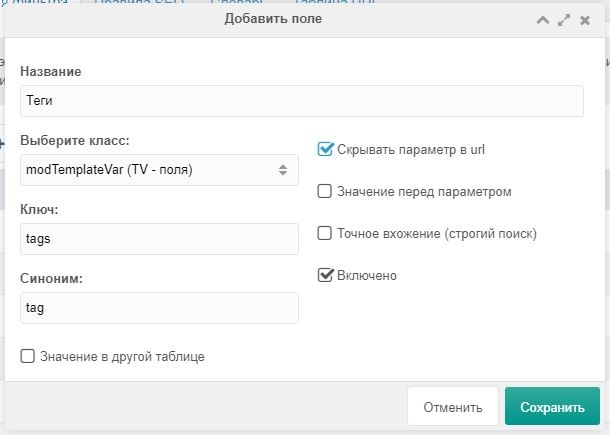
As in the first doc page, all found words are added to the dictionary and declined.
Create rule
In this case we create a single rule with one field, the same as in the first doc page. Choose the correct page for the rule.
SEO texts
For clarity, an example of the text for H1:
fenom
Articles about {$tag | lower}After saving, generated links appear in the URL table.
Layout
In this example we only use two placeholders — Page title and H1. Because we work on a demo and the title tag is already set, we only need to change the H1. You do not have to set classes; replace the usual pagetitle (or whatever field you use) with:
modx
[[!+sf.h1:default=`[[*pagetitle]]`]]Summary
Friendly URLs with human-oriented texts now work in the article catalog.
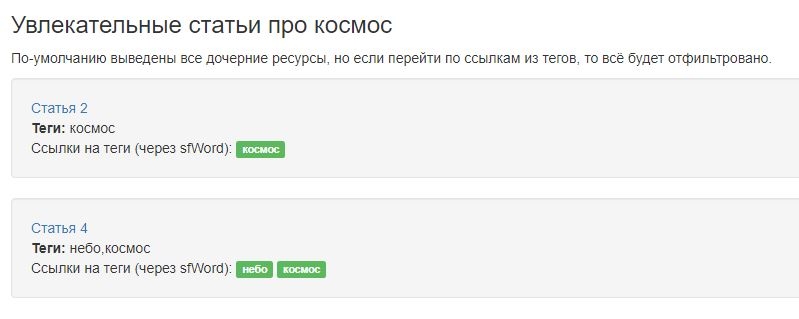
For questions, use modx.pro threads about SeoFilter.