



HTML content parser + Combined tasks
Start by reading [RSS feed task setup][1]. That covers the core workflow.
Task combining
Since 1.2.0 the component can combine tasks. For example: parse an RSS feed and fully parse each entry from the site. For that you:
- Create a pair of tasks (first — RSS, second — HTML),
- Configure them,
- Run.
Below we go into how to combine tasks.
HTML content parsing
In an RSS feed you have a default set of fields that map to MODX. With HTML it is a bit more involved: you need to define the fields yourself and specify the selector for each. We'll use MODX.pro as an example.
Adding tasks
Example where one task triggers another. You need to create 2 tasks:
Adding the primary task
By primary we mean the list of news items to parse.
Click "Add HTML task". On the "General" tab fill in something like:
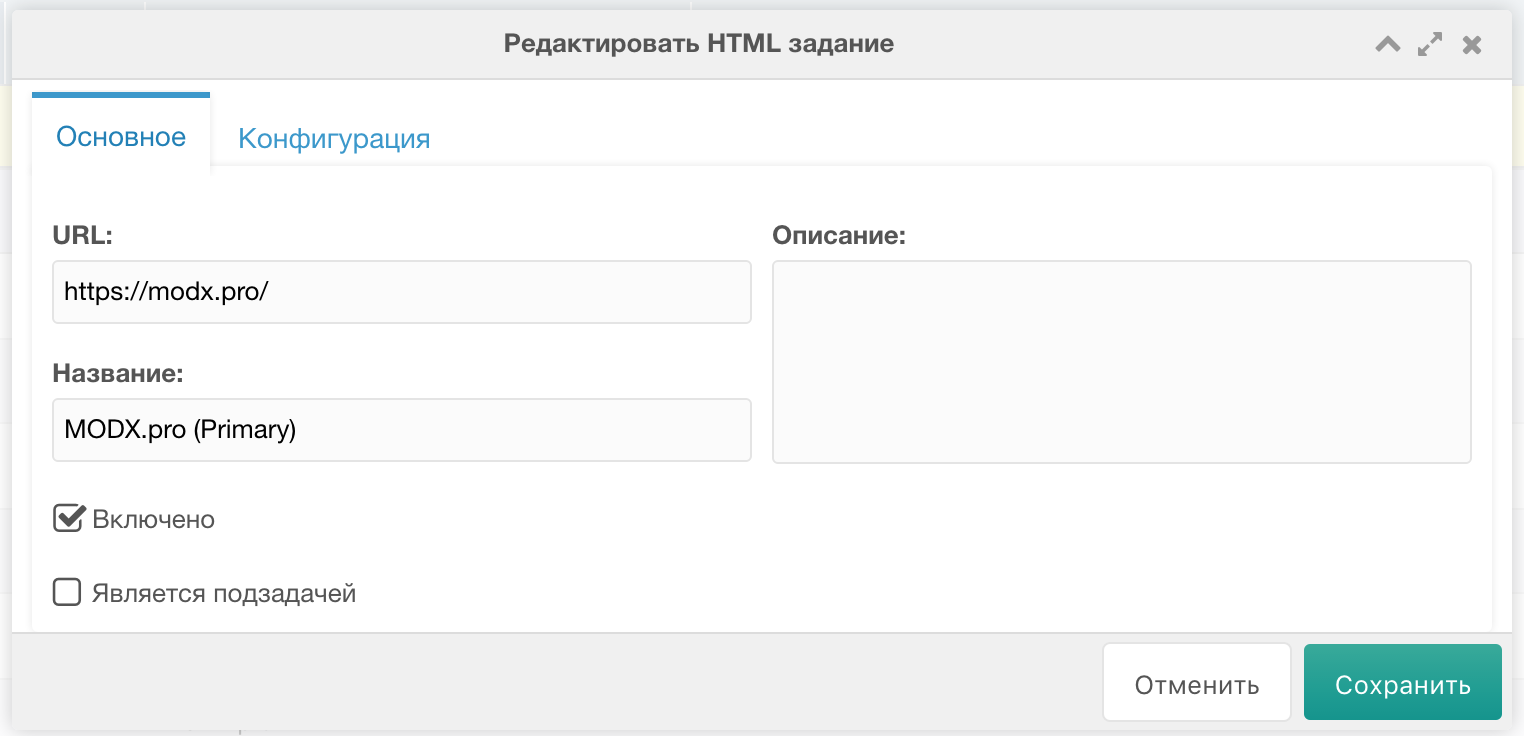
Switch to the "Configuration" tab and set:
- Record selector (CSS-like syntax only for now),
- Which record to start from,
- How many records to parse,
- Template for created resources,
- Context,
- Parent container in that context,
- Whether to download media.
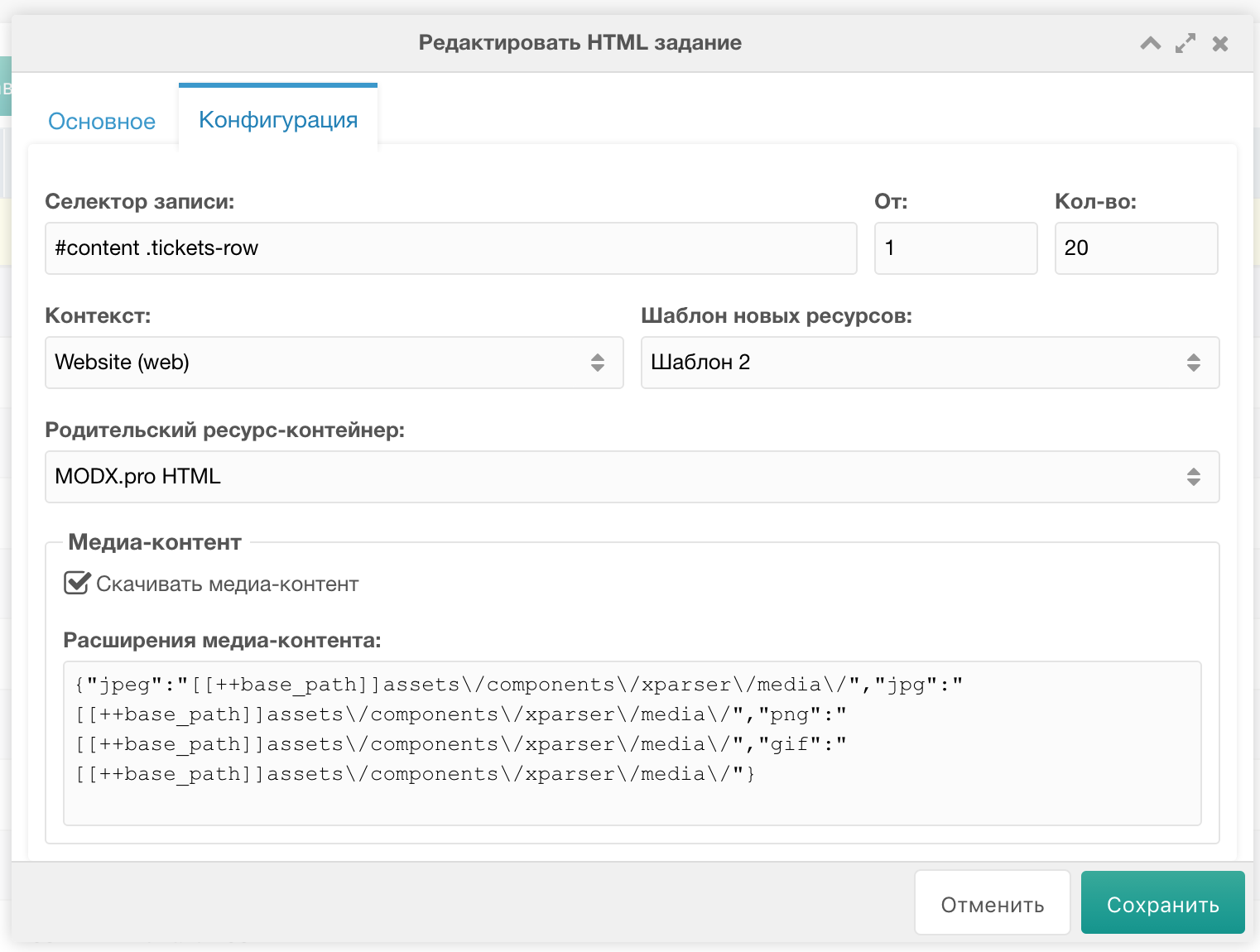
Click "Save" — the task is added.
Adding the secondary task
By secondary we mean the task that parses the full article. We will set it as the child of the first task.
Click "Add HTML task". On the "General" tab fill in something like:
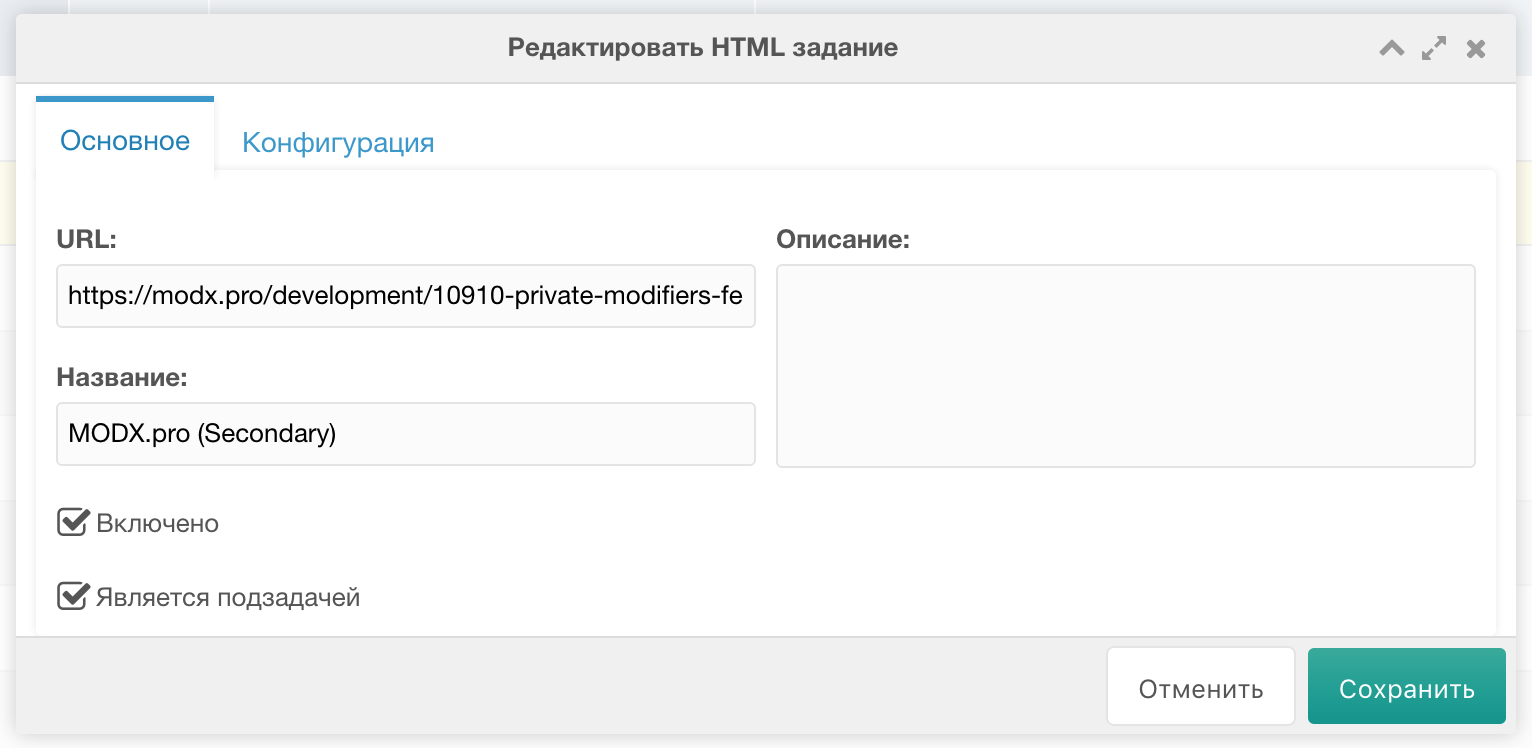
Important:
- URL - link to a modx.pro article (for source field setup),
- Check Is subtask.
Configuration tab:
- Record selector =
#content
Source setup
HTML tasks require manual source data. Do for both tasks.
Right-click task => "Source".
Primary source
Add 1 field - link to full article. Also add content with article intro; intro contains main image, extract with regex at Primary task field setup.
Click "Add". Use CSS-like or XPath syntax.
Внимание
XPath bug: does not understand tag names; use * for tag.
Fill:
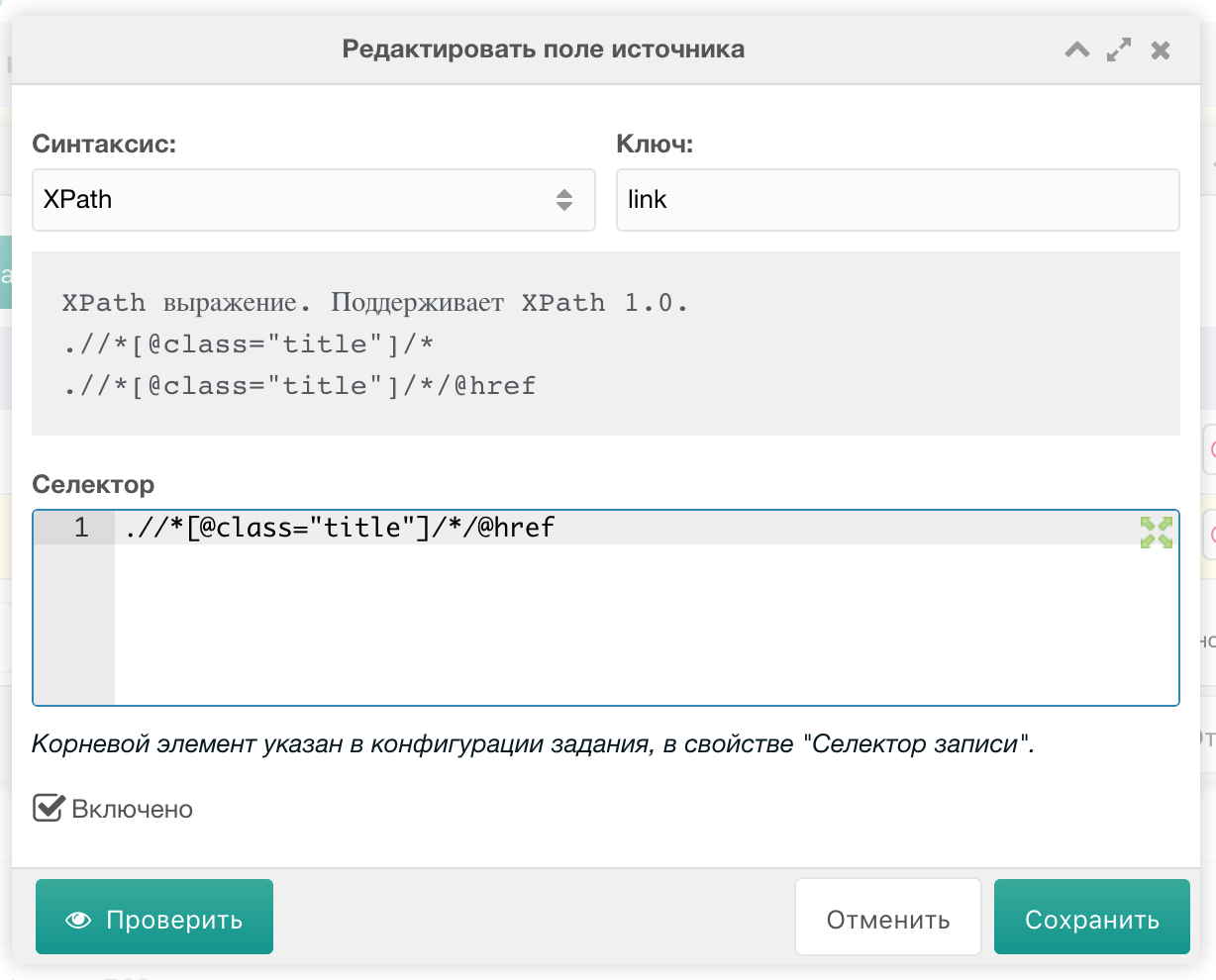
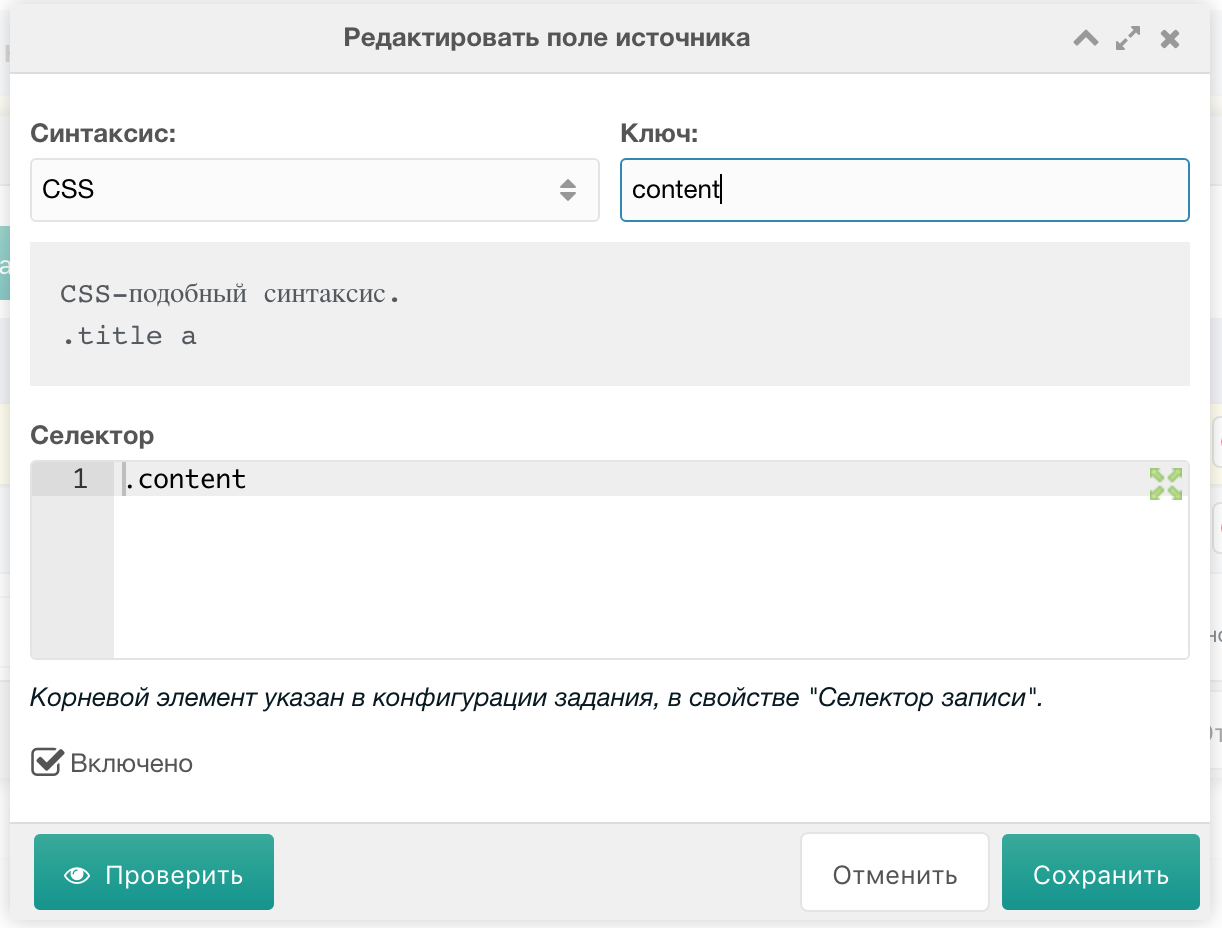
Click eye icon to verify parser values:

Secondary source
Add 2 fields:
Pagetitle
- Syntax =
CSS - Key =
pagetitle - Selector =
h3.page-title
Content
- Syntax =
CSS - Key =
content - Selector =
.page-content
Task field setup
Similar to RSS task setup. Source data available via "Raw values array" button. Right-click task => "Fields". Add parsing fields by source keys/values.
Primary task fields
One field link is enough; add main post image field. Extract from intro via Fenom and regex.
Click "Add".
Link
- System field = empty
- Source field =
link - Default = empty
Introtext (image)
- System field =
resource | introtext - Source field =
@INLINE {$content | preg_get : '!https?://.+\.(?:jpe?g|png|gif)!Ui'} - Default = empty
In task fields table, click star on link (field turns orange) and adjacent button. Add linked task:
- Ensure selected field is a link.
- On parse this link is passed to chosen task.
- Chosen task provides all object fields.
- These fields override current task fields.
In "Receiving task" select secondary task. Primary passes URL from link to secondary.
Save. link turns blue:

Secondary task fields
Add 3 fields:
Pagetitle
- System field =
resource | pagetitle - Source field =
@INLINE {$pagetitle | preg_replace : '! \<sup class.*!ui'} - Default = empty
Content
- System field =
resource | content - Source field =
content - Default = empty
Published
- System field =
resource | published - Source field = empty
- Default =
1
Save!