



Delivery methods
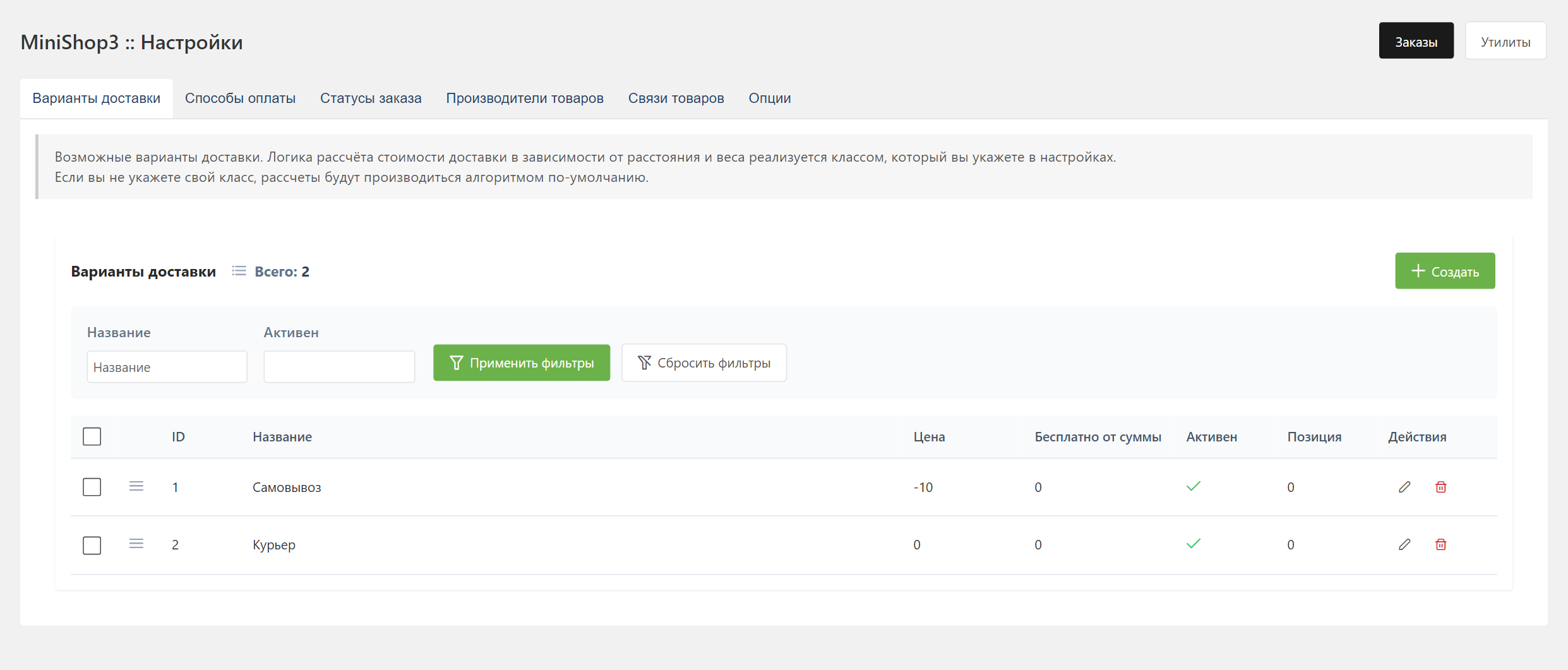
Open Extras → MiniShop3 → Settings → Deliveries.
Delivery fields
| Field | Type | Description |
|---|---|---|
name | string | Delivery method name |
description | text | Description for the customer |
price | string | Base delivery cost (stored as varchar(11), cast to a number in the calculation) |
weight_price | float | Cost per unit of weight |
distance_price | float | Cost per unit of distance. The calculation does not use it now (reserved field) |
free_delivery_amount | float | Order total for free delivery |
logo | string | Path to the image |
position | int | Sort order |
active | bool | Active flag |
class | string | PHP handler class |
validation_rules | JSON | Field validation rules |
properties | JSON | JSON properties for the handler's own data |
Payment linkage
You link each delivery method to the payment methods it needs.
- Cash only for pickup
- Online payment for courier delivery
- Your own combinations for different regions
When the customer picks a delivery, the payment list is filtered.
Cost calculation
Delivery cost is calculated with this formula:
text
Total cost = price + (weight_price × weight)If the order total is greater than or equal to free_delivery_amount, the delivery cost is 0.
Custom calculation
For a more complex rule, create your own handler class:
php
<?php
namespace MyComponent\Delivery;

use MiniShop3\Controllers\Delivery\DeliveryProviderInterface;
use MiniShop3\Model\msDelivery;
use MiniShop3\Model\msOrder;

class CustomDelivery implements DeliveryProviderInterface
{
    public function getCost(msOrder $order, msDelivery $delivery, float $cost): float
    {
        // Your calculation
        $cartCost = $order->get('cart_cost');
        $weight = $order->get('weight');

        if ($cartCost > 10000) {
            return 0; // Free from 10000 RUB
        }

        if ($weight > 5000) {
            return 500 + ($weight - 5000) * 0.1; // Surcharge for a heavy order
        }

        return 300; // Base cost
    }
}
Set the class in the class field: MyComponent\Delivery\CustomDelivery.
Order field validation
For each delivery method you set the required fields and the rules. A courier needs a full address. Pickup needs a phone.
Visual builder
Visual mode
- Click Add field
- Pick a field from the list (groups: Order, Address)
- Add validation rules for the field
- For rules that take a parameter, set the value
Rules show up as tags. Click the cross to remove one.
JSON mode
The switch opens manual JSON editing:
json
{
  "phone": "required",
  "email": "required|email",
  "city": "required|min:2",
  "street": "required|min:3",
  "building": "required"
}
In this mode you copy rules between deliveries, set a regex, and move JSON between installs.
Custom validation fields
Besides the standard order and address fields, you can add your own. An agreement checkbox is one example:
json
{
  "phone": "required",
  "email": "required|email",
  "agreement": "required|accepted"
}
Fields outside the standard set (agreement and others) stay on the order draft between the order/add and order/submit steps. When the order is created they go to msOnBeforeCreateOrder / msOnCreateOrder through the customFields parameter.
Checkboxes
On the storefront, checkboxes send input.checked ('1' or '0'), not a static value attribute. That is what makes the accepted rule work.
Available validation fields
Order fields
| Field | Description |
|---|---|
order_comment | Order comment |
Address fields
| Field | Description |
|---|---|
first_name | First name |
last_name | Last name |
phone | Phone |
email | |
country | Country |
index | Postal code |
region | Region |
city | City |
metro | Metro station |
street | Street |
building | Building |
entrance | Entrance |
floor | Floor |
room | Apartment or office |
comment | Address comment |
text_address | Full address as text |
Validation rules
Validation is done by the built-in PipeRuleValidator (src/Services/Validation/PipeRuleValidator.php). No external library is required. Rules are combined with |.
Basic rules
| Rule | Description |
|---|---|
required | Required field |
nullable | The field may be null |
present | The field must be present, even when empty |
accepted | The value must be "yes", "on", "1", or true |
Data types
| Rule | Description |
|---|---|
email | Valid email |
url | Valid URL |
ip | IP address (v4 or v6) |
ipv4 | IPv4 address |
ipv6 | IPv6 address |
numeric | Numeric value |
integer | Integer |
boolean | Boolean |
array | Array |
json | Valid JSON |
String rules
| Rule | Description |
|---|---|
alpha | Letters only |
alpha_num | Letters and digits |
alpha_dash | Letters, digits, hyphen, underscore |
alpha_spaces | Letters and spaces |
uppercase | Uppercase letters only |
lowercase | Lowercase letters only |
Rules with parameters
| Rule | Description | Syntax |
|---|---|---|
min | Minimum string length or numeric value | min:3 |
max | Maximum string length or numeric value | max:100 |
between | Value inside a range | between:1,10 |
digits | Exact digit count | digits:6 |
digits_between | Digit count inside a range | digits_between:4,8 |
in | Value from a list | in:pickup,courier,post |
not_in | Value not in the list | not_in:test,demo |
same | Matches another field | same:email_confirm |
different | Differs from another field | different:old_password |
regex | Matches a regular expression | regex:/^[0-9]{6}$/ |
extension | File extension | extension:jpg,png |
mimes | File MIME type | mimes:jpg,png |
Date rules
| Rule | Description | Syntax |
|---|---|---|
date | Valid date in the given format | date:Y-m-d |
after | Date after the given one | after:2024-01-01 |
before | Date before the given one | before:2025-12-31 |
Conditional rules
| Rule | Description | Syntax |
|---|---|---|
required_if | Required when another field equals a value | required_if:delivery,courier |
required_unless | Required when another field is not that value | required_unless:delivery,pickup |
required_with | Required when another field is set | required_with:phone |
required_without | Required when another field is not set | required_without:email |
required_with_all | Required when all of the fields are set | required_with_all:city,street |
required_without_all | Required when none of the fields are set | required_without_all:phone,email |
Configuration examples
Courier delivery
A full address is required:
json
{
  "first_name": "required|min:2",
  "last_name": "required|min:2",
  "phone": "required|regex:/^\\+?[0-9]{10,15}$/",
  "email": "required|email",
  "city": "required|min:2",
  "street": "required|min:3",
  "building": "required",
  "room": "required_if:building_type,apartment"
}
Pickup
The minimum needed to reach the customer:
json
{
  "first_name": "required|min:2",
  "phone": "required"
}
Postal delivery
A postal code and a full address are required:
json
{
  "first_name": "required",
  "last_name": "required",
  "phone": "required",
  "index": "required|digits:6",
  "region": "required",
  "city": "required",
  "street": "required",
  "building": "required"
}
Parcel locker
Contact details only:
json
{
  "first_name": "required",
  "phone": "required|regex:/^\\+?[0-9]{10,15}$/",
  "email": "required|email"
}
Error messages
The default messages are English (PipeRuleValidator::DEFAULT_MESSAGES). They do not follow the interface language. Set them through setValidationRules() / setValidationMessages() (OrderFieldManager) or through the delivery properties.
API
Both GET requests require the shop token: a Bearer or MS3Token header, or the ms3_token cookie. A query parameter is not accepted.
Get validation rules
http
GET /api/v1/order/delivery/validation-rules?delivery_id=1Response:
json
{
  "success": true,
  "data": {
    "validation_rules": {
      "phone": "required",
      "city": "required|min:2",
      "street": "required"
    }
  }
}
Get required fields
http
GET /api/v1/order/delivery/required-fields?delivery_id=1Response (a map of field to rules, only those that include required):
json
{
  "success": true,
  "data": {
    "requires": {
      "phone": "required",
      "city": "required",
      "street": "required"
    }
  }
}
These two requests refresh the order form when the delivery method changes.