


ManagerButtons
Button groups for the manager dashboard. A button opens a manager page or an external link. A group can be limited to user groups, or left for administrators only.
The interface uses VueTools. Colors and controls follow the vuetools.theme setting.
Requirements
| MODX | 3.0+ |
| PHP | 8.1+ |
| VueTools | 1.2.0+ |
Install VueTools first. The transport package requires it.
Installation
- Open Extras → Installer and install VueTools if it is not there yet.
- Upload
ManagerButtons-1.2.1-pl.transport.zipand install it. - Sign out of the manager and sign in again.
ManagerButtons appears under Extras. A widget with the same name is added to the Default dashboard.
The menu item is available to administrators and to users with the managerbuttons permission. Setup adds that permission to the Administrator policy.
Groups
A group is a set of buttons on a four-column grid.
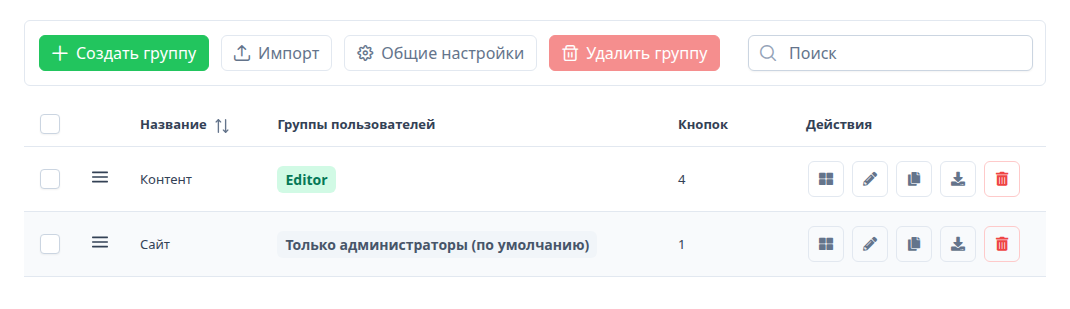
A group has a name and user groups.
Administrators (the Administrator group and sudo users) see every set. If no user groups are selected, only administrators see the set.
Drag rows to change the order. Ordering is paused while the search box is not empty. Check several rows to delete them together.
Buttons
The grid icon on a group row opens its buttons. The bottom of that window is the same layout as the dashboard.
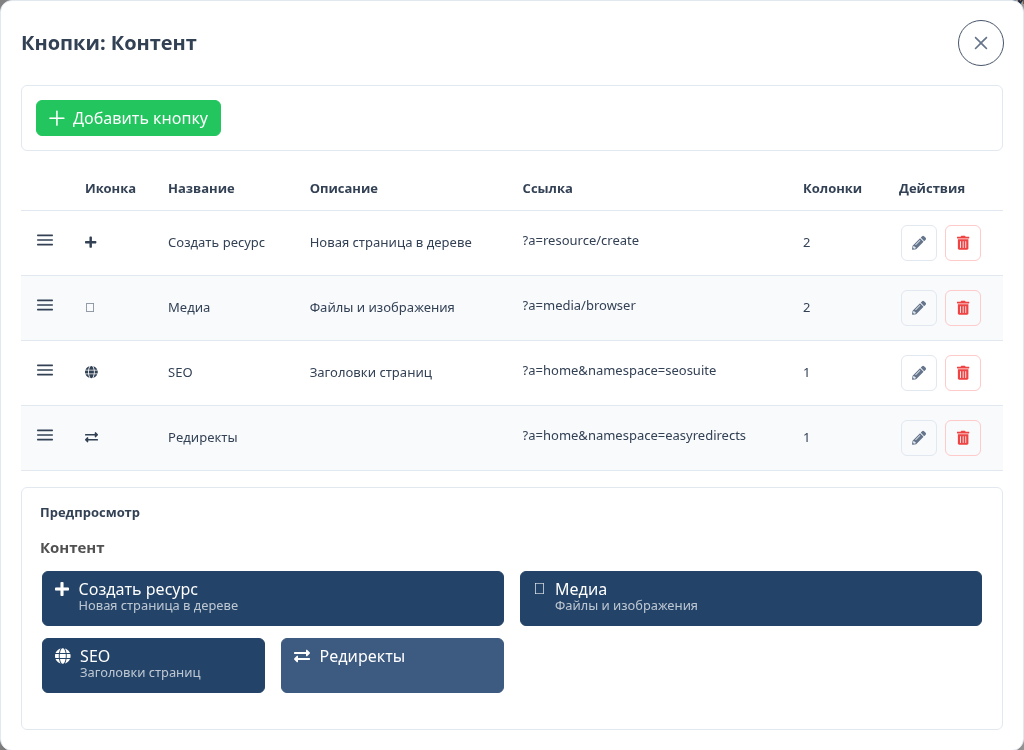
A button has:
- Name
- Link — a manager action (
?a=resource/create), a site path, or anhttps://address - Columns — width from 1 to 4. Filled cells show how much of the row the button uses
- Description — a short line under the name. Optional
- Background — its own color. Empty uses the general setting
- Icon — Font Awesome 5 from the MODX manager. The short name is stored, for example
plus
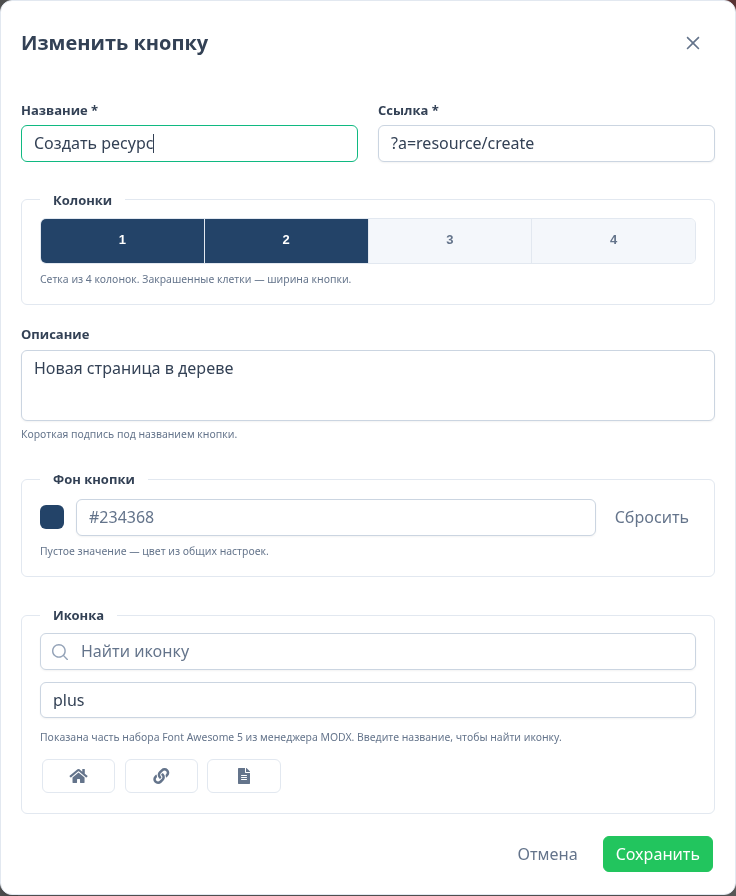
Links that start with ?a= open inside the manager. http and https addresses open in a new tab.
Buttons in the same grid row share one height. The label stays at the top, so a short name does not sit in the middle next to a button that has a description.
General settings
General settings sets the background and text color for every button.
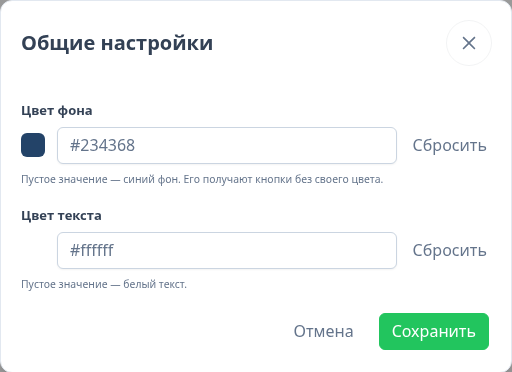
With no background, buttons are #234368 and the text is white. A color on the button itself wins. The same values are stored in managerbuttons.background and managerbuttons.color.
Dashboard
The ManagerButtons widget lists the sets the current user can see. Each group has its own heading and grid.

To show one group, set the widget property group_id to that group's numeric id. Leave it empty to show every set the user can access.
Export and import
Export downloads the group as JSON: name, buttons, and user group names.
Import always creates a new group. Use it to move a set to another site or to copy it here. Duplicate in the table does the same without a file.
User groups are matched by name. A name that does not exist on the site is skipped. Administrators still see the imported set.
{
  "package": "ManagerButtons",
  "format": 1,
  "version": "1.2.1-pl",
  "group": {
    "name": "Content",
    "usergroups": ["Editor"],
    "buttons": [
      {
        "name": "Create resource",
        "url": "?a=resource/create",
        "icon": "plus",
        "description": "New page in the tree",
        "background": "",
        "cols": 2,
        "rank": 0
      }
    ]
  }
}
License
MIT.