
Skip to content
  1. Extras
  2. msNewPrice

msNewPrice ​

The component adds new and promotional prices for MiniShop2 products.

Module settings ​

Edit settings under System settings, filter msnewprice.
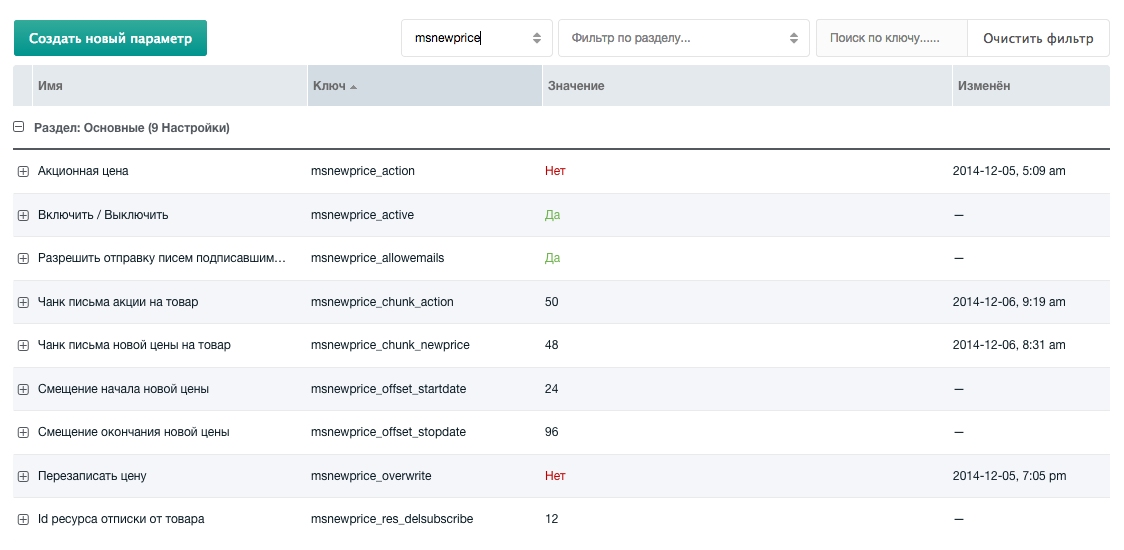
Module settings

  • New product price — enable / disable
  • Promotional price — enable / disable (default on product page)
  • Overwrite price — enable / disable (default on product page)
  • Allow sending emails to subscribed users — enable / disable
  • New price start offset — hours from current time
  • New price end offset — hours from current time
  • Promotional email chunk
  • Promotional email chunk
  • New price email chunk
  • Unsubscribe resource ID

New price tab ​

After enabling the module, the MiniShop product resource gets a New price tab.
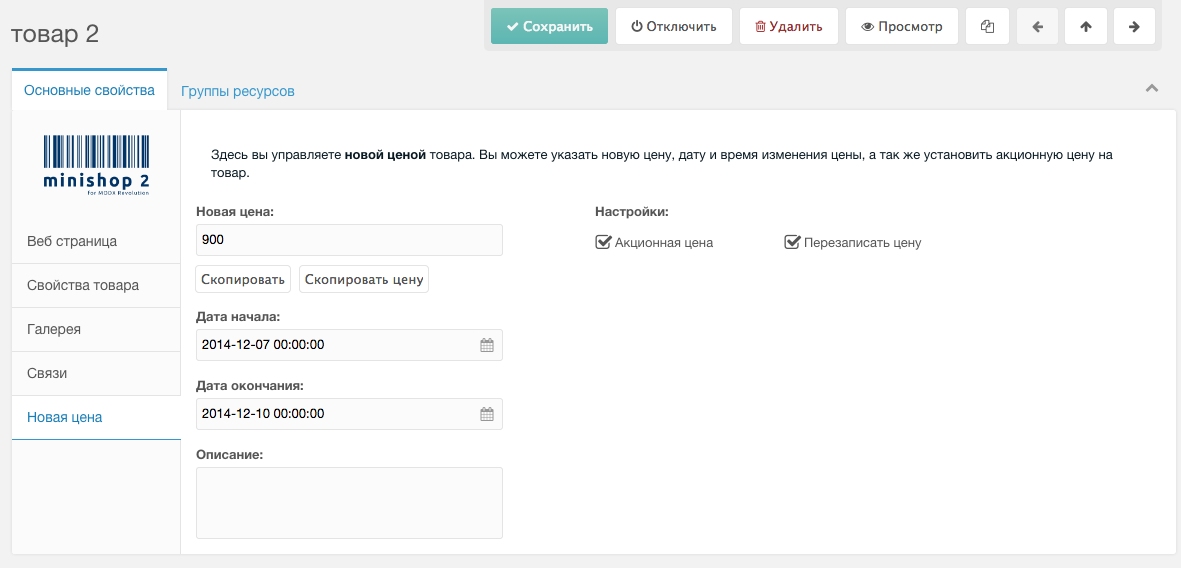
New price tab

Set the new price, validity period, and promotion description.

Promotional price ​

Set the new price and start/end dates. During that period the promotional price applies. Option Overwrite price — after the promotion the product's [[+price]] is updated to the promotional price.

New price ​

For scheduled price changes. Set the new price and start date. On that date the product's [[+price]] is overwritten.

Watch product ​

Authorized users can subscribe to a product.

Users can subscribe and unsubscribe. The package includes a script to queue emails when new or promotional price starts—subscribed users get a price-change email. A mailing script is also included (run via cron). You can also subscribe to resources and adapt mailing for other events.

msNewPrice snippet ​

Outputs promotion info, price and dates, and subscription block.

Parameters:

  • product — Product ID. If empty, current document id.
  • returnNewPrice — Set "yes" to return only the new price (no chunk).
  • dateFormat — Date format.
  • showSubscribe — Show subscription block or not.
  • tplOuter — Wrapper chunk.
  • tplStockInfo — Chunk for promotional price info.
  • tplNoStockInfo — Chunk for new price info.
  • tplSubscribe — Chunk for subscription links.

msNewPriceDelSubscribe snippet ​

Unsubscribes the user from the mailing.

Parameters:
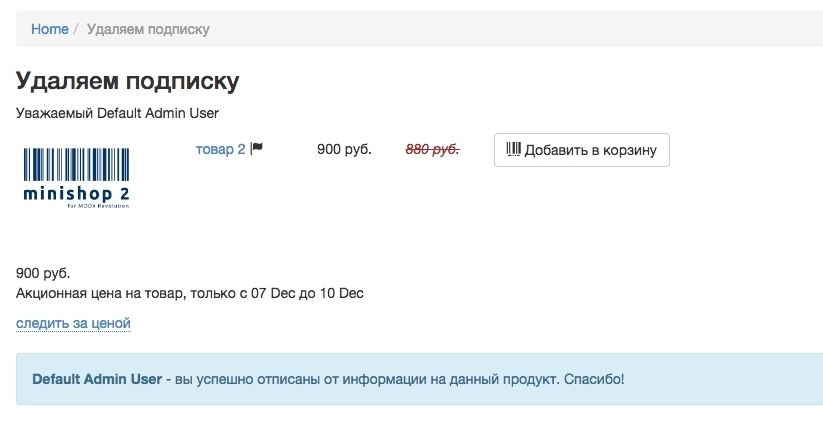
  • resSnippet — Snippet for product info output.
  • delSubscribe — Remove product subscription.
  • tplUserInfo — Chunk for user info.
  • tplNoUserInfo — Chunk when user is not logged in (unsubscribe not possible).
  • tplNotYourResource — Chunk when trying to unsubscribe another user's resource.

Important ​

  • Replacing product price with the new one
  • Building emails for users
  • Sending emails

All of the above require cron. Scripts are in core/components/msnewprice/cron/