

mspYaCassa
YooKassa (Yandex.Kassa) payment module for miniShop2
Yandex Kassa payment module for miniShop2.
Register and fill out the form. Set connection options:

Check:
After your data is verified, a specialist will contact you for technical integration.
Hello.

My name is Eugene, I will help you with technical integration with Yandex.Money. Testing is done in a special demo environment
using test money. We recommend testing before accepting real payments.

data....

Once we confirm everything works, you will receive credentials for accepting payments
in production mode.[mspYaCassa] settings are in [Minishop2] settings.
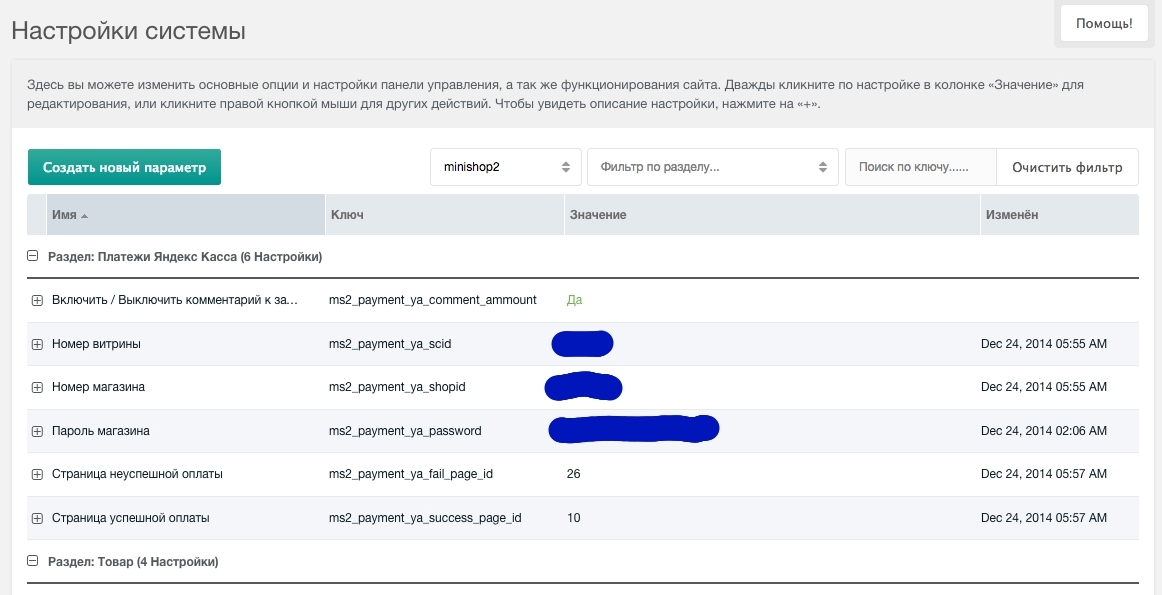
Enter your store data:
Test credentials may differ from those in the Yandex Kassa dashboard.
Double-check the data!!!
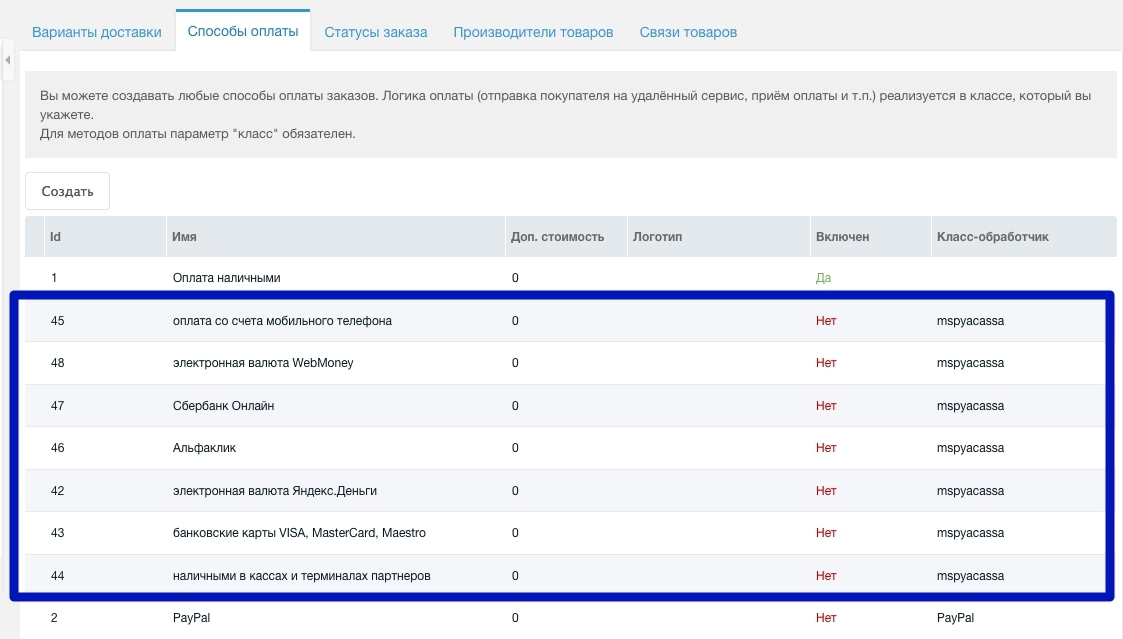
Enable payment methods in Minishop2 settings and link them to delivery options.
Payment testing is done in the demo environment; Yandex Kassa will send instructions. Support responds quickly. After confirming test payments work, contact support to switch to production mode.
A specialist will verify the tests and you will receive production credentials. Update the store data in settings. Also disable test mode.
That's it. Test production by creating a product priced at 1 currency unit and purchasing it with different methods.
Внимание
Your site must use HTTPS to connect to Yandex Kassa
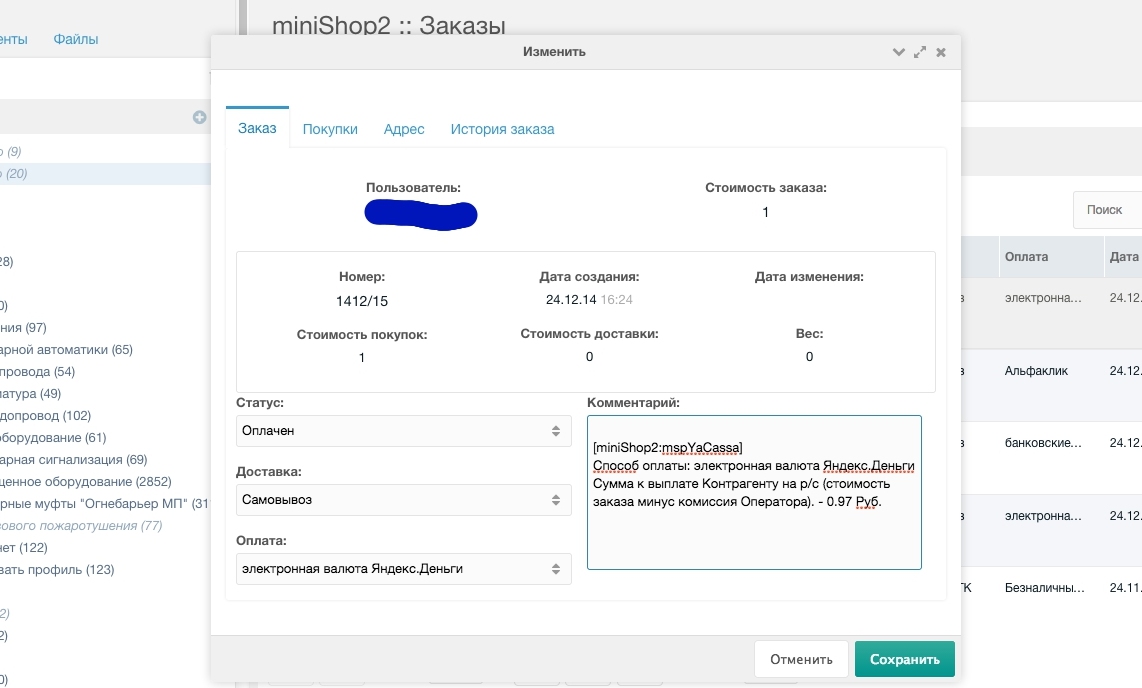
For convenience, the Yandex Kassa payment method and transfer amount are added to the order comment. This can be disabled in component settings.
Mobile phone and WM payment methods returned errors. Support replied:
For mobile phone payments, contact your account manager.
This option is disabled for your store.

WM will be available within a week as your store ID is added to the WM system manually.
Verification is then performed on their side.