



msLiveInform
Description
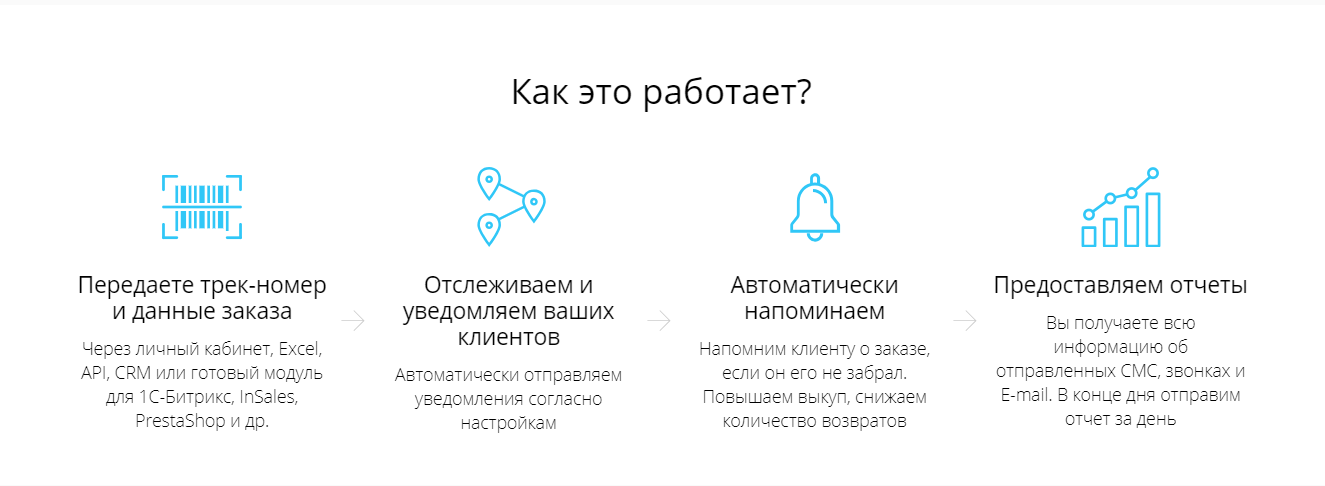
msLiveInform tracks MiniShop2 store orders via the LiveInform service.
Features
- Works only with new miniShop2 (version =>2.4.0-beta2)
- Order tracking via LiveInform
- Snippet to output tracking info
- Check order client against LiveInform blacklist of unreliable clients
Installation
- Add our repository
- Install miniShop2 (the store used for orders and payment)
- Install msLiveInform
For testing you can use our hosting; these extras can be selected when creating a site. After installation:
- Set the API key for LiveInform
Configuration
All msLiveInform snippets use pdoTools and expect Fenom in chunks. This allows:
- Fewer chunks
- Easier maintenance
- Better performance
- More complex chunks with Fenom conditionals
Creating tracking
In the MiniShop2 order edit window:
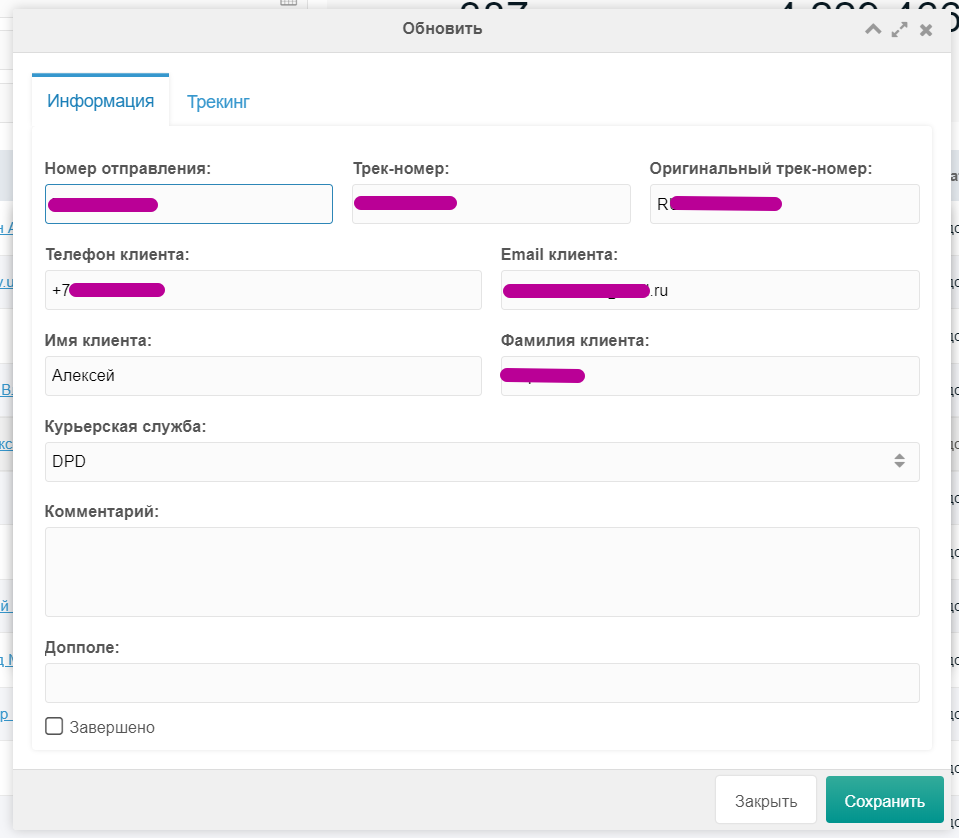
Click + to create tracking. Fill in:
- tracking number
- client phone
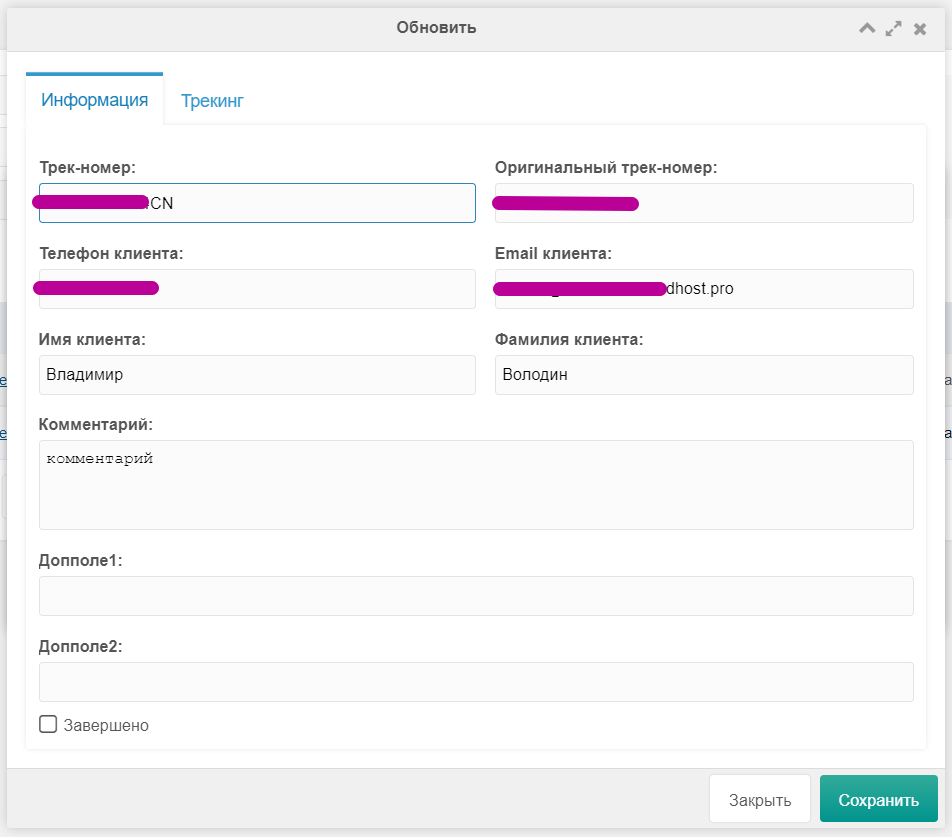
Save. Tracking is synced with LiveInform. You can refresh tracking in the manager or via a cron script.
Example sync script in core/components/msliveinform/cron/.
By default change_order_status is on—order status can change when tracking status changes. You can map each tracking status to an order status.
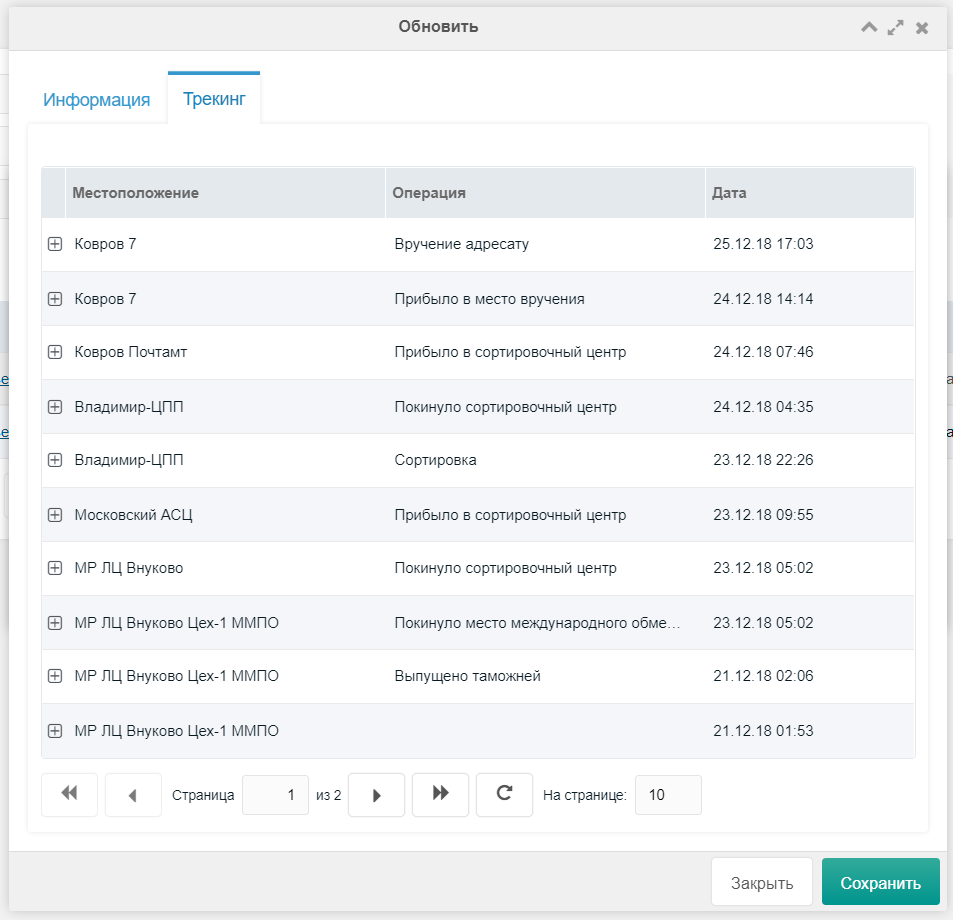
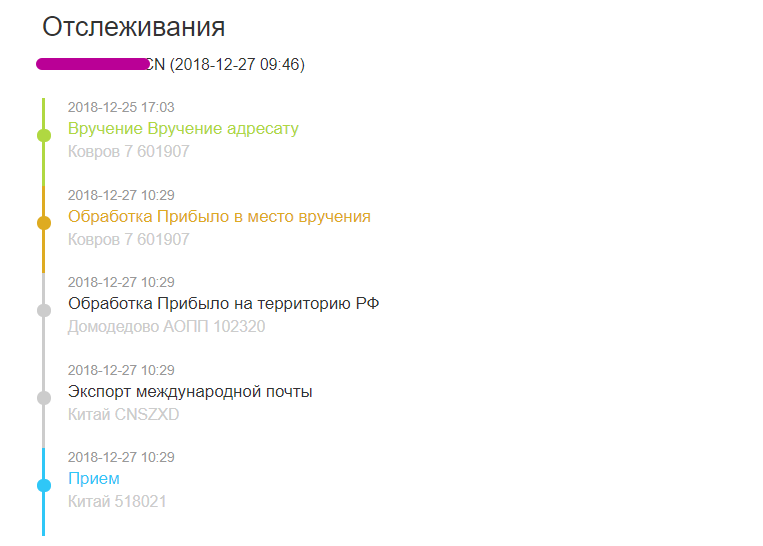
On the Tracking tab you see current tracking movement:
Output tracking on the frontend
Snippet msLiveInform.tracking outputs tracking info.
Parameters
| Parameter | Default | Description |
|---|---|---|
| order | Order ID. Use 0 for no limit. | |
| tpl | msLiveInform.tracking | Output chunk |
| limit | 10 | Max results |
| sortby | id | Sort field |
| sortdir | ASC | Sort direction |
Подсказка
You can use other pdoTools common parameters
Example for a specific order:
modx
[[!msLiveInform.tracking?
  &order=`2`
]]
To see all placeholders, omit the chunk:
modx
<pre>
  [[!msLiveInform.tracking?
    &order=`2`
    &tpl=``
  ]]
</pre>
With pagination:
modx
[[!pdoPage?
  &element=`msLiveInform.tracking`
]]
[[!+page.nav]]
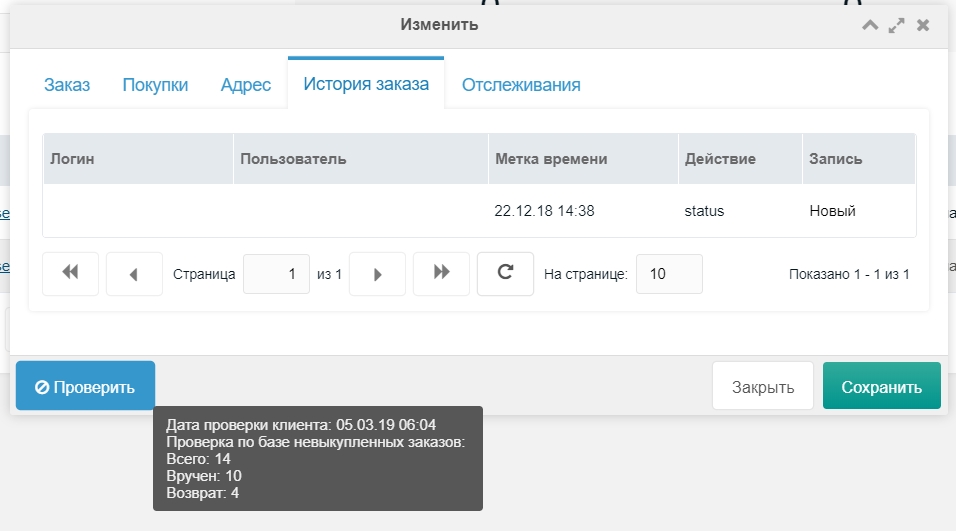
LiveInform order base check
You can check the order client by:
- Number of returns
- Number of delivered orders
- Total orders

msLiveInform settings
System settings > msLiveInform
api_id— ID for LiveInform API requestsorder_id_key— MiniShop order ID key in LiveInform. Default "num"change_order_status— Allow changing order status when tracking status changesorder_status_2— Order status ID for tracking status "Delivered"order_status_3— Order status ID for tracking status "Return"delivery_service— List of delivery services for tracking creation
Tracking statuses:
- 0 — In transit
- 1 — At pickup point
- 2 — Delivered
- 3 — Return
Map each to an order status. E.g. tracking "2 - Delivered" uses order_status_2. For new LiveInform users, set message texts per delivery service in Settings.
Set change_order_status to "No" to disable order status changes from tracking.
Callback setup
LiveInform can notify your server when tracking status changes. Set the callback URL for notifications.
Example: http://site.ru/assets/components/msliveinform/callback.php.