



Settings
To run crontab on the server, go to the Settings tab and add a cron job.
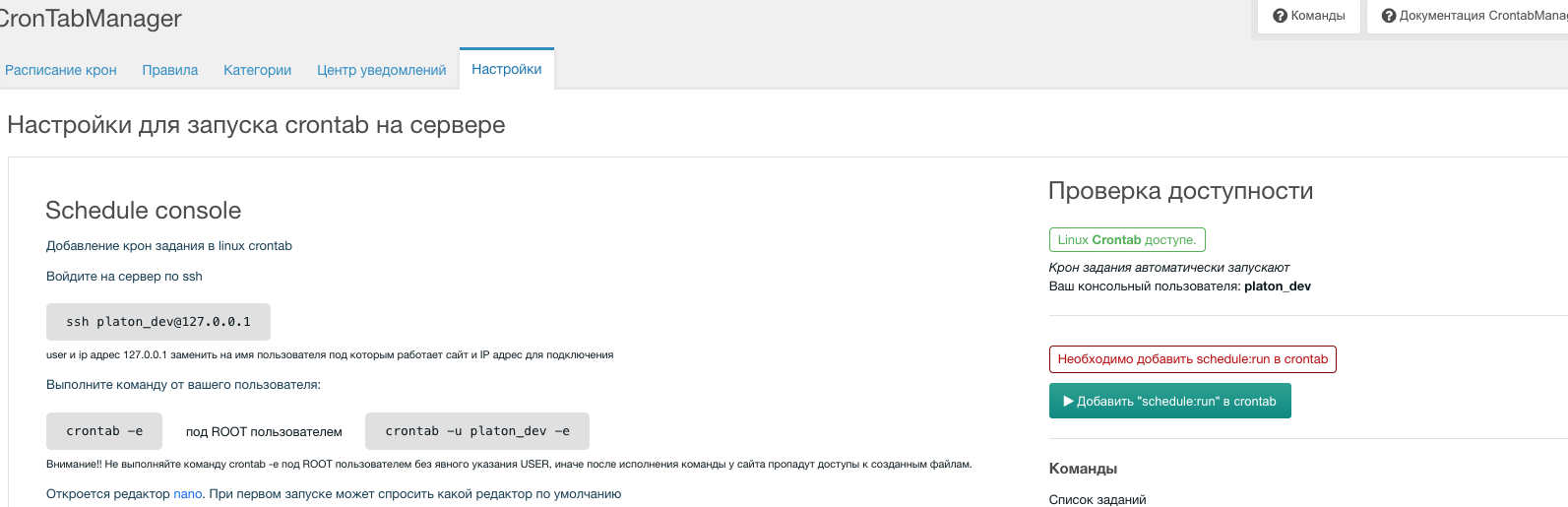
Schedule console
Adding a cron job in Linux crontab:
SSH into the server:
bashssh www-data@127.0.0.1Note: Replace
userand127.0.0.1with the user the site runs as and the server IP.Run the command as that user:
bashcrontab -eNote: To run as root for a specific user:
bashcrontab -u www-data -eWarning!! Do not run
crontab -eas ROOT without specifying the USER, or the site may lose access to its files.An editor (e.g. nano) will open; on first run it may ask which editor to use.
Add this line at the end of the file:
bash*/1 * * * * /usr/local/bin/php /var/www/html/core/scheduler/artisan schedule:run 2>&1Save and exit: CTRL+x then Yes and Enter.
Example crontab:
bash# modX component CronTabManager */1 * * * * /usr/local/bin/php /var/www/html/core/scheduler/artisan schedule:run 2>&1
CronTab runs every minute and executes the command as your user (e.g. www-data).
Extra info
Check which user you are (run "id"):
bash
id
# ---> uid=82(www-data) gid=82(www-data) groups=82(www-data)
To switch to a user from root:
bash
su - www-dataWith this setup you can enable and disable jobs from the Manager; they will run on the server automatically.
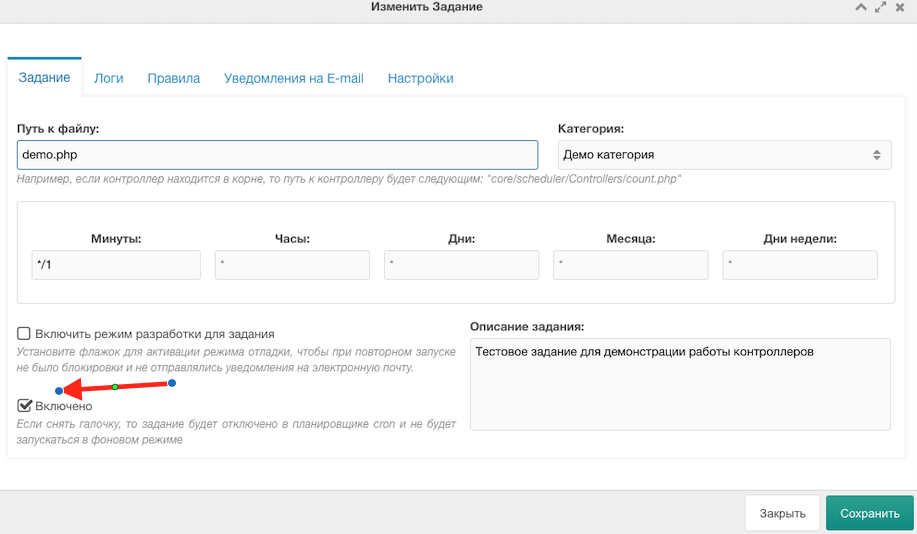
Schedule Work console
For supervisor (php artisan schedule:work):
ini
[program:crontab]
command = php /var/www/html/core/scheduler/artisan schedule:work
user = www-data
autostart = true
autorestart = true
redirect_stderr = true
stdout_logfile = /dev/stdout
The job pauses for one minute after running all commands due at the current time.