



RSS feed parser
RSS task setup
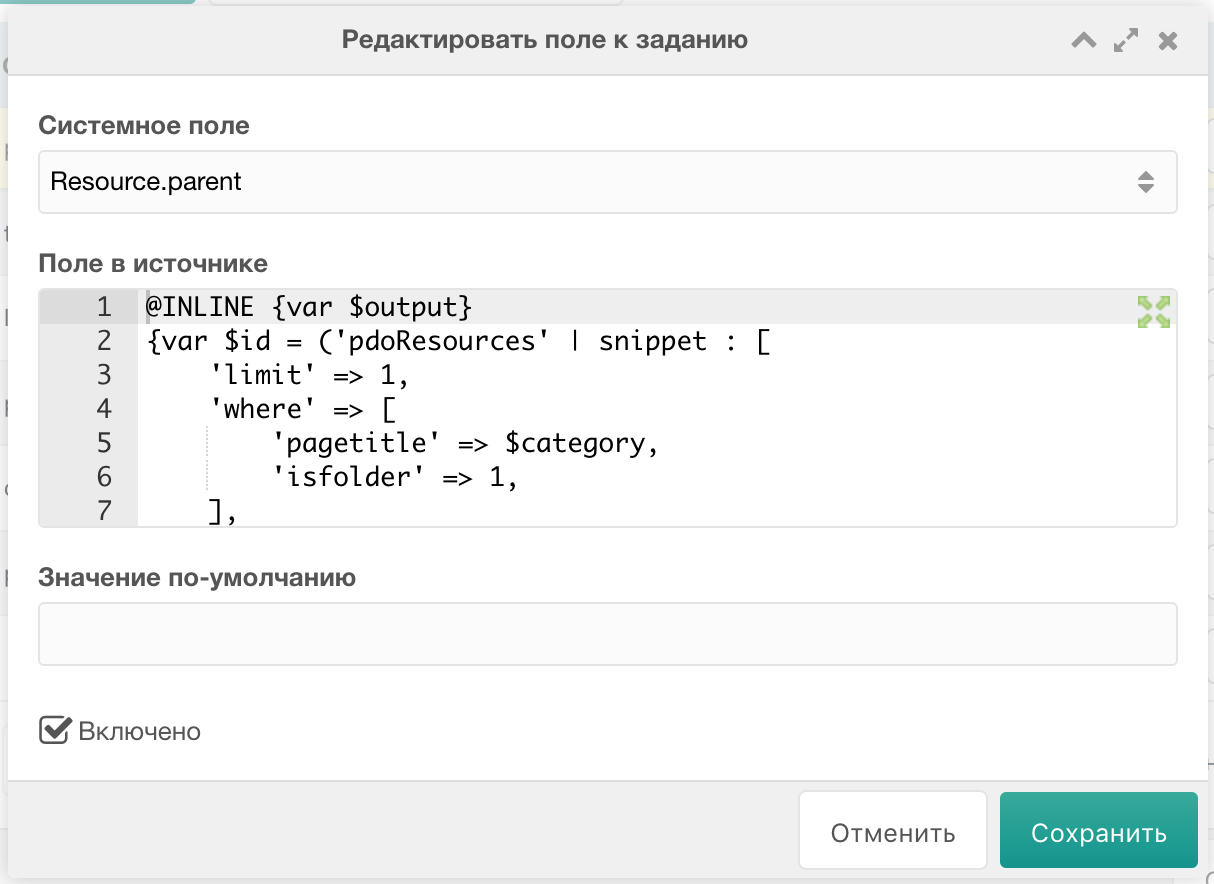
When adding feed fields to parse, instead of field name (title or enclosure[url]) you can use @INLINE chunk processed by Fenom. This allows custom logic, including creating sections on the fly.
Adding task
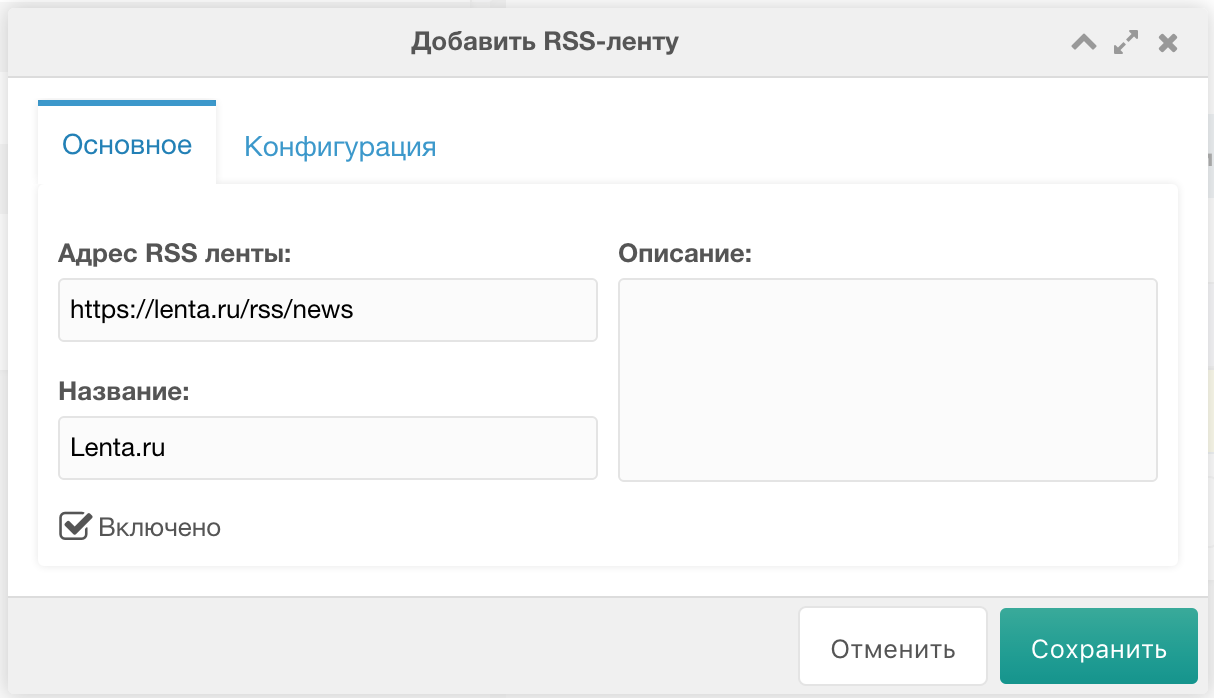
Go to component page, click "Add RSS feed". On "Main" tab fill in:
Switch to "Configuration" tab where you can set:
- Template for created resources
- Context
- Parent container in selected context
- Media download settings
- Feed base tag and record base tag if needed
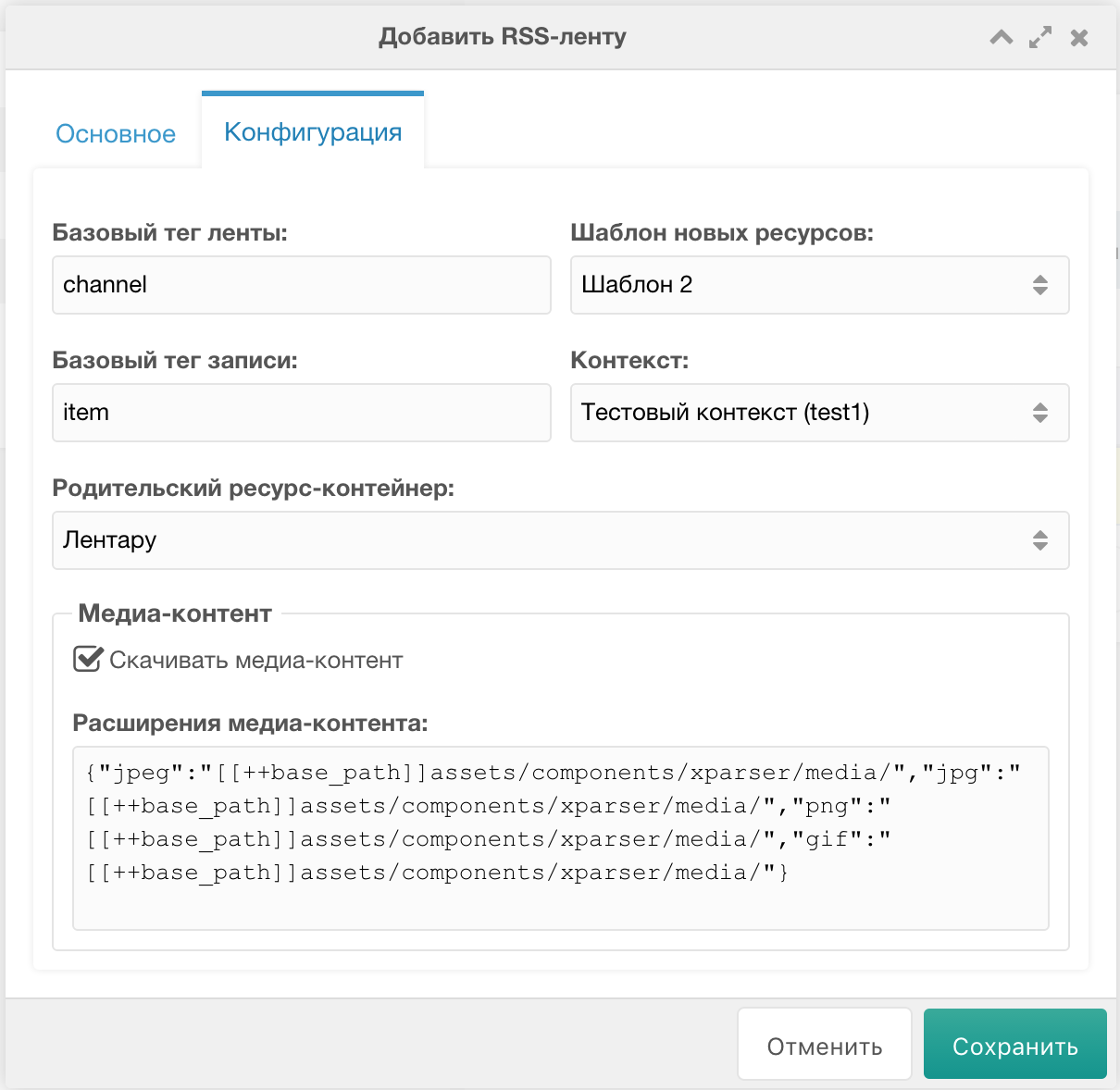
Media extensions and per-extension folders are set in JSON.
Click "Save". Task added!
Adding parse fields
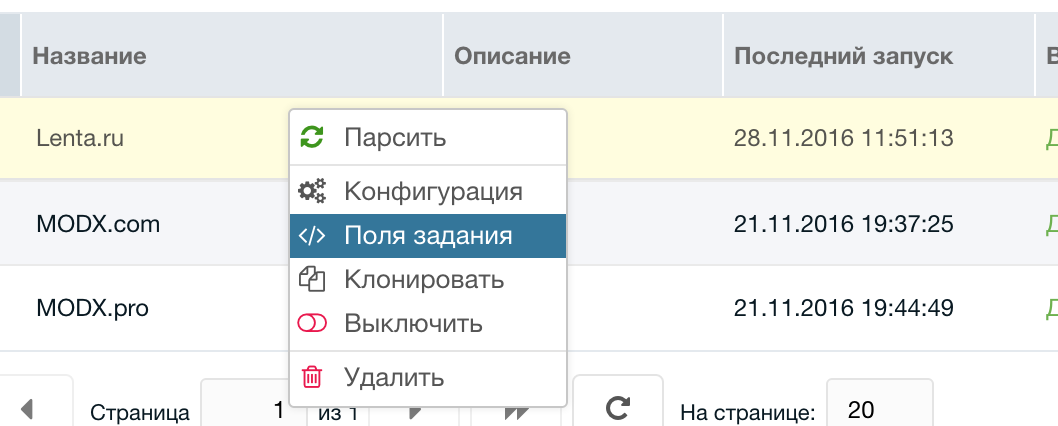
Right-click the new task and choose "Task fields":
The fields list opens, initially empty.
You can also view "Feed values array" - printed array from the first feed record:
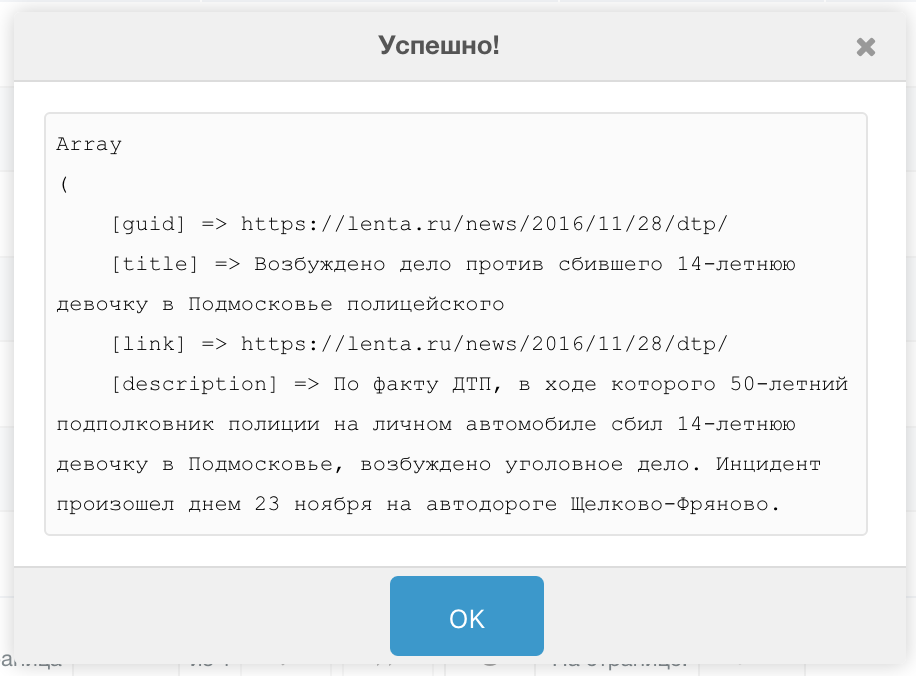
Remember the field names to parse and click "Add field". A window opens where you can set:
- System field. Dropdown of resource system fields and TV fields.
- Source field. Text field for RSS feed tag name. You can use
@INLINEchunk processed by Fenom from pdoTools. The chunk has placeholders for all RSS fields in item tags (also in$_pls) and task settings$_task. With Fenom you can e.g. get category value, find matching category id on your site, create if missing. enclosure and similar tags: use chunk@INLINE {$enclosure['url']}or CSS selectorenclosure[url]. If empty, System field gets value from Default value. - Default value. Value written to System field. E.g. for class_key write
Ticketand leave Source field empty to create Tickets. Same for published with1to publish immediately.
Besides data fields, add a field xParser uses to detect existing records. This field is Unique. Add a new field:
- System field - leave empty
- Source field =
guidbecause it changes least
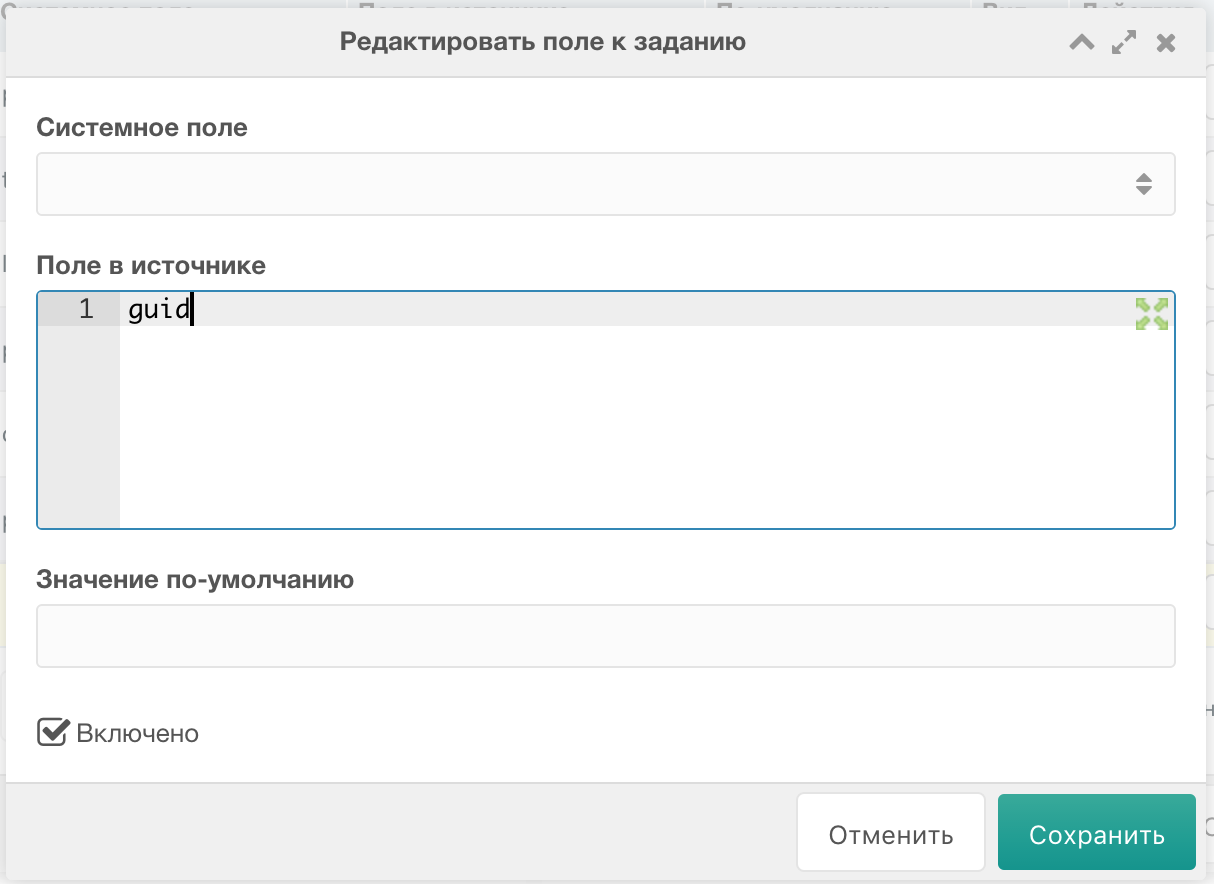
Save! In the fields list, set Unique field (star button on the left):
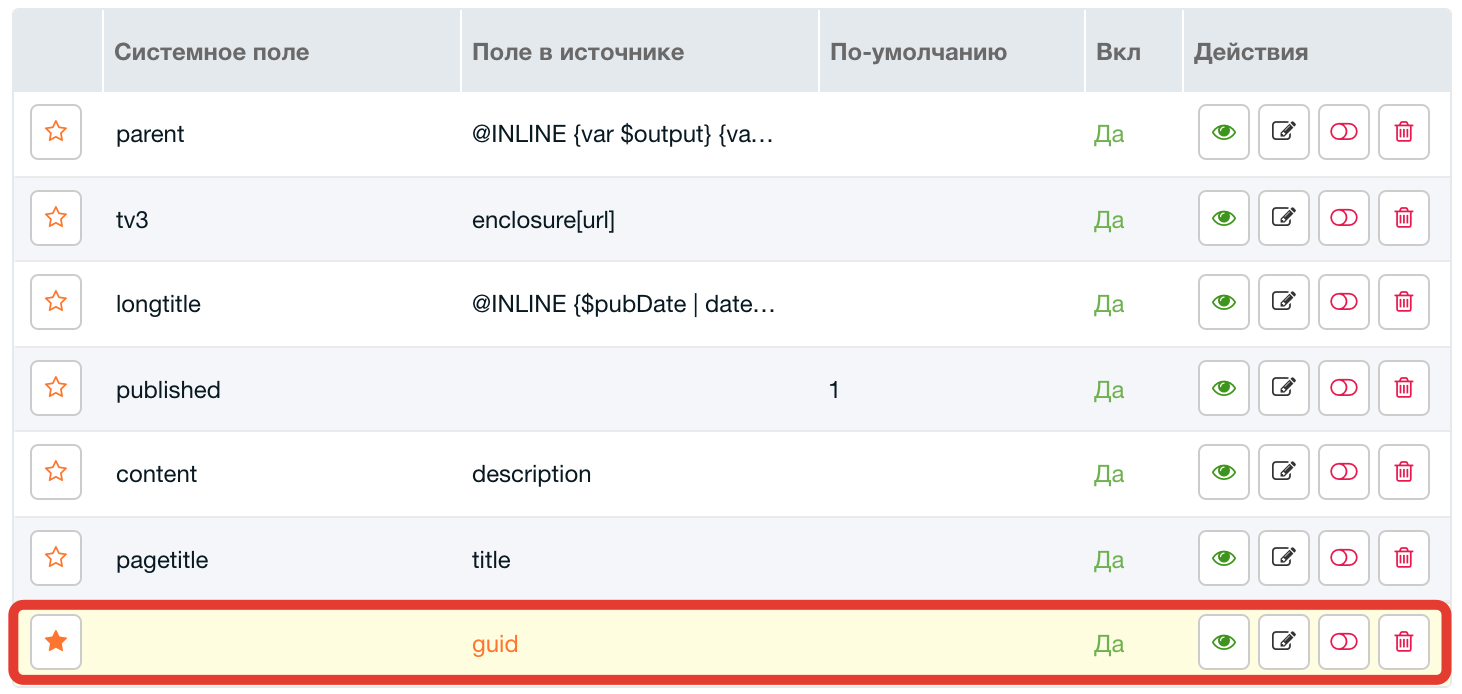
Ready for parsing - one-off or cron (component has cron script).