



UserLocation
The component implements user city selection.
You can try the package before purchase on modhost.pro.
Features
- User location detection by IP.
- Ready database of cities and regions of Russia, with import/export of custom locations.
Installation
- Add our repository.
- Install UserLocation.
- Import the locations file.
You can try the package before purchase on modhost.pro; these extras can be selected when creating a site there.
Description
UserLocation lets you detect the user's location and output a list of available locations.
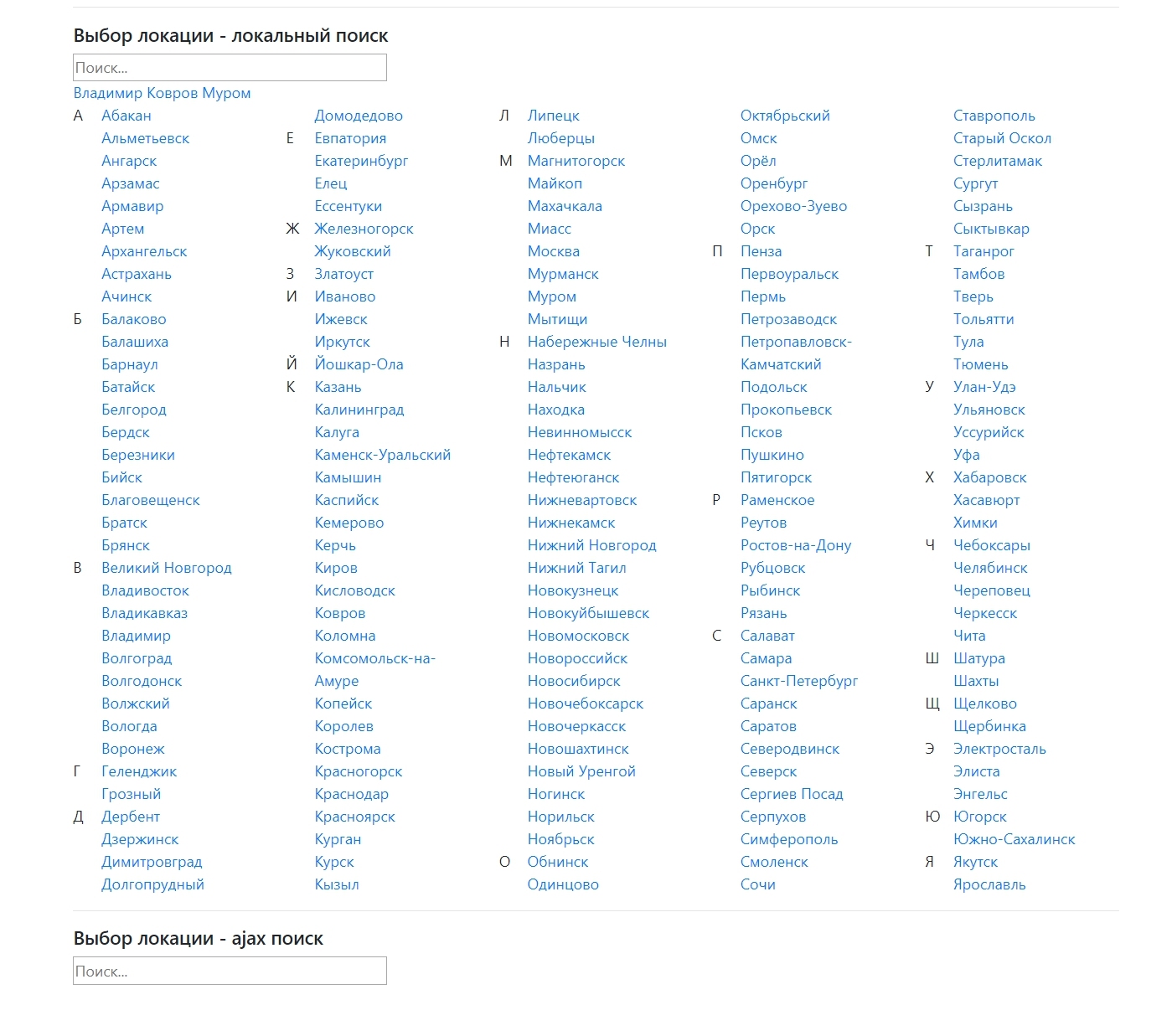
Snippet UserLocation.initialize
Loads required scripts and styles. Call it anywhere convenient.
Parameters
| Parameter | Default | Description |
|---|---|---|
| frontCss | CSS file to load on the frontend | |
| frontJs | JavaScript file to load on the frontend | |
| actionUrl | [[+assetsUrl]]action.php | Connector for ajax requests |
Snippet UserLocation.location
Returns a list of locations.
UserLocation.location parameters
| Parameter | Default | Description |
|---|---|---|
| tpl | UserLocation.locations | Chunk name for output |
| sortby | name | Sort field |
| sortdir | ASC | Sort direction |
| limit | 300 | Selection limit |
| toPlaceholder | Put result into placeholder toPlaceholder instead of output | |
| type | city | Object type |
Fenom modifiers
getUserLocation
Returns the current user location.
detectUserLocation
Returns the current user location by IP.
Example
Current user location:
fenom
{set $location = '' | getUserLocation}
{$location | print}

(
  [id] => 3300000400000
  [name] => Kovrov
  [type] => city
  [postal] => 601900
  [gninmb] => 3332
  [okato] => 17425000000
  [oktmo] => 17725000
  [fias] => 0b4978e2-e64c-4db1-b84d-93cf34bdb04b
  [active] => 1
  [parent] => 3300000000000
  [resource] => 0
  [description] =>
  [properties] =>
  [confirmed] => 0
)
Popover for location selection:
fenom
{set $location = '' | getUserLocation}

<div class="userlocation userlocation-location-confirm {$location.confirmed?'':'unconfirmed'}">
  <a href="javascript:" data-fancybox="" data-src="#userlocation-location-popup">{$location.name}</a>
  <div class="userlocation-location-confirm-popover">
    <div>Is this your city?</div>
    <div>
      <a href="" class="userlocation-location-item" data-userlocation-id="{$location.id}">Yes</a>
      <a href="javascript:" data-fancybox="" data-src="#userlocation-location-popup">Choose city</a>
    </div>
    <button class="userlocation-location-confirm-close"></button>
  </div>
</div>
<div id="userlocation-location-popup" style="display: none">
  <h4>Select your locality</h4><br>
  {'UserLocation.location'|snippet:[
    'typeSearch' => 'local',
    'tpl' => 'UserLocation.locations'
  ]}
</div>
Input with location selection:
html
<input
  type="text" class="userlocation-location-search-input"
  data-userlocation-mode="remote"
  data-userlocation-template="<div class='userlocation-suggestion userlocation-location-item' data-userlocation-row='@row@' data-userlocation-id='@id@'>@name@</div>"
  data-userlocation-value-field="name"
  data-data-type="city"
  placeholder="Search..."
/>
Output neighboring locations:
fenom
{set $location = '' | detectUserLocation}
{if $location}
  {set $tmp = '!UserLocation.location' | snippet: [
    'limit' => 1,
    'where' => [
      'parent:IN' => [$location.parent, $location.id],
      'OR:id:IN' => [$location.parent, $location.id],
    ],
  ]}
{/if}
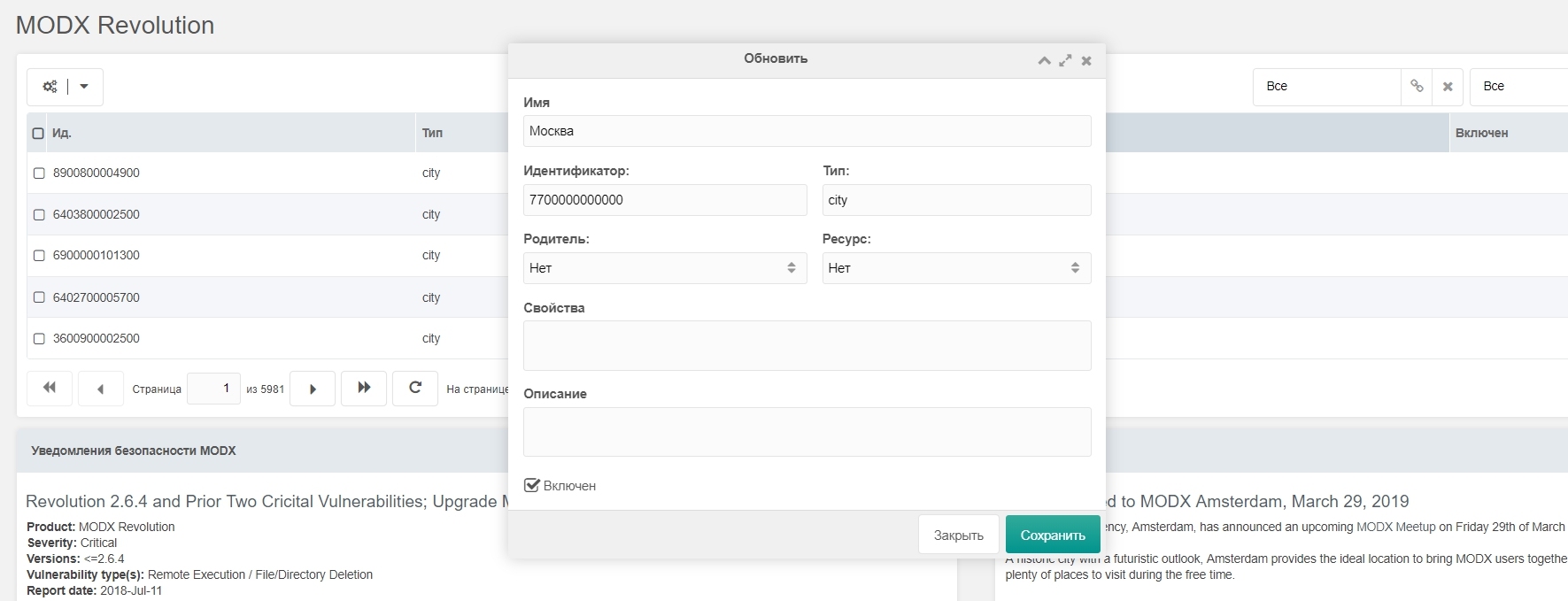
Managing locations in the manager
The locations management table is shown as a widget.
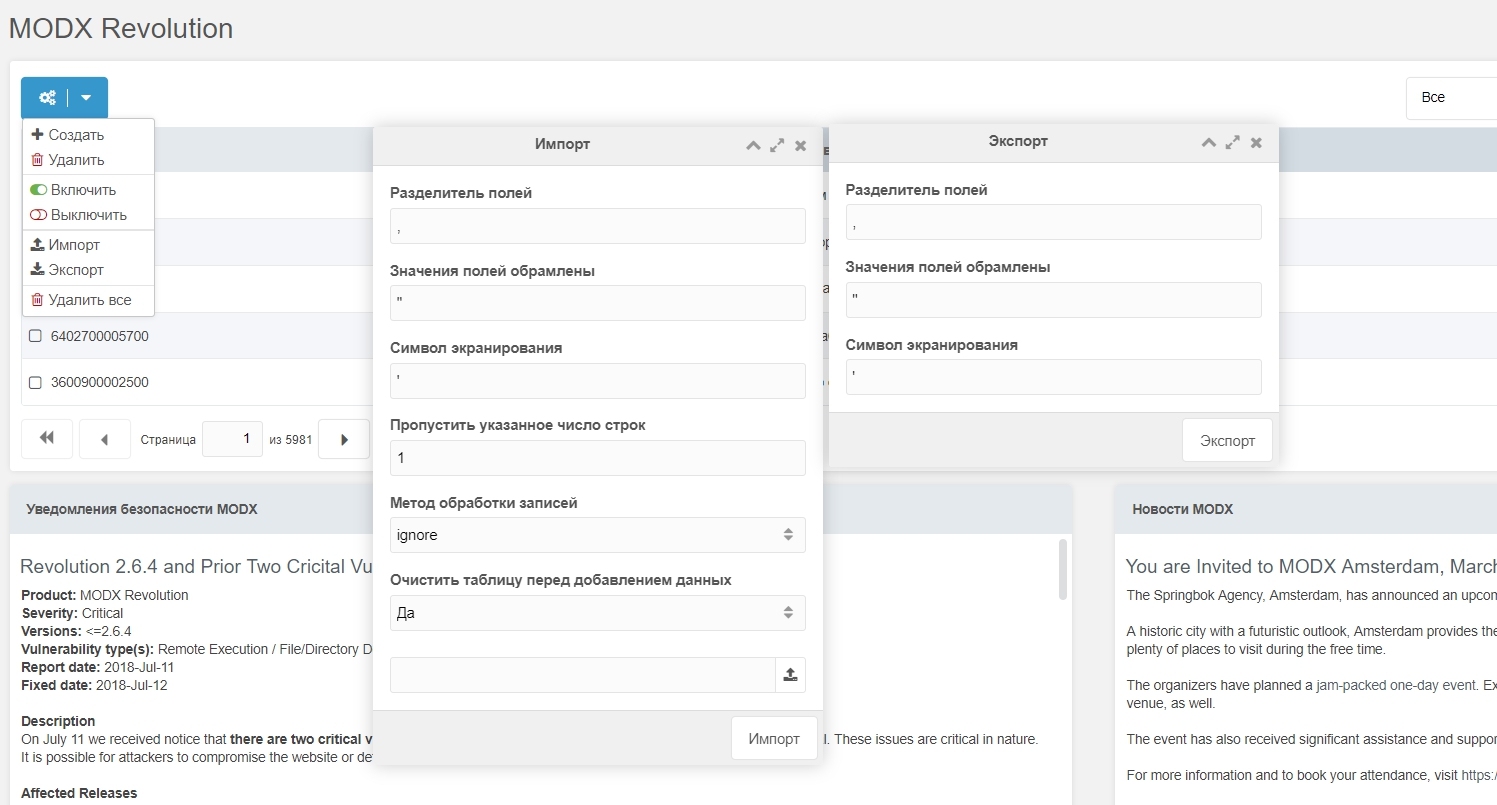
Import / Export locations
Locations can be imported and exported in CSV format.
User geolocation
Out of the box, the following IP-based location detection classes are available:
- ulDetectLocationByIpGeoBase enabled by default
- ulDetectLocationBySypexGeo
- ulDetectLocationByDaData
The geolocation class can be set in ulMethodDetectLocation.
The most accurate class is ulDetectLocationByDaData, but it requires a DaData service token.
Note
After installing the package you must import the locations file. City and region locations for Russia are in core/components/userlocation/elements/locations/locations.csv
By default major Russian cities are active; you can enable or disable cities as needed.