

Save2Page
Component for saving pages to PDF, Markdown, and TXT
Save2Page adds buttons to quickly save the current page as PDF and to show a print-friendly version.
Note that the module does not handle complex content well (complex layout, scripts, HTML5, etc.). It is meant for saving content (articles, news, promotions, services, products), not everything.
This feature is common on sites with other CMS, and now on MODX Revolution! Users can quickly download articles, product descriptions with images, news, and more from your site.
Recommended for the whole site or specific pages. Especially useful for sites with lots of text, tables, and images.
HTML to PDF conversion uses mPDF
After installation, site pages are available via links with s2p query parameter.
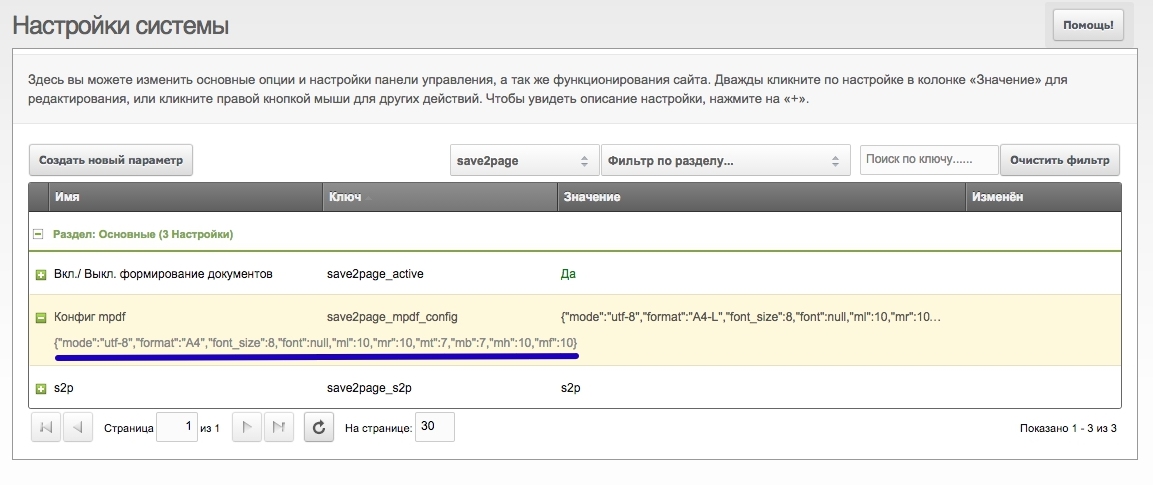
mPDF parameters can be set in MODX settings:
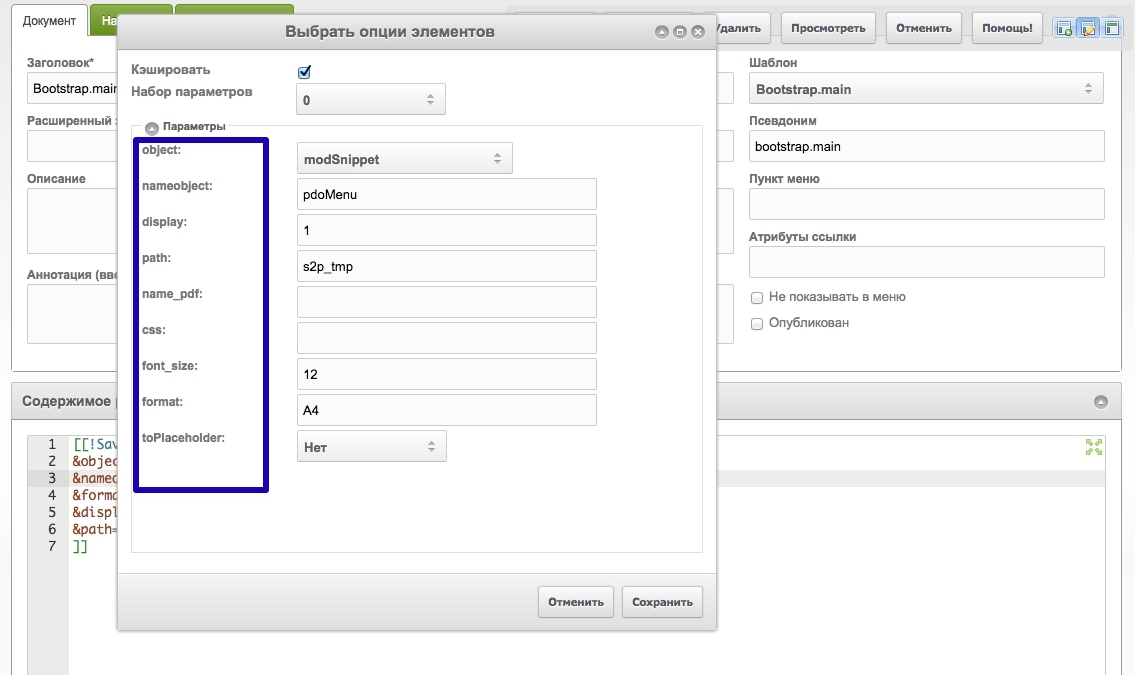
object - processing object: snippet / chunknameobject - snippet / chunk nameformat - PDF formatdisplay - show on screen - yes / no. Useful for debuggingpath - path relative to site root. Document save location. Folder is created if missing.css - styles, load CSS files for PDF if neededfont_size - default font sizename_pdf - output filenameExample file export here
*This description in Markdown format was generated by Save2Page package