


ordersUnformed
Users don't always complete checkout. Reasons vary, from complex site checkout to user indecision. This component tracks abandoned carts (incomplete orders) so the manager can follow up with the customer and encourage the purchase.
When a user adds a product to the cart, removes it or changes quantity — OrdersUnformed records these events in the database and lets the manager view a list of carts whose orders have not been placed.
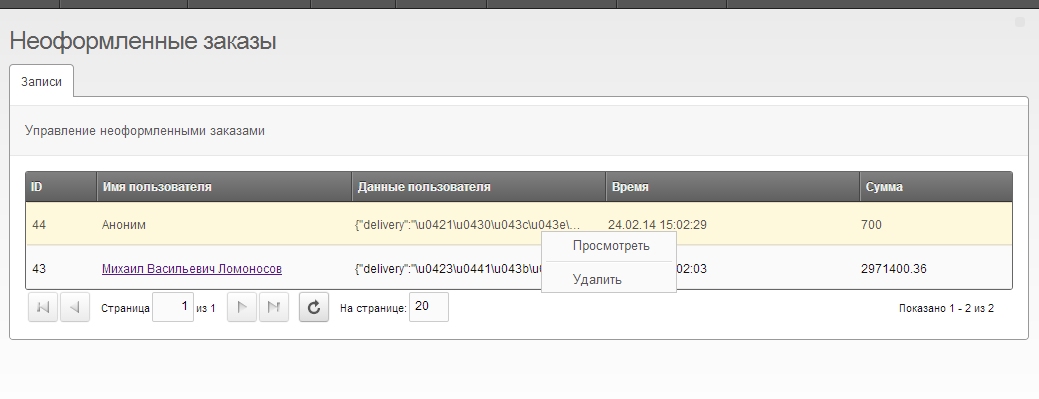
It saves as much user data as possible. If the potential buyer is logged in, their cart gets a link to the credentials page.
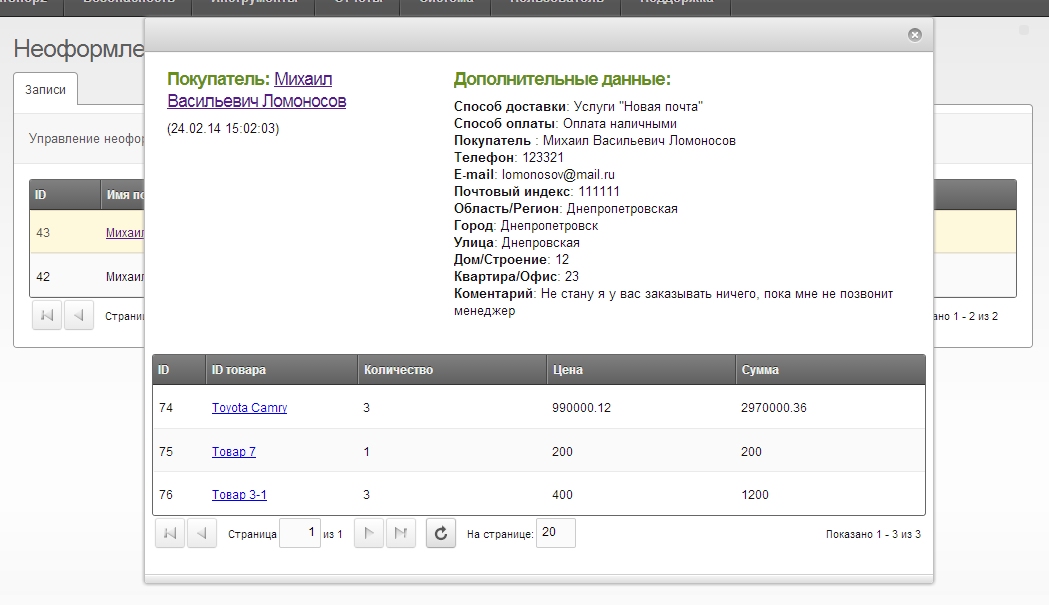
If the user is not logged in but goes to checkout and fills the form, any correctly entered data is also saved and shown in the detailed cart info window in the "Additional data" block.
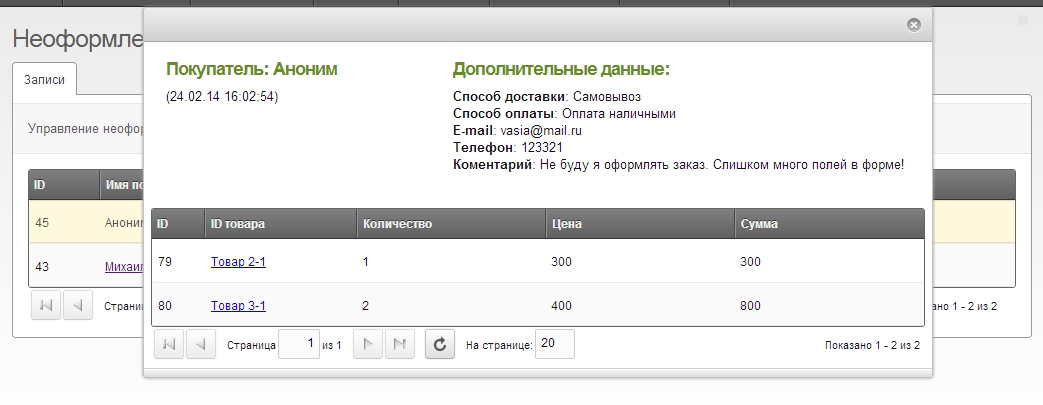
If the user completes the order, all cart data is deleted, so the manager only sees unplaced orders and can view full info on potential customers.
Lexicons
Lexicons are used for clear labels; they cover all fields of the standard miniShop2 checkout form.
If your form has fields not in the lexicon and you want clear labels for them, add them via MODX lexicon management.