



GoogleSheets
Settings
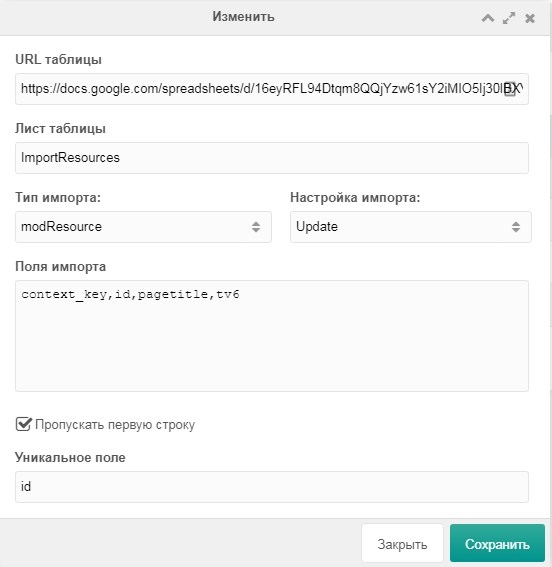
URL table
Google Sheet URL where data will be imported.
Sheet
Sheet name in the Google Sheet.
Import type
- modResource (resources)
- msProduct (minishop2 products)
- msCategory (minishop2 categories)
- msVendor (minishop2 vendors)
- msOptionsPrice2 (minishop2 options)
- msProductRemains (minishop2 product stock)
Import settings
- Default (create new and update existing resources)
- Create (only create new resources)
- Update (only update existing resources)
Unique field
Required. Comma-separated list of unique fields. E.g. product_id,article
*Lists are comma-separated
Deleting data
Clicking «Remove data» deletes only objects that match rows in the table.
System events
Before formatting: gsOnBeforeImportValues
After: gsOnImportValues
These events have 2 parameters:
- values – data to import
- range – sheet name where data will be imported