


Compare for MODX 3 - Documentation
Compare component documentation — product comparison for MiniShop3 (MODX 3) by characteristics

Compare is a component for comparing MiniShop3 (MODX 3) products by characteristics.
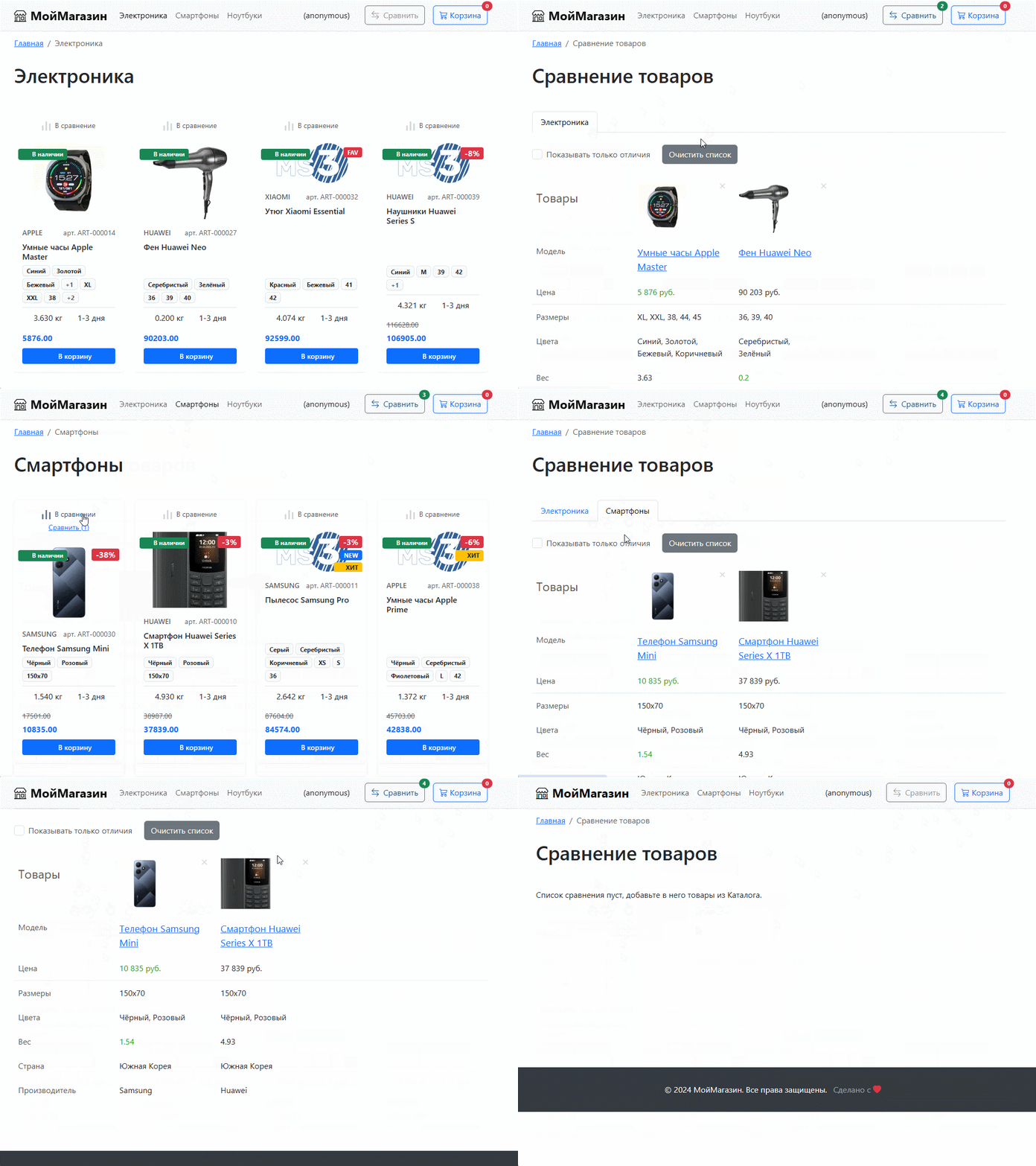
You do not need to add snippet calls on site pages (except the comparison page itself). All that is required is to add HTML markup, which helps keep the site fast. Component data is loaded in a separate request when the page is displayed on the client.
Note: default chunks and CSS are tailored for Bootstrap 5. If you do not use it, you may need to adjust the HTML and CSS.
Step 1. Add component scripts and styles to your pages:
<!-- css, add in <head> -->
<link rel="stylesheet" href="/assets/components/compare/css/compare.css">

<!-- js, before closing </body> -->
<script src="/assets/components/compare/js/compare.js" defer></script>
Step 2. Add an "Add to compare" button on the product.
You can use the default chunk tpl.Compare.Button or create your own based on the examples below.
In these examples you need to set the data-id attribute (product id); optionally set data-list (comparison list name). Ensure you use [[*id]] on the product page and [[+id]] in product listings.
Example #1, icon only:
<div class="compare compare--load" compare-root data-id="[[*id]]" data-list="Products">
    <button class="compare__button" aria-label="Add to compare">
        <svg width="17" height="18" viewBox="0 0 17 18" fill="none" xmlns="http://www.w3.org/2000/svg">
            <rect y="8" width="3" height="10" fill="#A6A6A6"/>
            <rect x="7" width="3" height="18" fill="#A6A6A6"/>
            <rect x="14" y="4" width="3" height="14" fill="#A6A6A6"/>
        </svg>
    </button>
</div>
Example #2, with text:
<div class="compare compare--load" compare-root data-id="[[*id]]" data-list="Products">
    <button class="compare__button" type="button" aria-label="Add to compare">
        <svg width="17" height="18" viewBox="0 0 17 18" fill="none" xmlns="http://www.w3.org/2000/svg">
            <rect y="8" width="2" height="10" fill="#125190"></rect>
            <rect x="7" width="2" height="18" fill="#125190"></rect>
            <rect x="14" y="4" width="2" height="14" fill="#125190"></rect>
        </svg>
        <span class="compare__button-text" data-add="Add to compare" data-remove="In compare">Add to compare</span>
    </button>
    <a href="/compare?list=default" class="compare__go">Compare (<span class="compare__count"></span>)</a>
</div>
Pay attention to classes and attributes starting with compare; they are required for the component to work correctly.
Step 3. Create a separate page (e.g. /compare) with the snippet call [[!Compare]]:
[[!Compare?
    &fields=`price,vendor_id,size,color,weight,made_in,option_1,option_2`
    &priceFields=`price,old_price`
    &weightFields=`weight`
    &best=`price:min`
    &list=`default`
    &tpl=`tpl.Compare.Page`
]]
Snippet parameters:
fields — list of product fields and options (option_1, ...) to comparepriceFields — price fields, default price,old_price. Values are formatted with currency symbolweightFields — weight fields, default weight. Values are formatted with unitsbest — fields for which to highlight the best (min or max) value (numeric only), e.g. for lowest price and maximum power use price:min,power:maxlist — comparison list name; empty default is shown as "Products". Use different lists so you don't mix e.g. Refrigerators and Phonestpl — HTML template chunk, default tpl.Compare.PageStep 4. Add a link to the comparison page in the header (similar to miniShop2 minicart).
You can use the ready-made chunk tpl.Compare.Mini or add HTML manually:
<a href="/compare" class="compare-mini">
    Compare <i class="compare-mini__count"></i>
</a>
The number of products in the comparison will be shown here.
When there are products in the comparison, the link gets the class compare-mini--active, which you can use for styling (or visibility).
You can add a list query parameter to the link for a specific list: /compare?list=Products.
| Key | Default | Purpose |
|---|---|---|
compare_page_id | 0 | ID of the comparison page resource |
compare_list_limit | 100 | Maximum number of products in one list |
compare_storage_handler | Compare\Storages\SessionStorage | Storage class: Compare\Storages\SessionStorage for session, Compare\Storages\DbStorage for database |
compare_anonymous_ttl_days | 30 | How long to keep anonymous users' lists (for DbStorage only) |
Discuss the component and ask the author questions at https://modx.pro or via https://modstore.pro support (for purchased extras).