


miniShop2
Flexible and fast e-commerce component for MODX Revolution

Snippet for displaying a completed order.
It is used on the checkout page and when sending email notifications to customers. It outputs order details, products, user, address, delivery and payment data, and totals. The same data structure is available in email chunks. You can reuse one chunk for the checkout page and for emails.
| Parameter | Default | Description |
|---|---|---|
| id | Order id; if not set, taken from $_GET['msorder']. | |
| tpl | tpl.msGetOrder | Chunk used for output. |
| includeTVs | Comma-separated list of TV parameters to select. E.g. "action,time" gives placeholders [[+action]] and [[+time]]. | |
| includeThumbs | Comma-separated list of thumbnail sizes to select. E.g. "120x90,360x240" gives [[+120x90]] and [[+360x240]]. Images must be generated in advance in the product gallery. | |
| includeContent | Include the "content" field for products. | |
| toPlaceholder | If not empty, the snippet saves all data to a placeholder with this name instead of outputting to the page. | |
| payStatus | 1 | Order statuses (comma-separated) for which the payment link is displayed. |
| showLog | false | Show extra information about snippet execution. Only for users authorized in context "mgr". |
If you pass id (or it is taken from the request), the snippet loads that order and its related data. It loads products, user, address, delivery, and payment. All of this is passed into the chunk as Fenom variables.
Подсказка
You can also use other general pdoTools parameters.
The snippet is designed to work with a Fenom chunk and passes 7 variables into it:
msOrder (id, user_id, num, cost, status, delivery, payment, order_comment, createdon, etc.)modUser and modUserProfile (id, fullname, email, phone, username, etc.)msAddress (receiver, phone, email, country, city, street, building, entrance, floor, room, comment, text_address, index, region, metro, etc.)msDelivery (id, name, description, price, weight_price, requires, free_delivery_amount, etc.)msPayment (id, name, description, price, logo, rank, etc.)All of these are arrays or scalars; use them in the Fenom chunk with {$order.id}, {$products}, {$user.email}, and so on.
Data passed when calling the snippet can also be present in the chunk. For example, in chunks for new-order emails the variable payment_link may be available. The same variables are used when the component sends notification emails to the customer. You can pass any custom placeholders via the snippet call; they will be available in the chunk.
You can see all available order placeholders by passing an empty chunk. Alternatively use the print modifier in a temporary chunk to inspect the variables.
<pre>[[!msGetOrder?tpl=``]]</pre>Array
(
[tpl] =>
[includeTVs] =>
[includeThumbs] =>
[toPlaceholder] =>
[showLog] =>
[order] => Array
(
[id] => 1
[user_id] => 2
[session_id] =>
[createdon] => 2023-11-05 08:31:47
[updatedon] =>
[num] => 2311/1
[cost] => 2100
[cart_cost] => 2100
[delivery_cost] => 0
[weight] => 0
[status] => 1
[delivery] => 1
[payment] => 1
[context] => web
[order_comment] =>
[properties] =>
[type] => 0
)
[products] => Array
(
[0] => Array
(
[id] => 4
[type] => document
[contentType] => text/html
[pagetitle] => Product 1
[longtitle] =>
[description] =>
[alias] => product-1
[article] =>
[price] => 500
[old_price] => 0
[weight] => 0
[image] =>
[thumb] =>
[vendor] => 0
[original_price] => 500.00
[product_id] => 4
[order_id] => 1
[name] => Product 1
[count] => 3
[cost] => 1 500
[options] => Array()
[order_product_id] => 1
[discount_price] => 0
[discount_cost] => 0
)
[1] => Array
(
[id] => 5
[type] => document
[pagetitle] => Product 2
[alias] => product-1
[article] =>
[price] => 600
[old_price] => 0
[weight] => 0
[original_price] => 600.00
[product_id] => 5
[order_id] => 1
[name] => Product 2
[count] => 1
[cost] => 600
[options] => Array()
[order_product_id] => 2
[discount_price] => 0
[discount_cost] => 0
)
)
[user] => Array
(
[id] => 2
[internalKey] => 2
[fullname] => Ivan Ivanov
[email] => ivanov@example.com
[phone] =>
[mobilephone] =>
[blocked] =>
[blockeduntil] => 0
[blockedafter] => 0
[logincount] => 0
[lastlogin] => 0
[thislogin] => 0
[failedlogincount] => 0
[sessionid] =>
[dob] => 0
[gender] => 0
[address] =>
[country] =>
[city] =>
[state] =>
[zip] =>
[fax] =>
[photo] =>
[comment] =>
[website] =>
[extended] =>
[username] => ivanov@example.com
[password] => password
[cachepwd] =>
[class_key] => modUser
[active] => 1
[remote_key] =>
[remote_data] =>
[hash_class] => hashing.modNative
[salt] => e4asd6as62119s6w8aad9a9f5ed174f57325
[primary_group] => 0
[session_stale] =>
[sudo] =>
[createdon] => 2023-11-05 08:31:47
)
[address] => Array
(
[id] => 1
[order_id] => 1
[user_id] => 2
[createdon] => 2023-11-05 08:31:47
[updatedon] =>
[receiver] => Ivan Ivanov
[phone] =>
[email] => ivanov@example.com
[country] =>
[index] =>
[region] =>
[city] =>
[metro] =>
[street] =>
[building] =>
[entrance] =>
[floor] =>
[room] =>
[comment] =>
[text_address] =>
[properties] =>
)
[delivery] => Array
(
[id] => 1
[name] => Pickup
[description] =>
[price] => 0
[weight_price] => 0
[distance_price] => 0
[logo] =>
[rank] => 0
[active] => 1
[class] =>
[properties] =>
[requires] => email,receiver
[free_delivery_amount] => 0
)
[payment] => Array
(
[id] => 1
[name] => Cash
[description] =>
[price] => 0
[logo] =>
[rank] => 0
[active] => 1
[class] =>
[properties] =>
)
[total] => Array
(
[cost] => 2 100
[cart_cost] => 2 100
[delivery_cost] => 0
[weight] => 0
[cart_weight] => 0
[cart_count] => 4
[cart_discount] => 0
)
[scriptProperties] => Array
(
[tpl] =>
[includeTVs] =>
[includeThumbs] =>
[toPlaceholder] =>
[showLog] =>
)
)This snippet is intended to be used together with others on the checkout page. Typically the cart is shown first; after the user submits the order form, the cart and form are hidden and msGetOrder displays the created order:
[[!msCart]] <!-- View and edit cart; hidden after order is created -->

[[!msOrder]] <!-- Checkout form; hidden after order is created -->

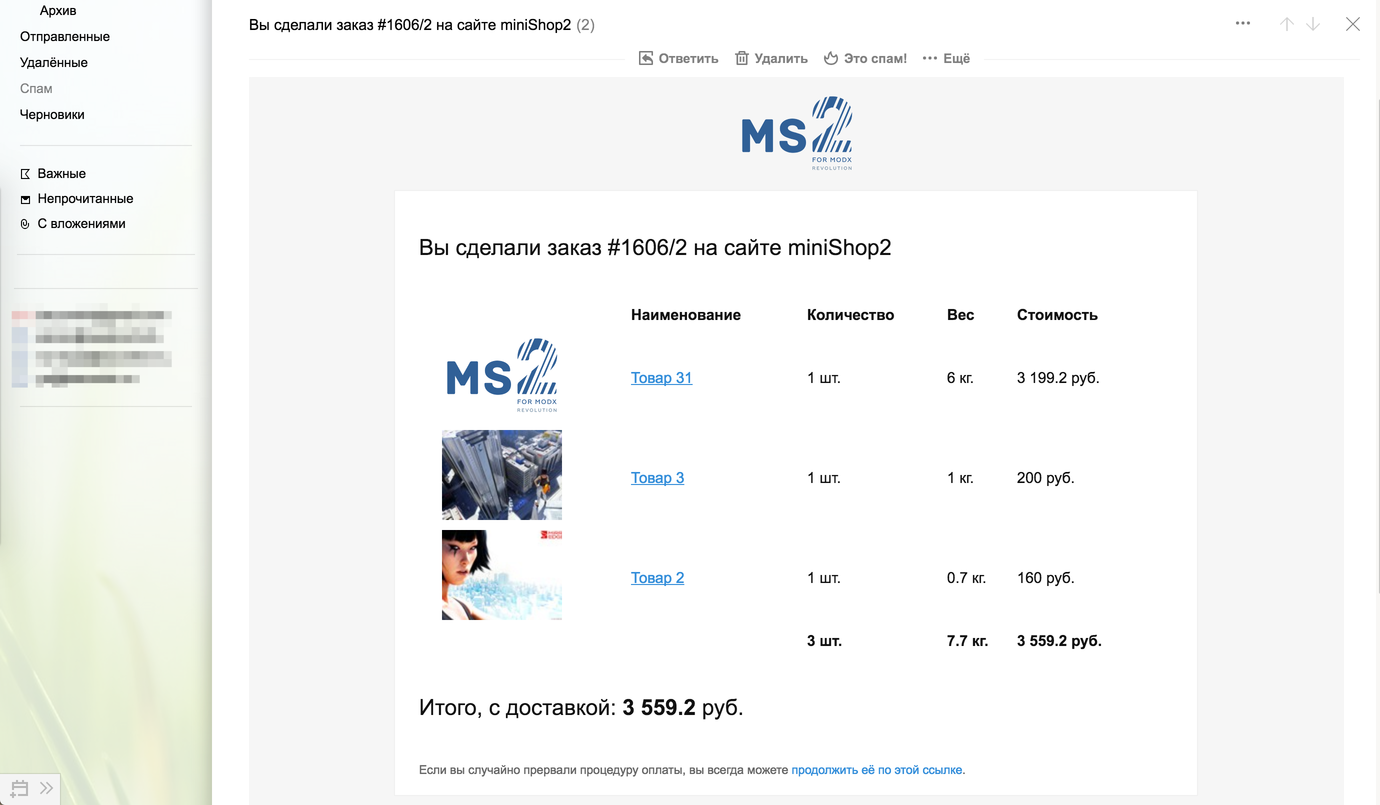
[[!msGetOrder]] <!-- Order info; shown after order is created -->This snippet is used by the miniShop2 class to format email notifications to customers when their sending is enabled in order status settings. All variables passed by msGetOrder — order, products, user, address, delivery, payment and total — are also available in email notification chunks. The chunk receives the same structure as on the checkout page, so you can reuse the same Fenom logic if needed.
By default all emails extend one base mail chunk tpl.msEmail and override the blocks defined in it:
You can override any of these blocks in a preset-specific chunk. Example: new order email to customer:
{extends 'tpl.msEmail'}

{block 'title'}
  {'ms2_email_subject_new_user' | lexicon : $order}
{/block}

{block 'products'}
  {parent}
  {if $payment_link?}
    <p style="margin-left:20px;{$style.p}">
      {'ms2_payment_link' | lexicon : ['link' => $payment_link]}
    </p>
  {/if}
{/block}
Here the base template is extended, the title block is set, and the payment link is added to the products block when the variable is present (e.g. for certain order statuses). The payment_link placeholder is set by the component when the order status is in payStatus and the payment method supports it.
For more on template inheritance and blocks, see the Fenom extends documentation.