


Sendex
Email newsletters in MODX — subscribers, send queue, and a front-end subscribe form
- MODX 2
- MODX 3
- PHP 7.4

The Email queue tab in Components → Sendex builds and sends letters to subscribers.
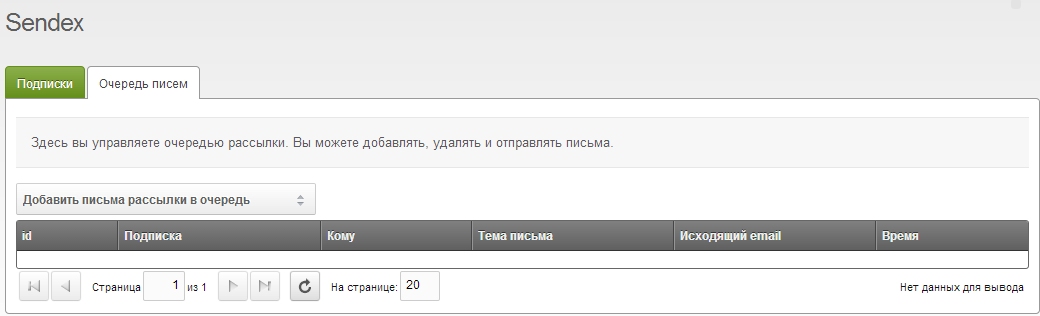
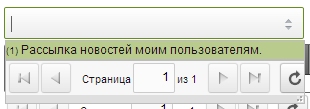
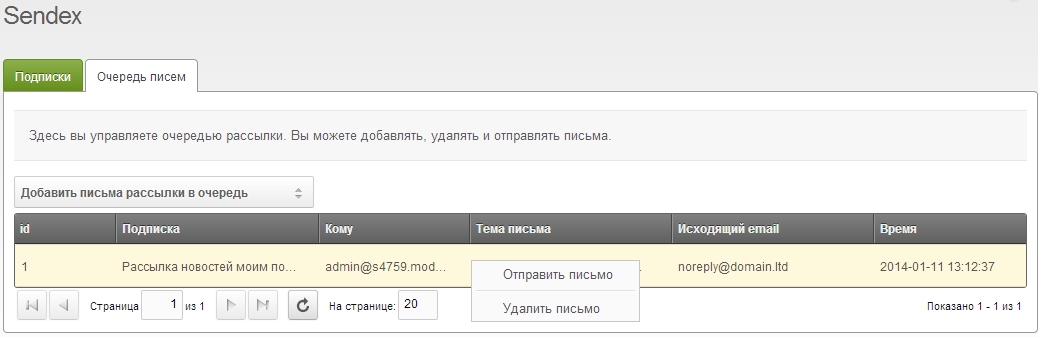
Each subscriber gets an sxQueue row with a snapshot of mail headers. The body is rendered at send time from the newsletter template (compact mode: empty email_body in the queue).
Duplicates are skipped by row hash.
Events: sxOnBeforeAddQueues (cancellable) and sxOnAddQueues.
| Action | Description |
|---|---|
| Send | Send selected rows |
| Send all | Send the entire queue |
| Remove / Remove all | Drop queue rows without sending |
Manual send from the manager stops on the first error (stopOnError: true).
claimed_at, attempts++, expires_at (+900 sec)newsletter, subscriber, user, profile placeholderssxOnBeforeQueueSend — plugin can cancel (row removed, no requeue)sxOnQueueSendsxOnQueueSendFailed, retry on next runAfter a batch — event sxOnQueueFlushComplete.
| Result | Queue row | Event |
|---|---|---|
| Success | deleted | sxOnQueueSend |
| BeforeQueueSend cancel | deleted | — |
| SMTP error | claim released, retry | sxOnQueueSendFailed |
Plugin skip (false) | deleted | — |
Parallel cron workers cannot send the same row twice — atomic DB claim.
Add a cron job from the MODX site root:
php core/components/sendex/cron/send.phpFrequency depends on subscriber count and hosting limits. Default batch size: 100 emails per run.
Change the limit with system setting sendex_queue_limit — transport does not create this key; add it manually if needed. See System settings.
Example cron entry (every minute):
* * * * * php /path/to/modx/core/components/sendex/cron/send.phpCron uses the same pipeline as Send all, but does not stop on the first error and logs failures to the MODX log.
| Manager “Send to subscribers” | Queue + cron | |
|---|---|---|
| Build queue | yes | manual or Add to queue |
| Send | immediately | on schedule |
| Stop on error | yes | no |
| Batch limit | all queue rows | sendex_queue_limit (100) |
sendex_queue_limit