



Installation and basic setup
System settings
| Name | Description |
|---|---|
| amocrm_account | Account subdomain (amocrm.ru subdomain) |
| amocrm_client_id | Integration ID (from the integration widget) |
| amocrm_client_secret | Integration secret (from the integration widget) |
| amocrm_client_code | Auth code (from the integration widget) |
| amocrm_form_pipeline_id | For form submissions. Pipeline ID for form requests. Copy from the browser URL |
| amocrm_form_status_new | For form submissions. Status ID in that pipeline. Check in dev tools by selecting the status column |
| amocrm_pipeline_id | For miniShop2 orders. Pipeline ID. Copy from the browser URL |
| amocrm_new_order_status_id | For miniShop2 orders. Status ID in that pipeline. Check in dev tools |
Step-by-step guide for the new auth system
This follows the amoCRM OAuth guide.
Open the user profile; the key is in the "Your API" section.
Step 1 — Register the application
Go to the Integrations section of the account where you will use the integration. You need admin rights to create an integration.
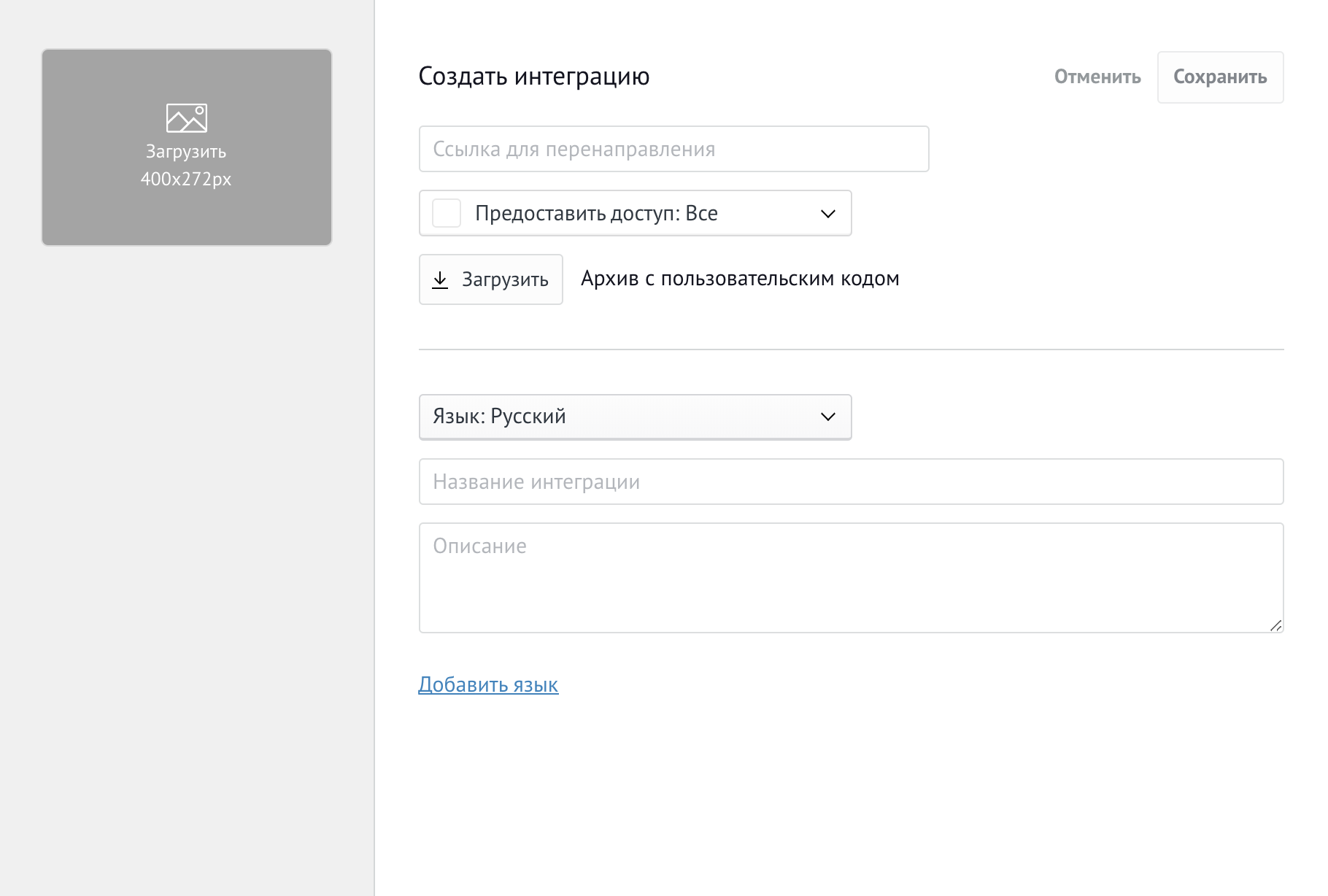
After clicking Create Integration, enter the integration name, select the required access scopes, and add a description. Set Redirect URI to the token callback URL (e.g. your site home page). Use the same URL as [[++site_url]], including the trailing slash.
SSL is recommended; the integration can work without HTTPS for now.
After that, account admins will see: integration ID, secret key, and auth code (after enabling the integration).
Click Generate key to create the integration; the next screen will show the keys.
Note: Secret key and Integration ID are tied to the integration and shown only in your developer account.
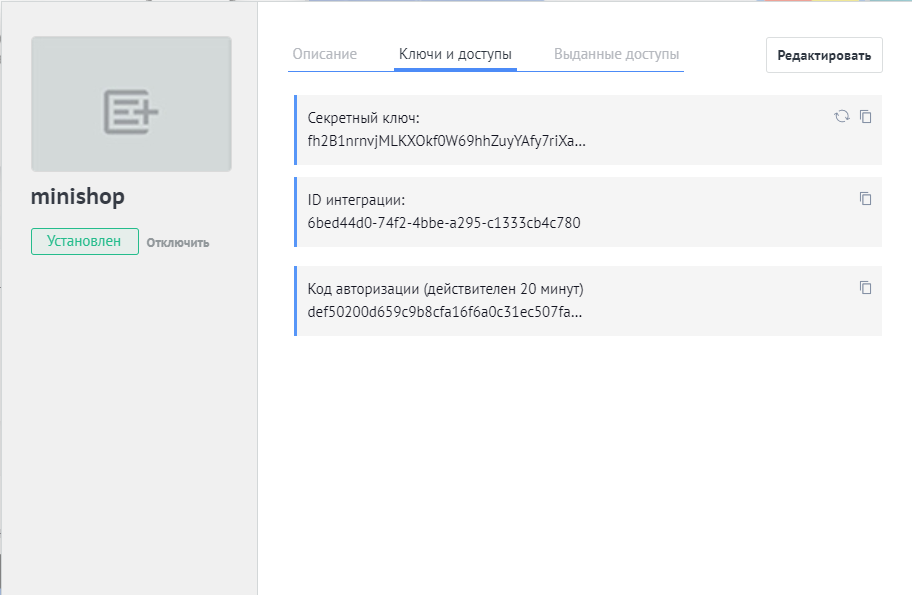
Enter these values in the amoCRM component system settings.
Осторожно
The auth code is valid for 20 minutes only.
Get the code, fill the settings, and call amoCRM once to bind the integration. If you miss the window, you must refresh the integration, get a new code, and repeat.
Step 2 — Initial authorization
The auth code from the dashboard is used only here; you will not need it again.
On the first request to amoCRM (e.g. order or contact form), the component authorizes: it sends the code and, if it is still valid (within 20 minutes), receives a long-lived token (valid 24 hours). That token is cached and refreshed automatically when it expires.
If you did not get the long-lived token within 20 minutes, refresh the integration widget in amoCRM and try again.
Main system settings
| Name | Default | Description |
|---|---|---|
| amocrm_use_simple_queue | No | Use simpleQueue for sending |
| amocrm_form_as_lead | No | Create deals from form data |
| amocrm_save_user_in_mgr | No | Create/update contacts when saving a user in the Manager |
| amocrm_save_user_by_profile | No | Create/update contacts when saving the user profile |
Notes
amocrm_use_simple_queue When enabled and simpleQueue is installed, data is queued instead of sent immediately. Run core/components/amocrm/cron/secondlyrunner.php every minute (e.g. cron:
* * * * * php ~/www/core/components/amocrm/cron/secondlyrunner.php).amocrm_save_user_by_profile When enabled, data is sent to amoCRM on OnUserProfileSave. Data is also sent on OnUserFormSave when using processors or the Manager, so enabling this can cause duplicate sends. Only enable if you need it.
Pipelines and statuses
| Name | Default | Description |
|---|---|---|
| amocrm_new_order_status_id | 1 | Status ID for new miniShop2 orders |
| amocrm_pipeline_id | Pipeline ID for new deals from orders. Filled automatically on first order | |
| amocrm_form_pipeline_id | Pipeline ID for new deals from forms. Filled on first deal creation | |
| amocrm_form_status_new | Status ID for new deals from forms. Must exist in the pipeline from amocrm_form_pipeline_id | |
| amocrm_auto_update_pipelines | No | Auto-update pipelines and statuses for order deals |
Contact and deal fields
| Name | Default | Description |
|---|---|---|
| amocrm_form_filled_fields | Required form fields. If any is empty, the deal is not created | |
| amocrm_order_fields | weight, delivery_cost, goods | Order fields sent when creating a deal. Product list is stored in goods |
| amocrm_order_address_fields | phone, city, street, building, room, comment | Address fields for the deal |
| amocrm_categories_pipelines | {} | JSON: pipeline, status, responsible by product category |
| amocrm_responsible_id_priority_category | Yes | Prefer responsible and pipeline from category over order properties |
| amocrm_order_properties_element | amoCRMFields | Key in order properties whose values override defaults |
| amocrm_user_fields | User fields sent when creating/updating a contact | |
| amocrm_user_enum_fields | {"phone": "WORK", "email": "WORK"} | JSON: ENUM field types |
| amocrm_user_readonly_fields | name | Contact fields that must not be updated from the site |
| amocrm_skip_empty_fields | Yes | Do not send empty values to amoCRM |
| amocrm_default_responsible_user_id | Default responsible user ID (amoCRM user, not MODX) | |
| amocrm_auto_create_orders_fields | Yes | Create missing deal fields in amoCRM (not on basic plan) |
| amocrm_auto_create_users_fields | Yes | Create missing contact fields in amoCRM (not on basic plan) |
Extra info
amocrm_categories_pipelines — JSON mapping category ID to pipeline_id, status_id, responsible_user_id. Matching is done by parent categories; the first match is used. With multiple products from different categories, the first matched category wins.
amocrm_responsible_id_priority_category — When enabled, the responsible user from order properties is replaced by the one from category mapping. When disabled, the order’s responsible user is kept.