



MiniShop3 options
Bulk changes to MiniShop3 product options (ms3_product_options).
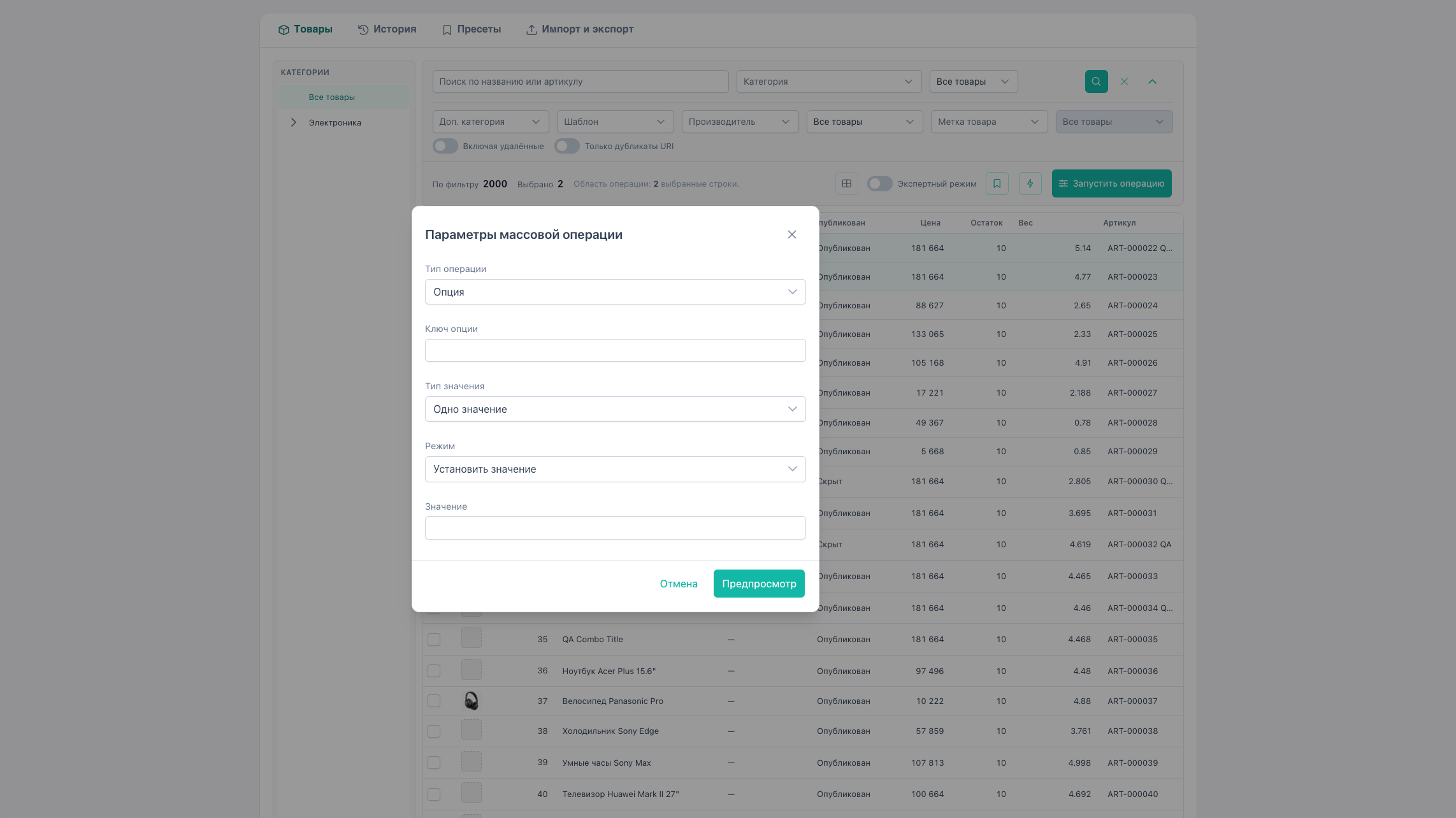
How to open
- Select products or enable expert mode.
- Run operation → type Option.
Value type
| UI | API valueKind | When to use |
|---|---|---|
| Single value | scalar | text/select/combobox with one string |
| Tags (multi-value) | multi | MS3 comboMultiple, tags, colors. Multiple rows per key |
Scalar (valueKind: scalar)
| Mode | API mode | Action |
|---|---|---|
| Set value | set | Write string to option |
| Replace value | replace | Find substring and replace |
| Remove value | remove | Clear option |
Parameters: key, value (set), search + replace (replace).
The “Current value in selection” picker for replace is built from scalar values of selected products on the grid page.
Tags (valueKind: multi)
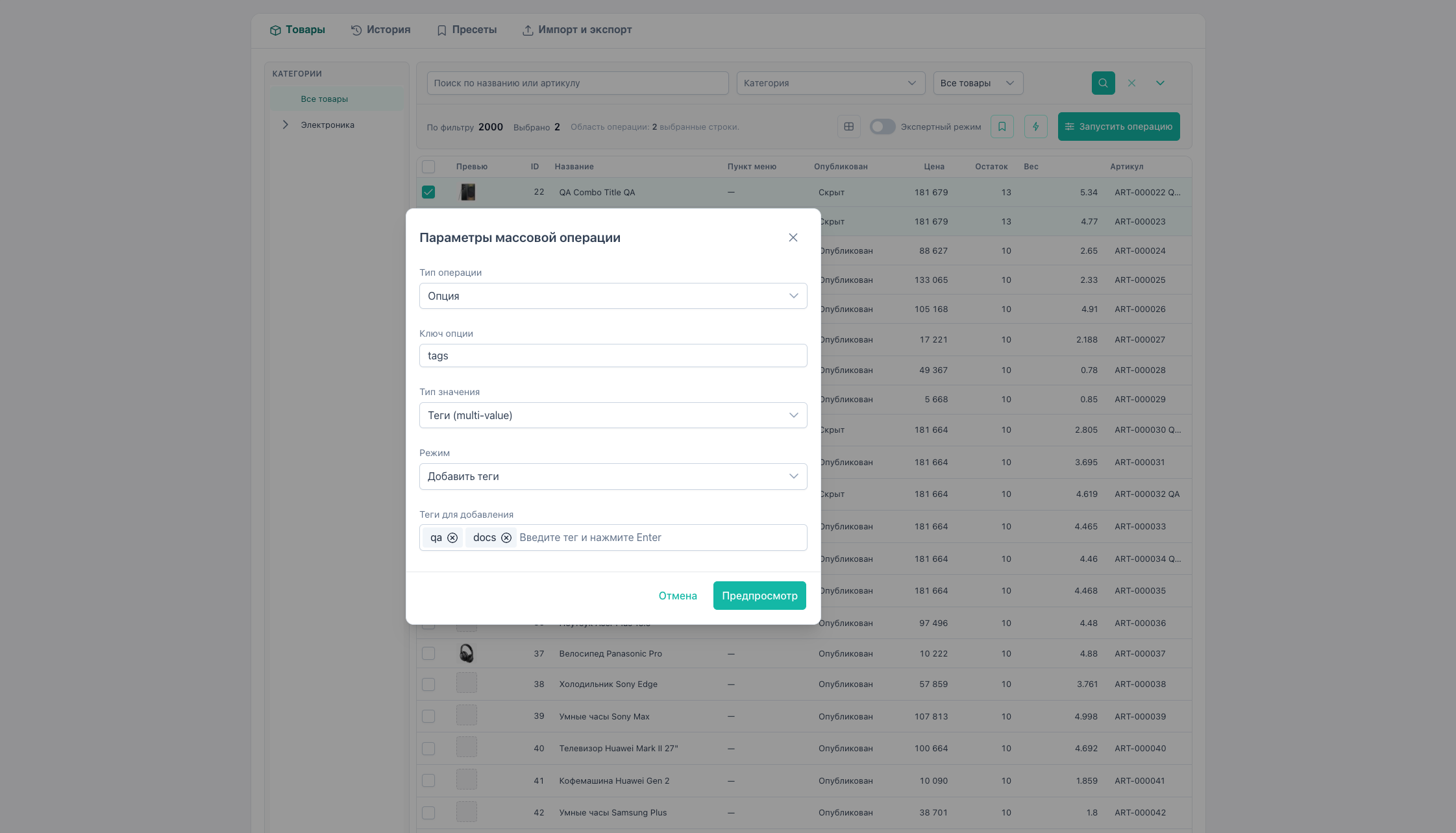
MS3 stores multi-value as multiple rows in ms3_product_options with one key.
| Mode | API mode | Action |
|---|---|---|
| Add tags | add | Add tags without duplicates (values[]) |
| Replace tag | replace | Exact match: search → replace |
| Remove tag | remove | Remove search from set |
Preview shows tag array before/after. Tag picker is built from the selection like scalar replace.
Legacy format “single string red,green” is read on preview, but apply for multi writes separate DB rows.
Beta limitations
- Typed MS3 widgets (date, textarea) not available in bulk.
- Before preview/apply for options, the link in
ms3_category_optionsis checked. Gaps open the binding wizard. - Auto-detect option type from MS3 catalog is not implemented: choose
valueKindmanually.
Example: add tag sale to option tags
- Select products.
- Operation → Option → type Tags (multi-value).
- Key:
tags, mode Add tags, entersale. - Preview → skipped where
salealready exists. - Apply.
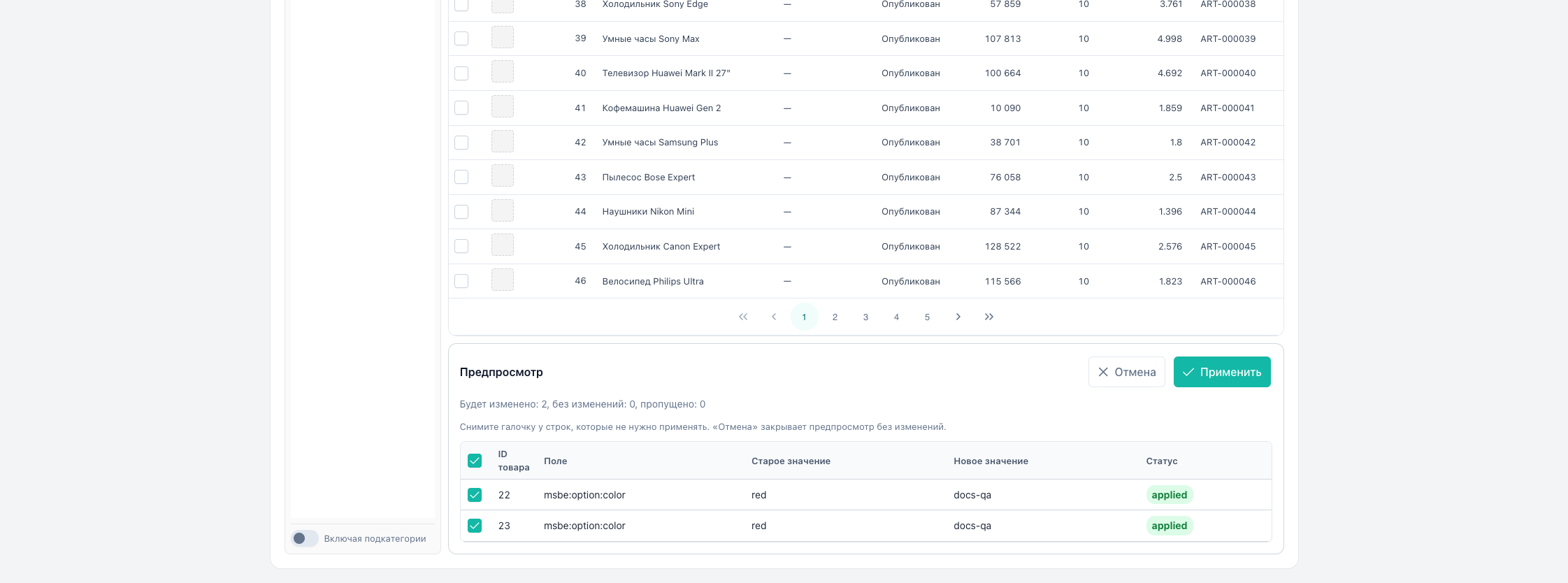
Option columns in the table
Options can be added to the grid via columns (key msbe:option:*). Several values are shown separated by commas. A click saves one string and replaces the previous list. See inline editing.
Inline (scalar)
Clicking any option cell writes option / mode: set / valueKind: scalar for one product and replaces a tag list with that single string.