



History and rollback
The History tab stores the operation log. From here you roll back a whole operation or selected products.
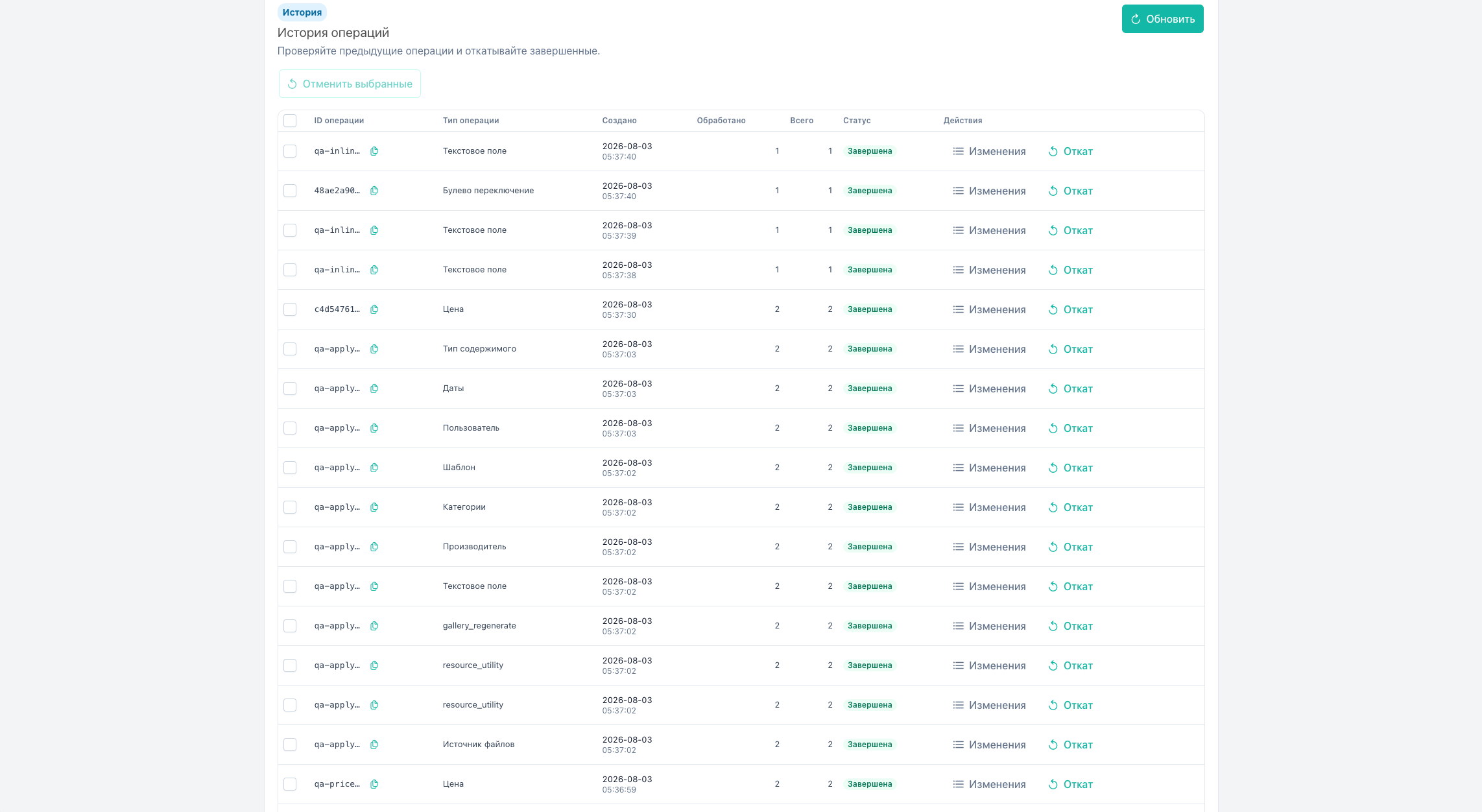
History tab
| Column | Contents |
|---|---|
| Checkbox | Only for status Completed (bulk rollback). Otherwise disabled with hint “Rollback is available only for completed operations” |
| ID | Operation identifier |
| Type | fieldType |
| Created | Date and time (compact, two lines) |
| Status | queued, running, completed, failed |
| Processed | processed |
| Total | total |
Row actions: Rollback, Changes.
Empty log: empty state “History is empty”. Load failure: empty state error.
Statuses
| Status | Rollback |
|---|---|
| Queued / Running | Unavailable |
| Completed | Full or selective |
| Failed | applied items only |
Failed operation (failed)
- Open History. Status Failed.
- Changes. Roll back
applieditems. - Fix the cause and rerun on remaining products.
Roll back entire operation
- Find a completed operation.
- Rollback → confirm.
- API
products/rollbackwithoperationId. - Restores old values from
msbe_operation_items.
Requires msbulkeditor_rollback.

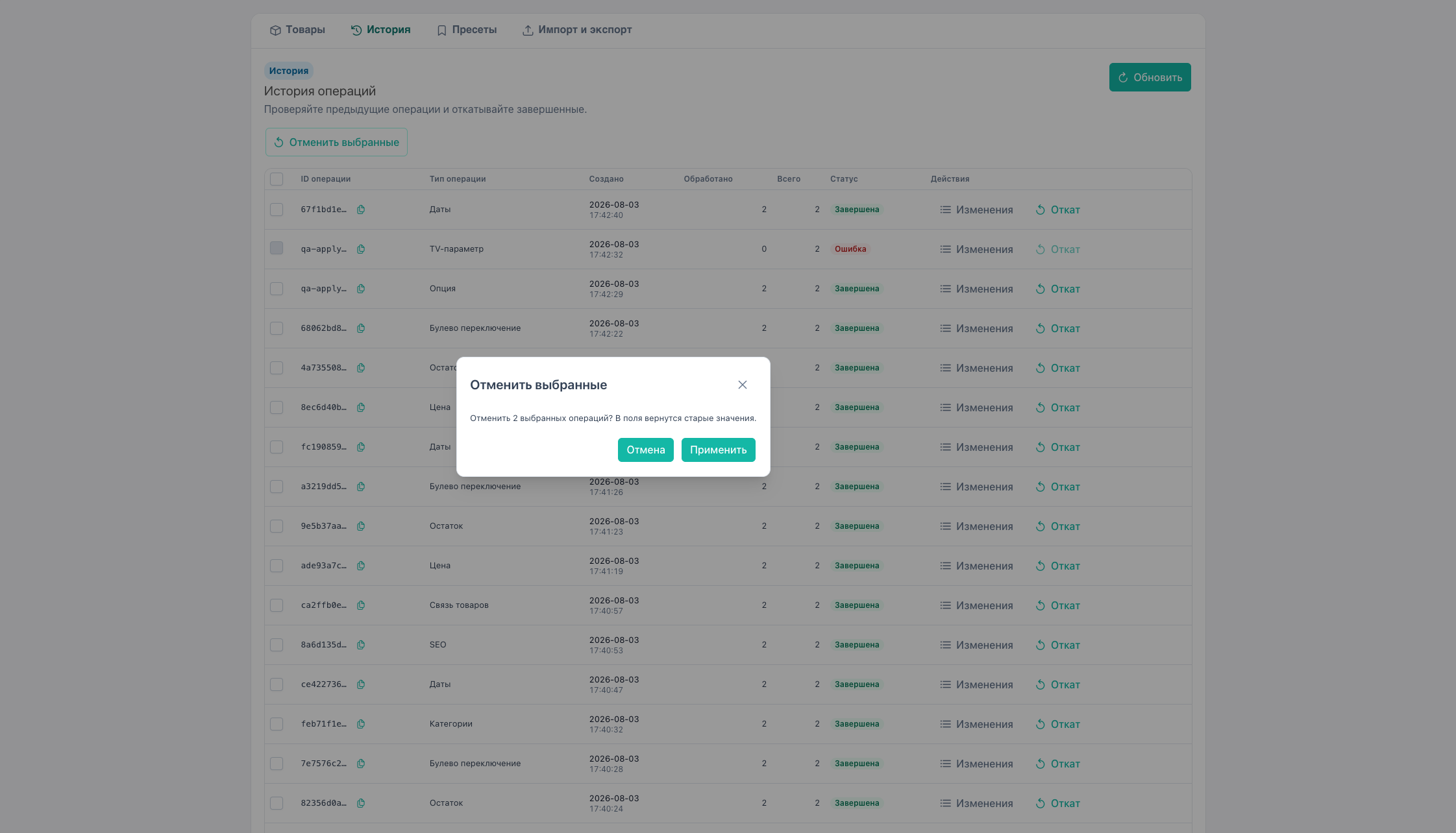
Bulk rollback
Select several completed operations → Rollback selected.
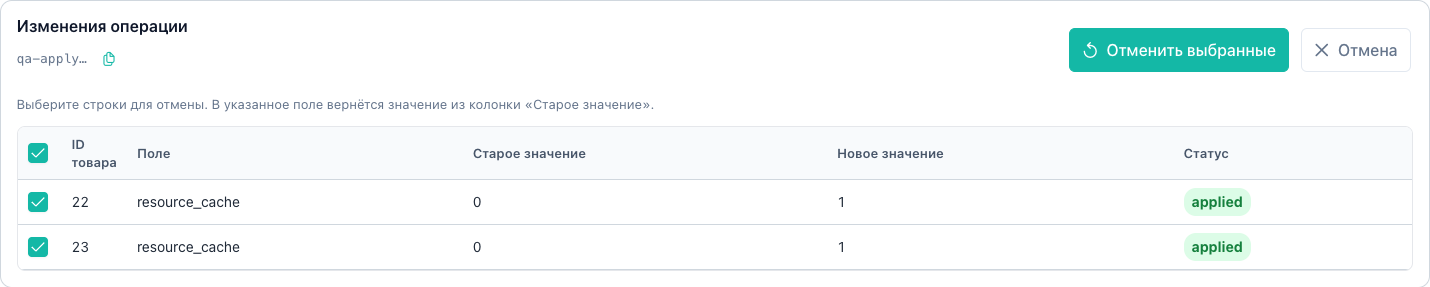
Detail and selective rollback
Changes opens the panel below the table (page scrolls to it).
- item list (product × field)
- preview table with checkboxes
- Rollback selected:
productIds[]
Checkbox is active only for status applied. Other statuses show a disabled checkbox with a tooltip.
Click the operation ID in the panel to copy it to the clipboard (toast).
API: history/items, products/rollback.
Record retention
- Tables:
msbe_operations,msbe_operation_items. See Events. - Auto cleanup: task
operation_cleanupwhen Scheduler is installed. Install and every package update setmsbulkeditor_scheduler_enabled = Yes. - Without Scheduler, plugin
msbulkeditor_bootstrapstill cleans the log at most once a day when a manager page opens. - Retention:
msbulkeditor_history_retention_days(default 90).
Notes
- Snapshots are written for all field types with a value snapshot, not only price.
- Side-effect ops (gallery regenerate, clear cache) roll back metadata per handler rules. Files on disk are not always restored. See product and prices.