



Inline editing
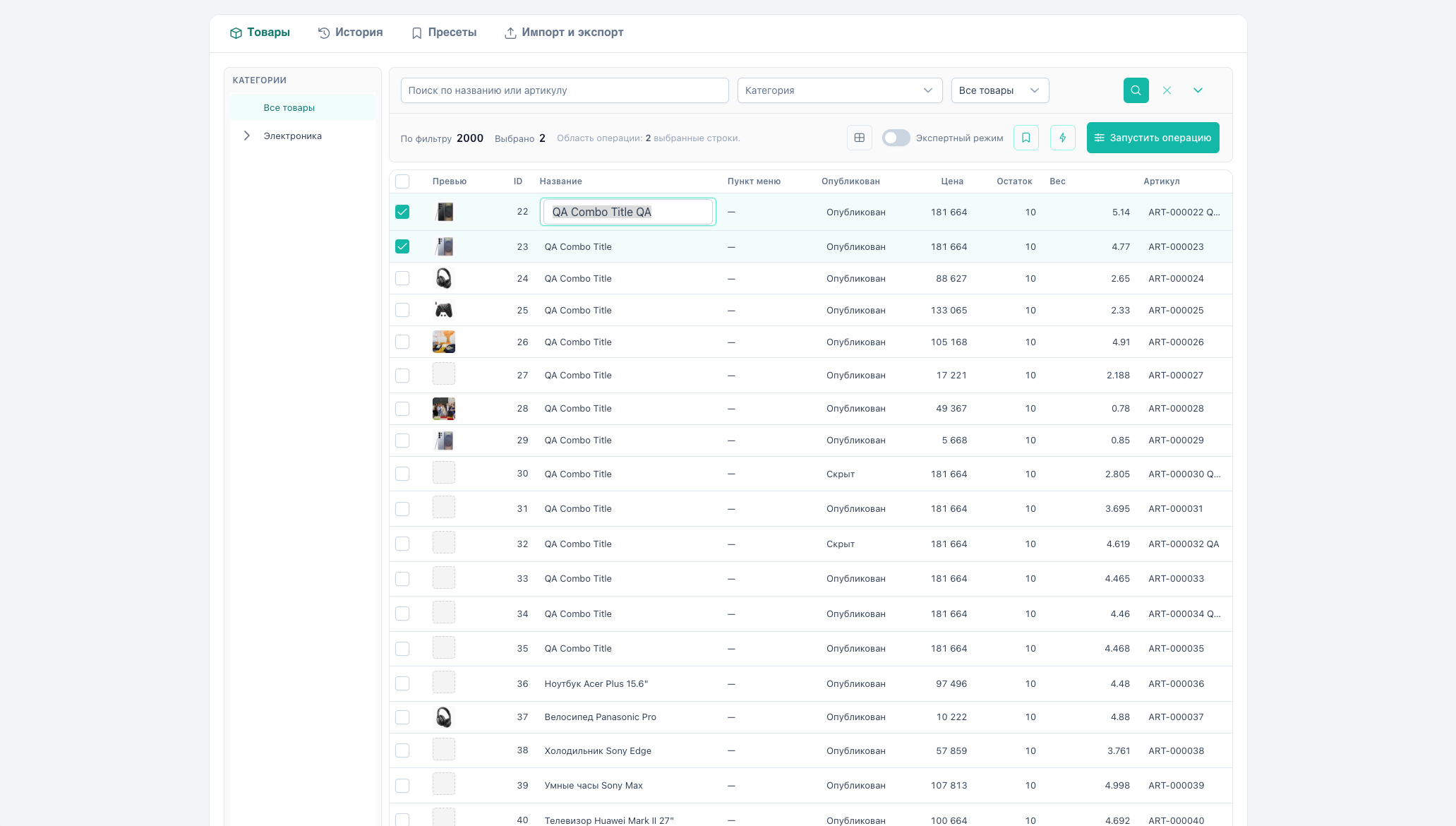
Quick edit of one product by clicking a cell, without opening the bulk operation dialog.
Supported fields
| Column | Behavior |
|---|---|
| pagetitle | Text input, Enter / blur → save |
| article | Text input, text_set |
| price | Number ≥ 0, set mode |
| stock | Number ≥ 0, set mode for count |
| weight | Number ≥ 0, text_set |
| published | Yes/no toggle |
| TV (text, textarea, textfield, email, url) | Text input, tv mode set. Whitelist from catalog (inlineCapable) |
| TV image | Double-click → MODX media browser → save path. Thumbnail preview in cell |
| MS3 option | Click saves one string (valueKind: scalar, mode: set). A tag list is replaced by that string |
With the catalog API, the column’s inlineCapable flag decides. Every option from the catalog is inlineCapable: true. Without the catalog, only STATIC_INLINE_FIELDS open: pagetitle, price, stock, published, article, weight.
How to edit
- Hover a cell. Tooltip: “Click to edit” (for image TV: “Double-click…”).
- Click (or double-click for image TV) to enter edit mode or open the media browser.
- Change the value.
- Save: Enter, blur, toggle (published), or file pick in browser (image TV).
- Toast “Saved” on success.
On API error, a message is shown. The table value reverts to the previous one.
Technical details
Inline uses the same pipeline as bulk operations:
products/preview+products/applywith a single-ID selection- unique
idempotencyKeyper save - History records a one-product operation (no preview block in the grid). Snapshots support rollback.
The row updates after apply (scalar, tvs, options).
Image TV uses the MODX media browser (modx-browser) in the manager.
Options inline: every option column is inlineCapable. Save uses fieldType: option, valueKind: scalar, mode: set.
Limitations
- Requires
msbulkeditor_editpermission. - Cell shows loading (spinner) while saving.
- Invalid number for price/stock/weight: save is skipped.
- A click on any option column saves one string and replaces the previous tag list.
- TV list/checkbox/file stay closed in the cell. Use a bulk operation.
- Image TV inline works only inside the MODX manager (
MODx.loadrequired).
Before a bulk TV or option change without a binding, the binding wizard opens.