


ms3OptionsColor
Swatches for miniShop3 options: HEX, patterns, images, and RAL Classic
- MODX 3
- PHP 8.2
- miniShop3
- Vue 3

On the storefront snippet ms3OptionsColor draws swatches. Chunk tplMs3OptionsColorSelect builds the select. Type ms3oc draws the filter. Parameters and chunks: Snippets.
Styles read [data-ms3oc-swatch], [data-empty], [data-size]. Theme classes are optional.
After AJAX insert of [data-ms3oc-select], call window.ms3ocInitColorSelects().
When ms3optionscolor_frontend_css=Yes the plugin and snippet load css/web/main.css. Select needs a separate include:
<link rel="stylesheet" href="{'assets_url' | option}components/ms3optionscolor/css/web/main.css">
<script src="{'assets_url' | option}components/ms3optionscolor/js/web/select.js"></script><link rel="stylesheet" href="[[++assets_url]]components/ms3optionscolor/css/web/main.css">
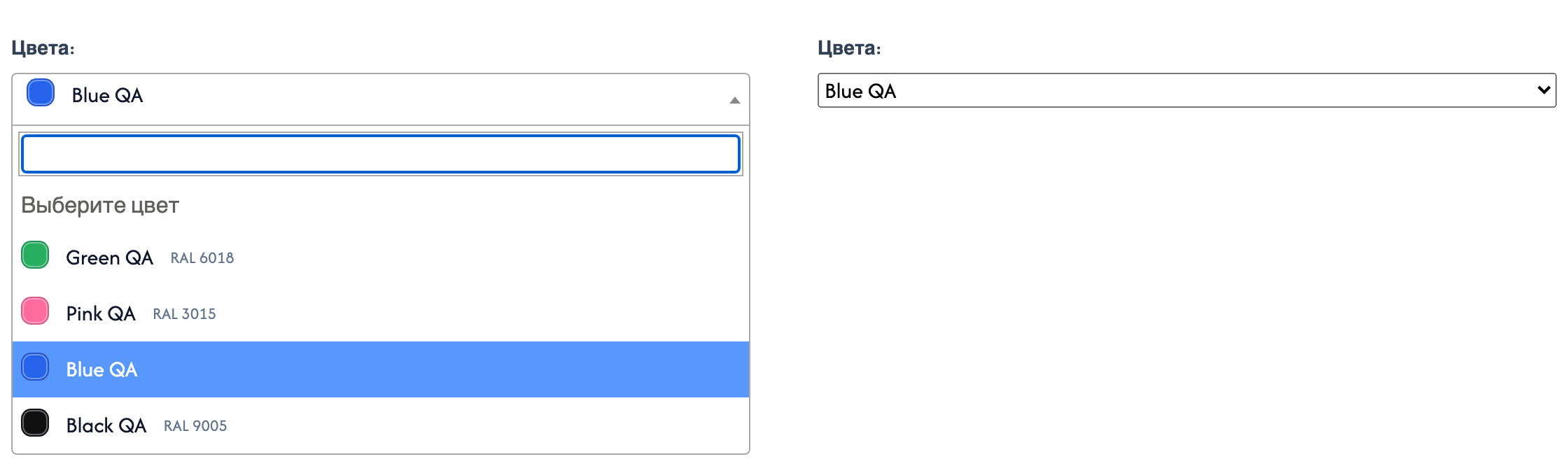
<script src="[[++assets_url]]components/ms3optionscolor/js/web/select.js"></script>select.js finds [data-ms3oc-select]. With jQuery + Select2 it builds a dropdown with swatches. Otherwise you keep a plain <select> with data-ms3oc-select-plain (native=1 / data-ms3oc-native).
data-size sets the swatch size: sm, md, lg. Without the attribute the size is 1.75rem.

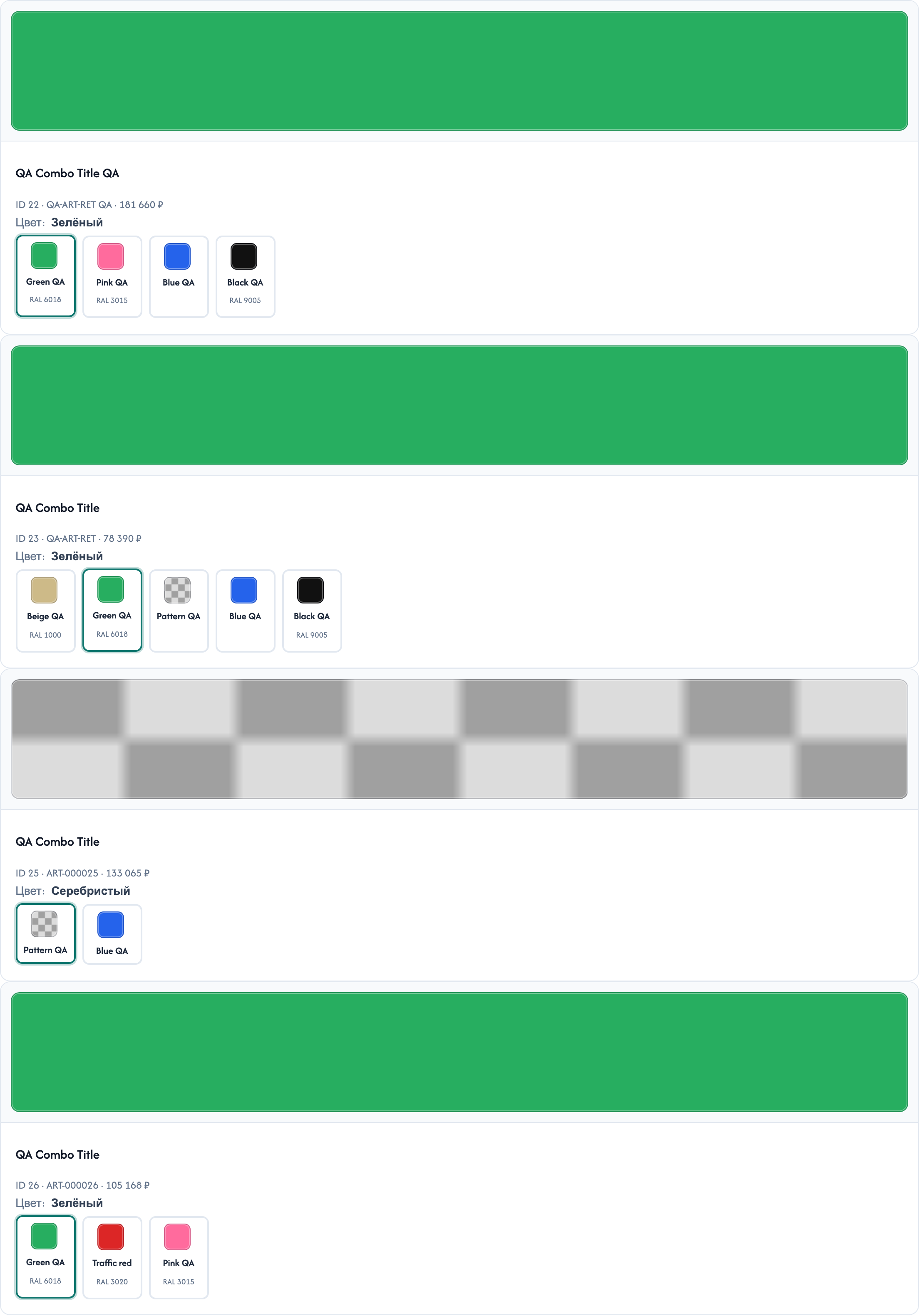
{'!ms3OptionsColor' | snippet : [
  'product' => $_modx->resource.id,
  'options' => 'color',
  'tpl' => 'tplMs3OptionsColor'
]}[[!ms3OptionsColor?
&product=`[[*id]]`
&options=`color`
&tpl=`tplMs3OptionsColor`
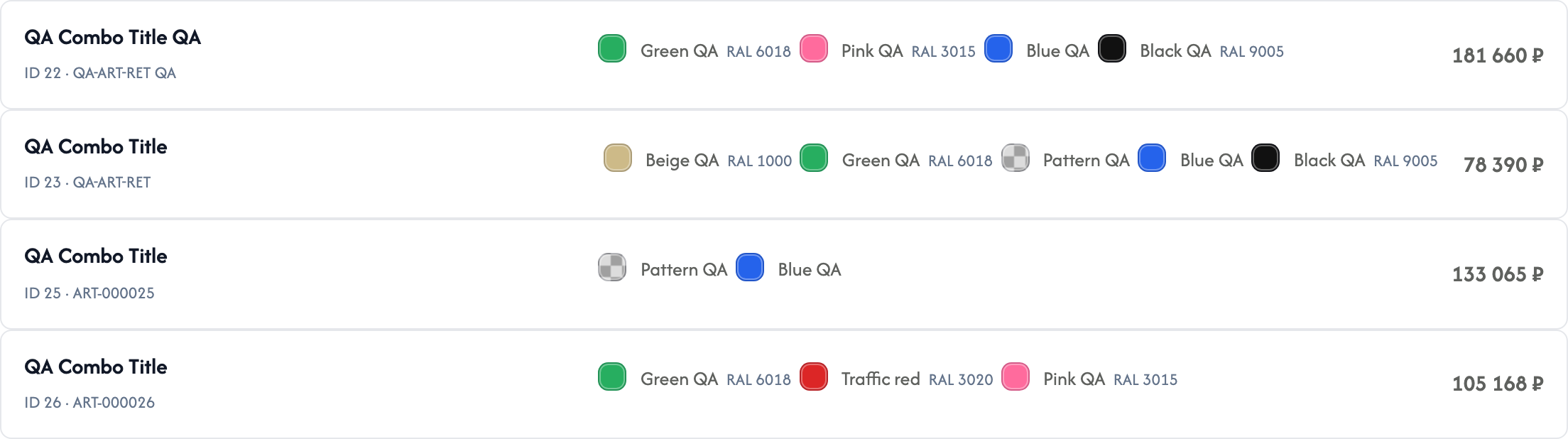
]]Default tplMs3OptionsColor draws <span data-ms3oc-swatch> with data-color, data-pattern, data-ral, data-status. An empty swatch gets data-empty. Row fields: ms3OptionsColor snippet.
{$_modx->getChunk('tplMs3OptionsColorSelect', [
  'product' => $_modx->resource.id,
  'option_key' => 'color',
  'caption' => 'Цвет',
  'placeholder' => 'Выберите цвет',
  'native' => 1
])}[[$tplMs3OptionsColorSelect?
&product=`[[*id]]`
&option_key=`color`
&caption=`Цвет`
&placeholder=`Выберите цвет`
&native=`1`
]]The chunk calls the snippet with tplMs3OptionsColorSelectOption. Parameters tpl / optionTpl replace the single-option chunk. Form field name: options[color] (or your option_key).
| Chunk parameter | Purpose |
|---|---|
product | Product ID |
option_key | Option key, default color |
caption | Label text |
placeholder | Empty option at the top |
native | 1 disables Select2 |
selected / selectedValue | Preselected value |
activeOnly | Same as snippet |
includeUnset | Chunk default 1. Snippet auto: 1 only with byOptions, else 0 |
multiple / required | <select> attributes |
field_id | Element id |
On listing rows pass the product ID from the row:
{'!ms3OptionsColor' | snippet : [
  'product' => $id,
  'options' => 'color',
  'tpl' => 'tplMs3OptionsColor',
  'limit' => 6
]}[[!ms3OptionsColor?
&product=`[[+id]]`
&options=`color`
&tpl=`tplMs3OptionsColor`
&limit=`6`
]]
When values already exist (cart, your JSON), do not read product options from the database:
{set $colors = $_modx->runSnippet('!ms3OptionsColor', [
  'product' => $product.id,
  'byOptions' => json_encode($product.options),
  'return' => 'data'
])}[[!ms3OptionsColor?
&product=`[[+id]]`
&byOptions=`{"color":["Синий","Чёрный"]}`
&return=`data`
]]byOptions is a JSON string. In a cart chunk Fenom and runSnippet are easier. In MODX tags pass already serialized JSON.
Chunk tplMs3OptionsColorCart has three branches:
| Cart line | Behavior |
|---|---|
Has options._variant_id | Swatch for color with no option change. size label when present. Without color the swatch block is not drawn. No cart/changeOption. Link "change variant" goes to the product ?variant=ID |
Bundle (options.msbundles / bundle_hash) | No option change. Swatch when options.color. Otherwise one color from product.color or all product colors. No cart/changeOption |
| Regular line | When the product has option color, <select> + cart/changeOption shows even without options.color on the line. Swatch and label only when color is already selected. Size select only when options.size is already set |
Storefront CSS must be loaded. Otherwise the cart swatch often stays zero width.
The chunk outputs a color swatch and a size label. It does not show other option keys. Variant fields _variant_id, price, and canonical options stay with ms3variants.
tplMs3OptionsColorCart is a full tpl.msCart stand-in ($products, qty, cart/clean). Assign it as the cart snippet tpl, do not include it inside a row. There is no row-only fragment in the package.
ms3oc, Filter Set, row chunkvariants[].swatches in the catalogMinimum contract for CSS and select (color and pattern via data-color / data-pattern; main.css paints the square):
<span data-ms3oc-swatch
      {if !$color && !$pattern}data-empty{/if}
      {if $pattern}data-has-pattern{/if}
      data-option="{$option_key | escape}"
      data-value="{$value | escape}"
      data-color="{if $color}#{$color | escape}{/if}"
      data-pattern="{$pattern | escape}"
      data-ral="{$ral | escape}"
      data-status="{$status ?: 'active'}">
</span><span data-ms3oc-swatch[[+color:empty=`[[+pattern:empty=` data-empty`]]`]][[+pattern:notempty=` data-has-pattern`]]
data-option="[[+option_key]]"
data-value="[[+value]]"
data-color="[[+color:notempty=`#[[+color]]`]]"
data-pattern="[[+pattern]]"
data-ral="[[+ral]]"
data-status="[[+status:default=`active`]]"></span>You can change theme classes. Select JS and default CSS read data-ms3oc-*. Stock package chunks are Fenom.