Quick start
For quick start you need Bootstrap 4 or higher. On a clean MODX install use the Bootstrap package.
Setup
Call the snippet in your template:
fenom
{'!seoTabs' | snippet}Before using SEOtabs check system settings under "Main" and the seoTabs snippet parameters. Default settings are already configured.
SEOtabs administration
For SEOtabs to work enable in MODX system settings "Use friendly URLs — Yes" and configure
.htaccessin the project root. On Content -> Content types -> HTML set the correct file extension (usually.html,/ornull).
The SEOtabs interface is on the resource edit page.
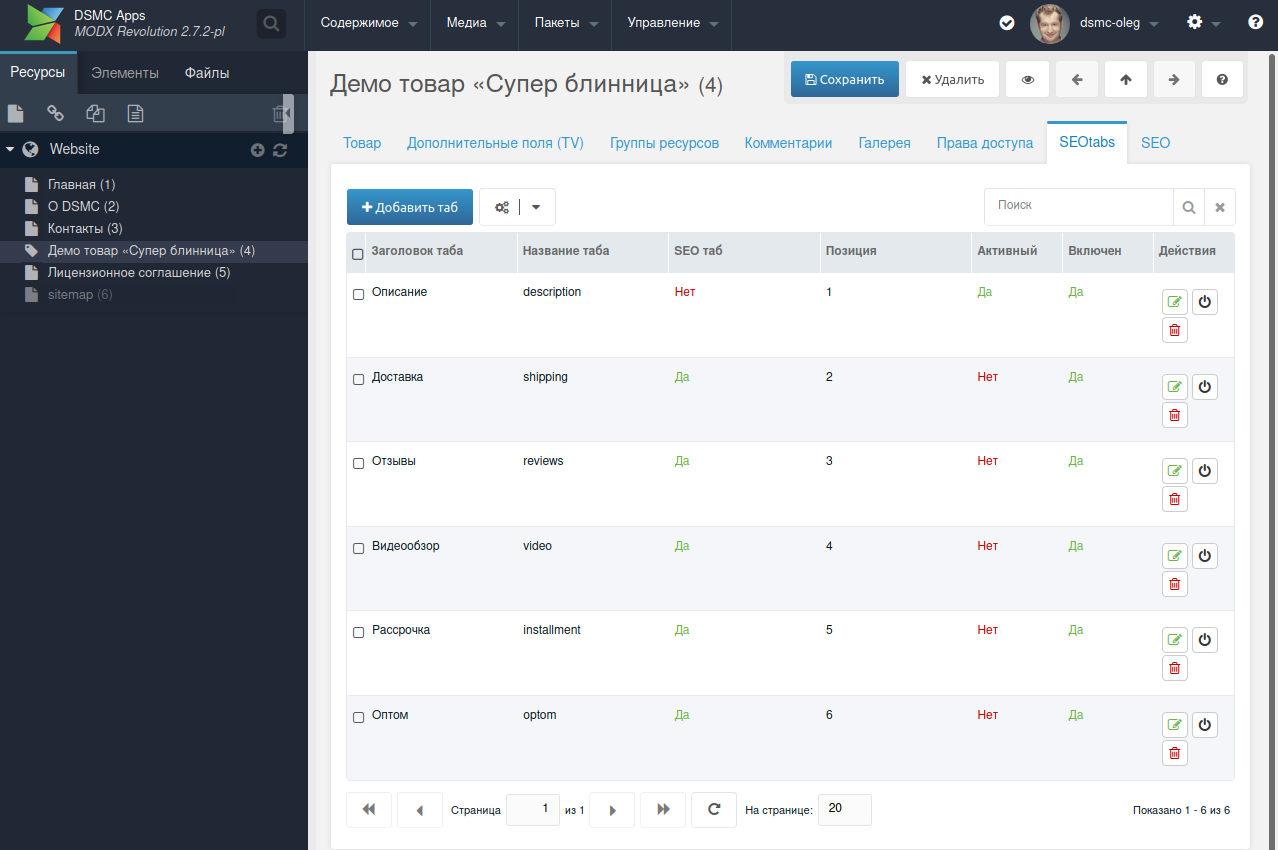
Add tabs via the management panel. Click "Add tab" and fill in:
| Name | Type | Description |
|---|---|---|
| Tab title | String | Tab name on site |
| Name | String | System tab name (alias) for custom SEOTabs templating |
| SEO tab | Balloon | Two modes. Set Yes for SEO mode, No for normal. |
| Title | String | Title tag - fill regardless of SEO tab selector mode |
| Description | String | Meta Description - fill regardless of SEO tab selector mode |
| Specify variable | String | modResource or modTemplateVarResource field alias; its value is shown in tab content |
| Content | String | Value shown in tab content. Supports template variables and placeholders |
| Tab icon | String | Optional icon next to tab name |
| Active | Balloon | Default open tab on page load |
| Enabled | Balloon | Set No to unpublish the tab |
SEO tabs mode
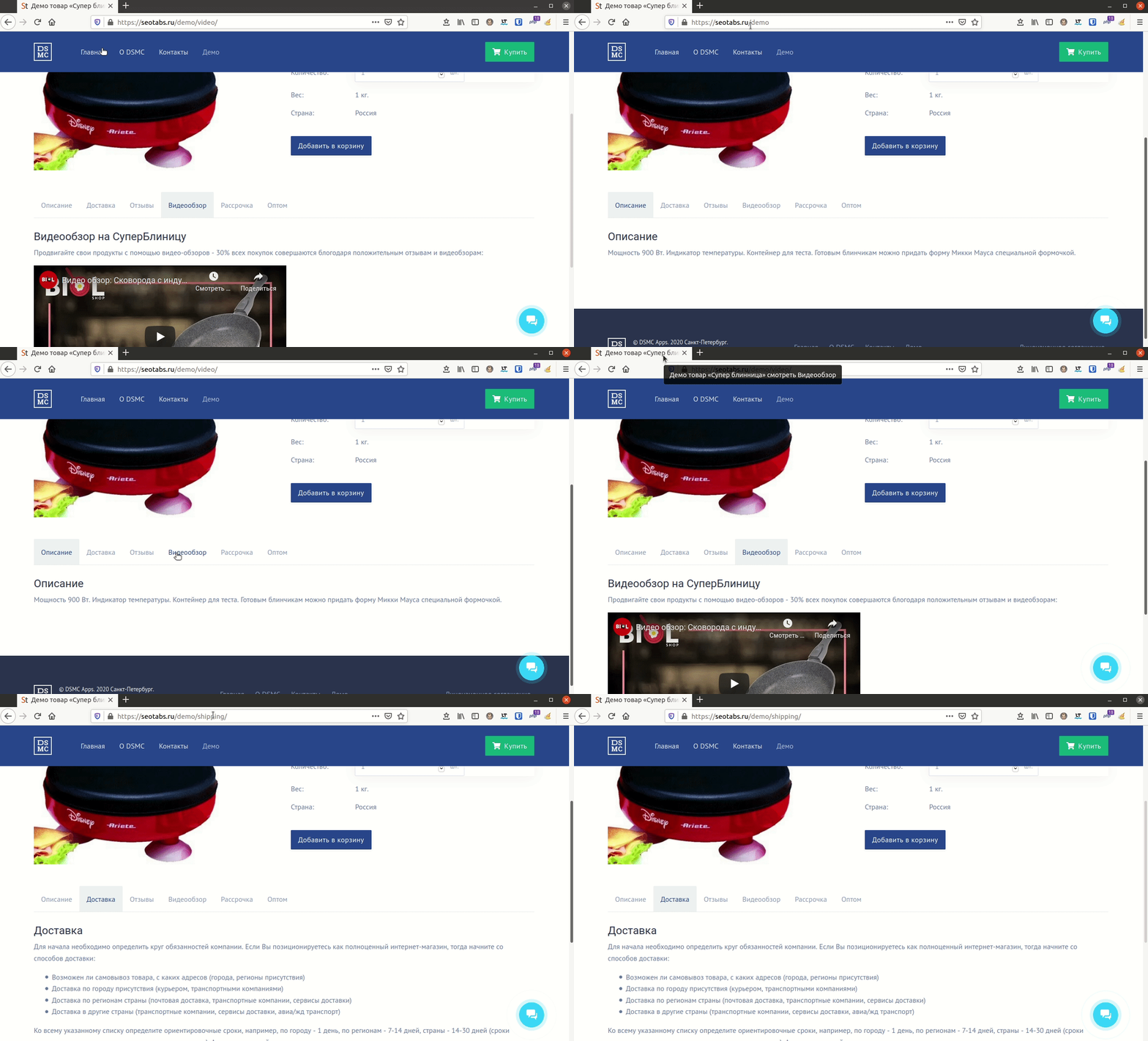
For SEO tabs fill the alias and Title/Description patterns. The component provides custom placeholders (e.g. [[+pagetitle]]: [[+seotab_caption]] where [[+caption]] is the tab name). Default Description: [[+pagetitle]] — [[+seotab_caption]] (to satisfy Yandex Webmaster). Works with redirects; settings control trailing slash in URL.
| MODX Parser | Fenom Parser |
|---|---|
[[+pagetitle]] | {$pagetitle} |
SEO tabs demo: