


msBundles
Product bundles for miniShop3 with shared pricing, discounts, and cart sync
- MODX 3
- PHP 8.2
- miniShop3
- Vue 3

Open Extras → msBundles from the menu or via manager/?a=index&namespace=msbundles. The UI runs on Vue 3 and PrimeVue through VueTools.
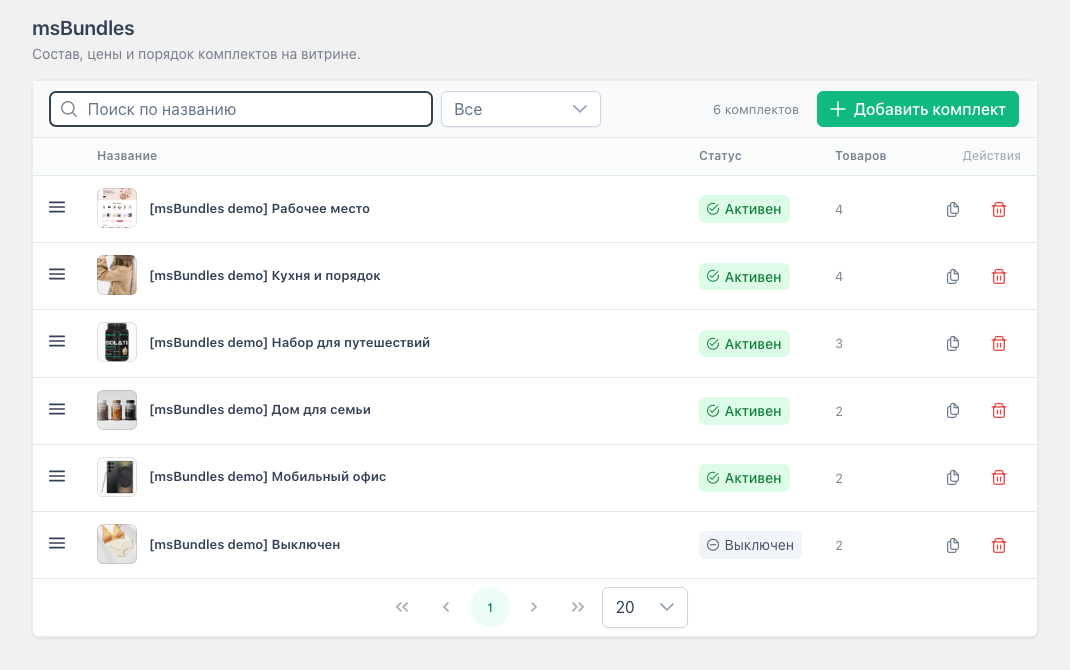
Step-by-step flows: Flows.
Top to bottom:
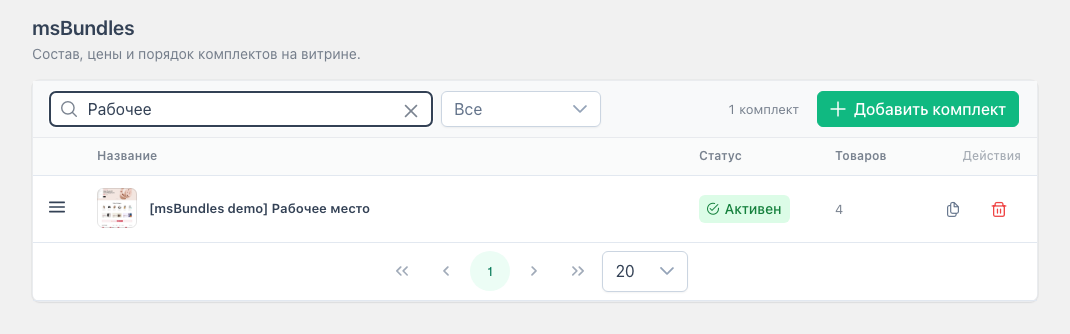
| Action | How |
|---|---|
| Open editor | Click the name |
| Duplicate | Copy icon → inactive copy, editor opens |
| Delete | Trash icon → confirm |
| Reorder | Drag the left handle |
Filters: name search (debounced), activity (all / active / inactive), context (all contexts or one: web, en, …). Empty list and “nothing found” show an empty state with a create CTA.
activeOnly=1 only active bundles appear on the storefront.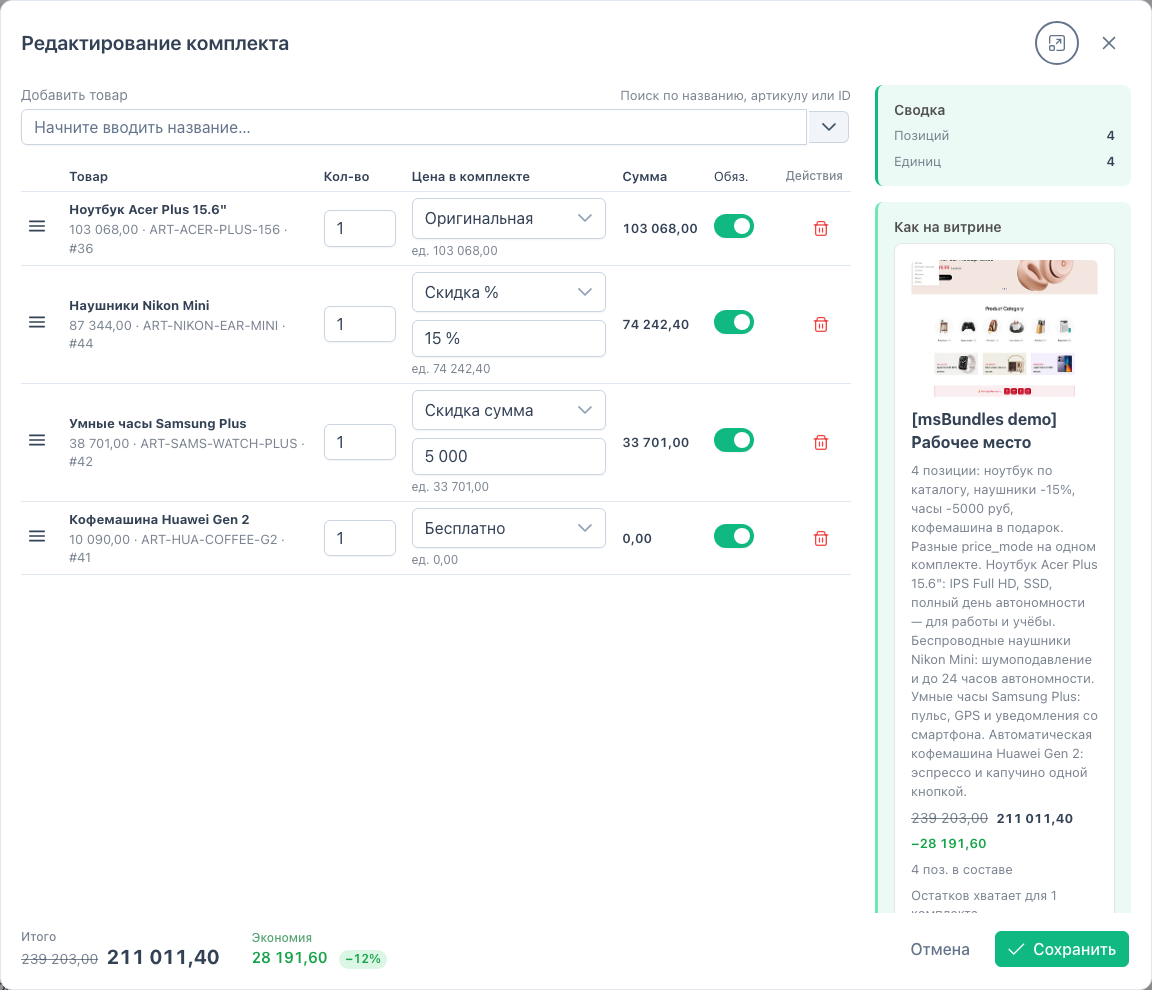
The bundle shows on pages for every product in the set in the chosen context. For another language or storefront, create a separate bundle (duplicate, then change context and composition).
Desk set — several modes on one bundle:
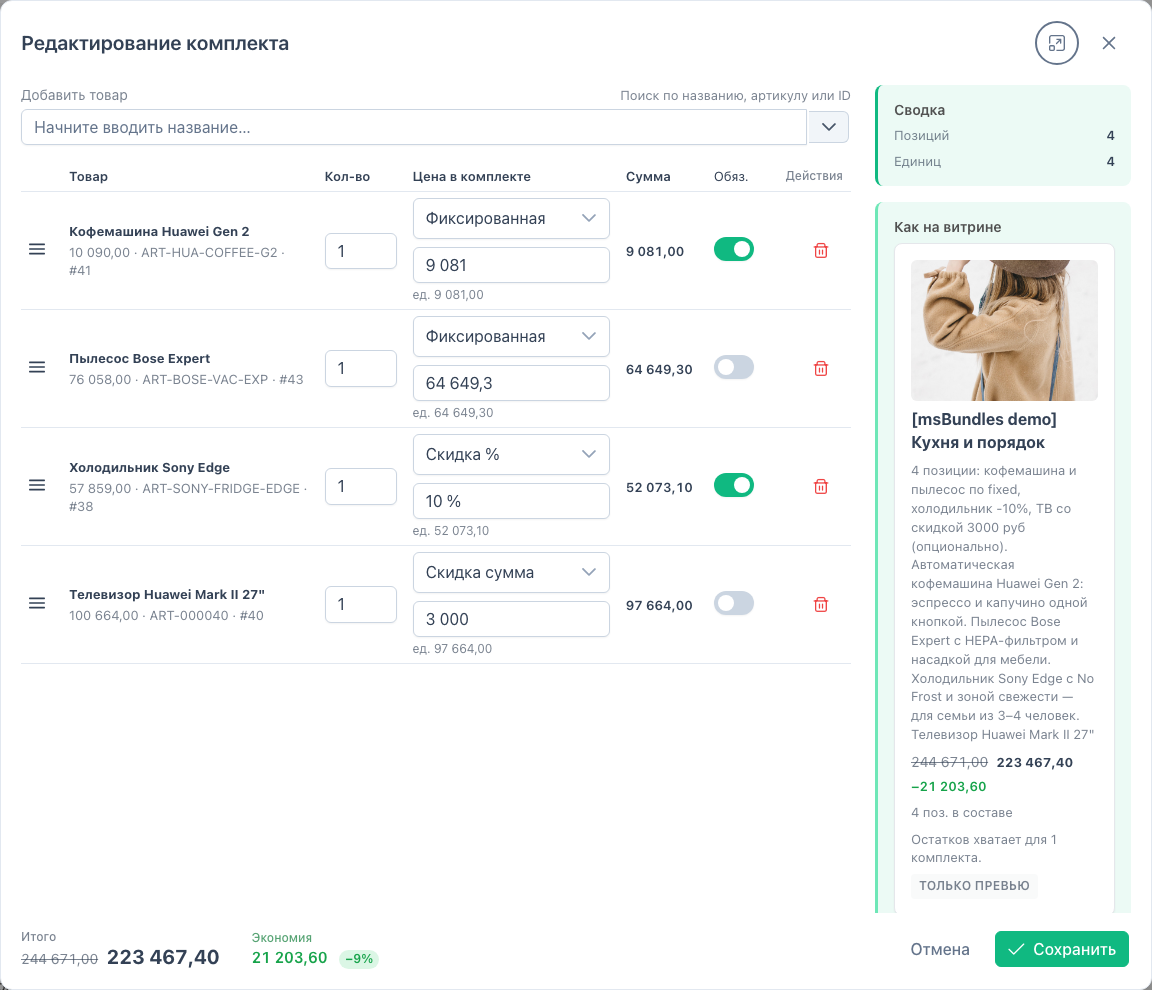
Kitchen — fixed and optional lines:
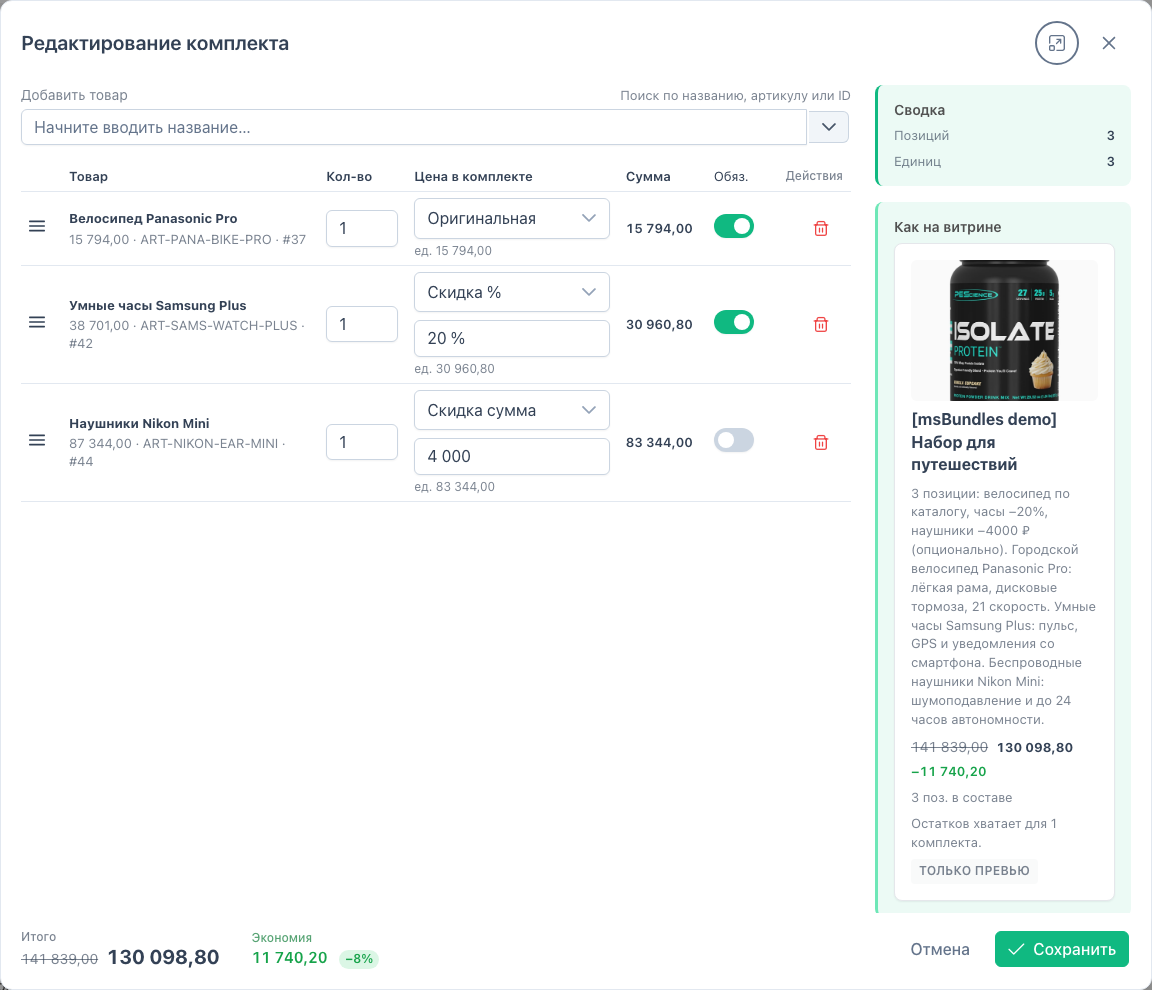
Travel — percent / amount discount and optional:
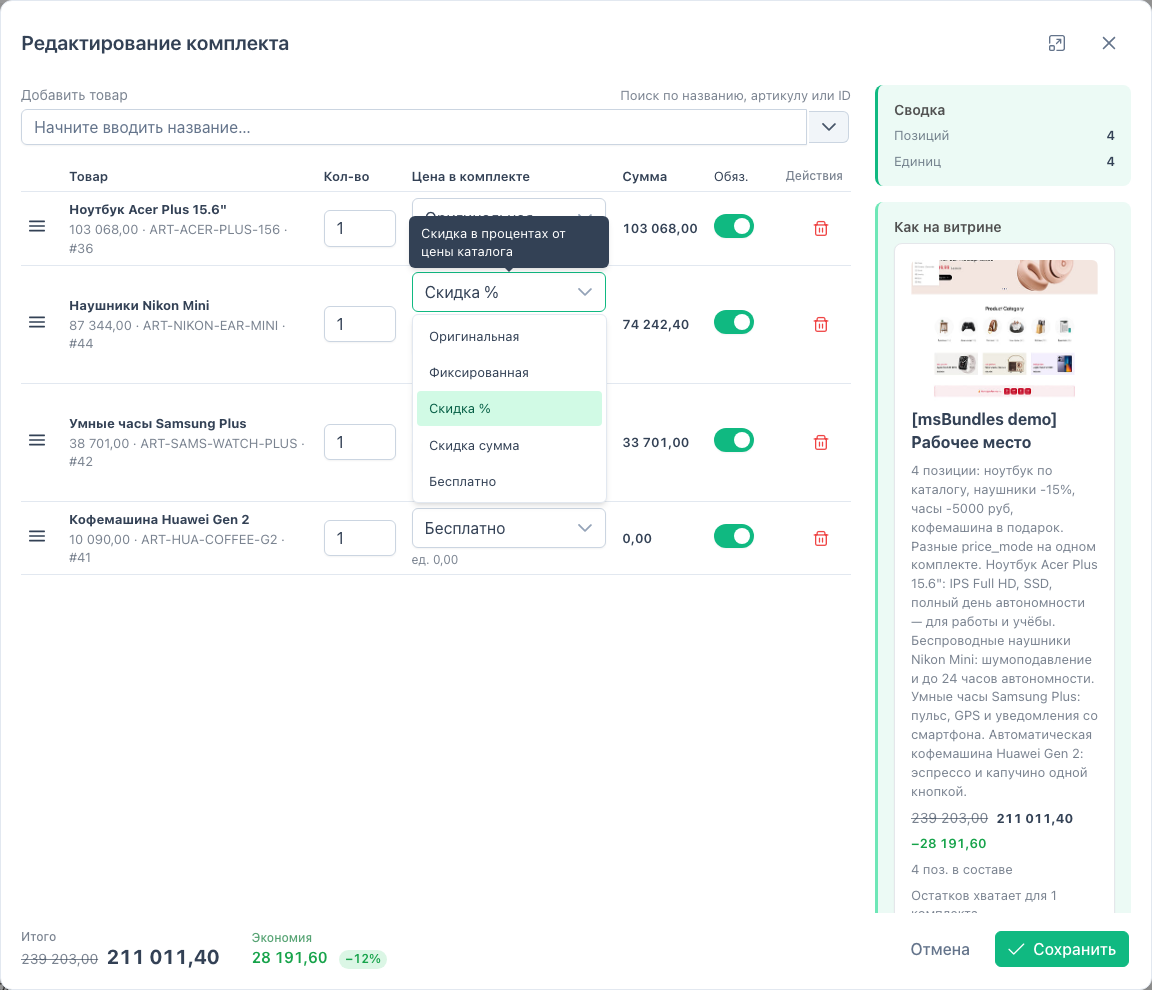
Price mode select on a line:
| Block | Shows |
|---|---|
| Summary | Line and unit counts |
| As on storefront | Price, savings, stock for 1 bundle. “Preview only” badge |
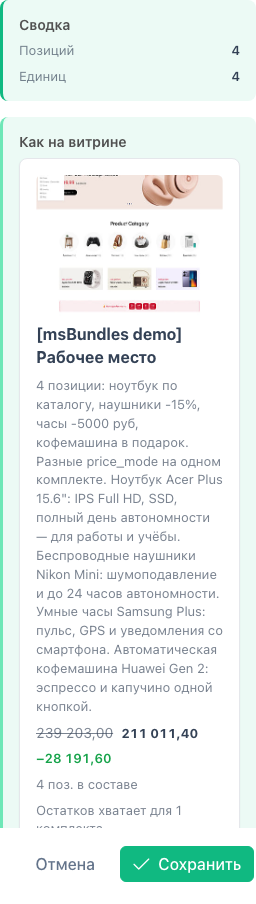
Total and savings also appear in the dialog footer. A shortfall on required lines shows a warning above the form. Saving with stock issues asks for confirmation.
| Mode | Value field | Result |
|---|---|---|
| Original | ignored | Product price from miniShop3 |
| Fixed | amount | Fixed unit price |
| Discount % | 0–100 | Percent off product price |
| Discount amount | amount | Subtracted from product price |
| Free | ignored | 0 per unit |
Bundle total = sum of lines × bundle count. Savings = difference vs original prices. Zero price on the storefront shows as “Free”.
msbundles_stock_behavior.warnings.| Operation | Permission |
|---|---|
| Open section, list, view | msbundles_view |
| Create, edit, delete, reorder, duplicate | msbundles_save |
The msBundles plugin listens to miniShop3:
msOnBeforeChangeInCart — changing one line qty syncs others with the same bundle_hashmsOnBeforeRemoveFromCart — removing one line removes the whole bundlemsOnGetCart — lead/member metadata for cart rowsLine quantity must be a multiple of the base quantity from bundle options.
On the storefront, load msBundles.initialize and call tplMsBundlesCartInfo in the cart chunk. Lead shows the badge and “Remove bundle”. Member qty is locked. After add/remove, msCart needs selector. Details: Frontend.