


modSizeControl
How much space a MODX 2 or 3 site takes, what exactly takes it and how much is left before the limit

The dashboard widget shows the results of the last scan: how much the site takes, how much is left before the limit and what the size is made of.
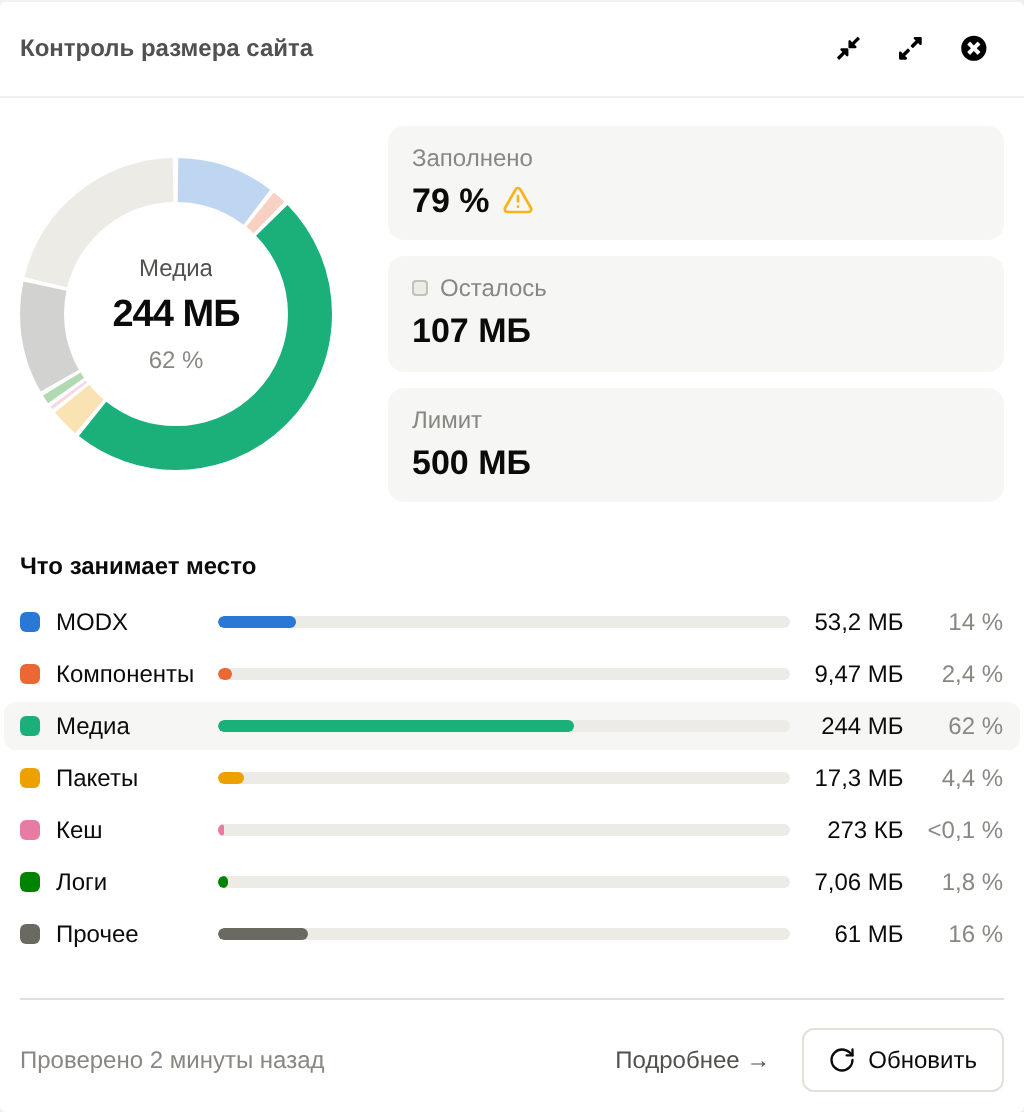
When a limit is set, the ring is the limit. The slices are the site categories, and the empty sector is what is left before the limit. Next to it are the Used, Left and Limit cards.
Without a limit, the ring is the site itself, and the cards show Free on the disk and "Limit: not set".
Below, the "What takes up the space" list has the same categories with their size and share. Hovering a slice or a row highlights both. Categories of zero size are left out of the list.
| Category | What it includes |
|---|---|
| MODX | The core, the manager, the connectors and the MODX install package in core/packages |
| Components | core/components and assets/components |
| Media | assets and file sources |
| Packages | Installed package archives in core/packages |
| Cache | core/cache except logs |
| Logs | core/cache/logs |
| Other | Everything else: site folders, backups, .git |
The Used card gets an icon when it is time to pay attention:
If the server disk has less free space than the limit leaves, a warning appears under the cards: the limit cannot actually be reached.
Refresh starts a scan right in the widget, without going to the page. Details opens the component page.
Only a user with the settings permission sees both. Others see the figures of the last scan, and before the first scan, a hint that a user with access to the system settings can scan the site.
The widget looks the same in MODX 2.
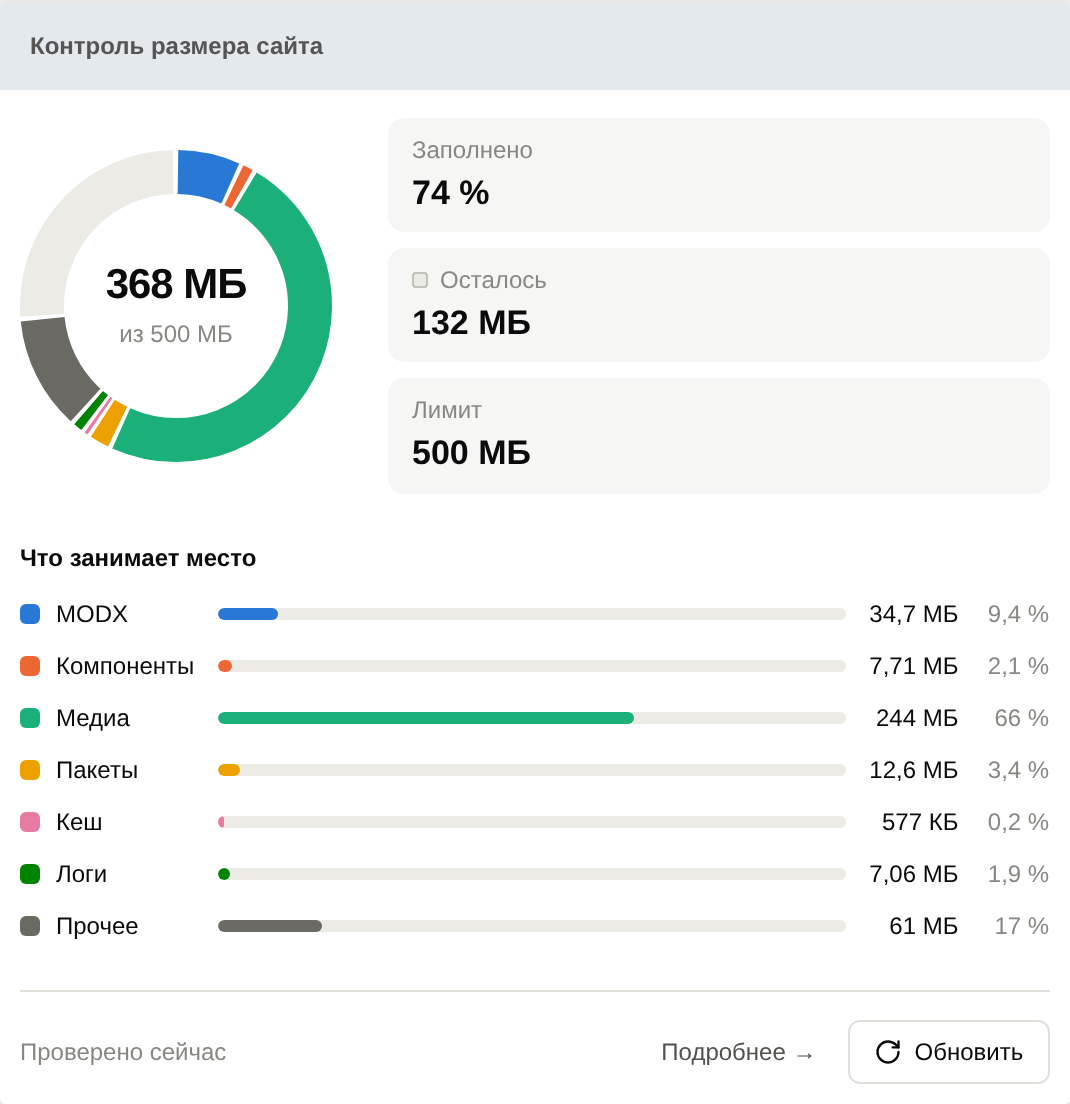
On the first install the widget is added last to the main dashboard. A package upgrade does not bring it back: if someone removed the widget, it was meant to be.
To add it again, use the standard way: the Add Widget button on the dashboard in MODX 3, or Dashboards in the gear menu in MODX 2. The widget is called modSizeControl.