


EasyCookies
A cookie banner for MODX 2 and 3 — a simple notice or law-compliant consent, with counters and a consent log

The EasyCookies plugin on the OnWebPagePrerender event outputs the banner of the active profile for the page's context. Nothing needs to be added to templates.
The page gets two parts:
<head> — Google Consent Mode signals, if the profile needs them;</head> — styles, the profile settings (window.EasyCookiesConfig) and the banner script with defer.The banner goes only to HTML pages: resources with a JSON, XML, CSS or similar content type are skipped. Single pages are excluded with the easycookies.exclude_resources setting, and automatic output as a whole is switched off with easycookies.auto_inject.
Which profile to output is set by easycookies.auto_inject_profile (name or id). Empty means the active profile of the page's context.
Подсказка
If the response has no </head>, there is nowhere to put the banner: the plugin outputs nothing and writes a warning to the MODX error log.
If automatic output is off or a page needs another profile, call the snippet in the template's <head> — as high as possible, before Google tags:
[[EasyCookies]]
[[EasyCookies? &profile=`Cookie consent`]]{'EasyCookies' | snippet}
{'EasyCookies' | snippet : ['profile' => 'Cookie consent']}| Parameter | Default | Description |
|---|---|---|
profile | active profile of the context | Profile name or id |
If the snippet has already output the banner on a page, the plugin does not add it a second time.
Any element with data-cc="show-preferencesModal" opens the preferences window. Put such a link in the site footer so visitors can change their mind:
<a href="#" data-cc="show-preferencesModal">Cookie settings</a>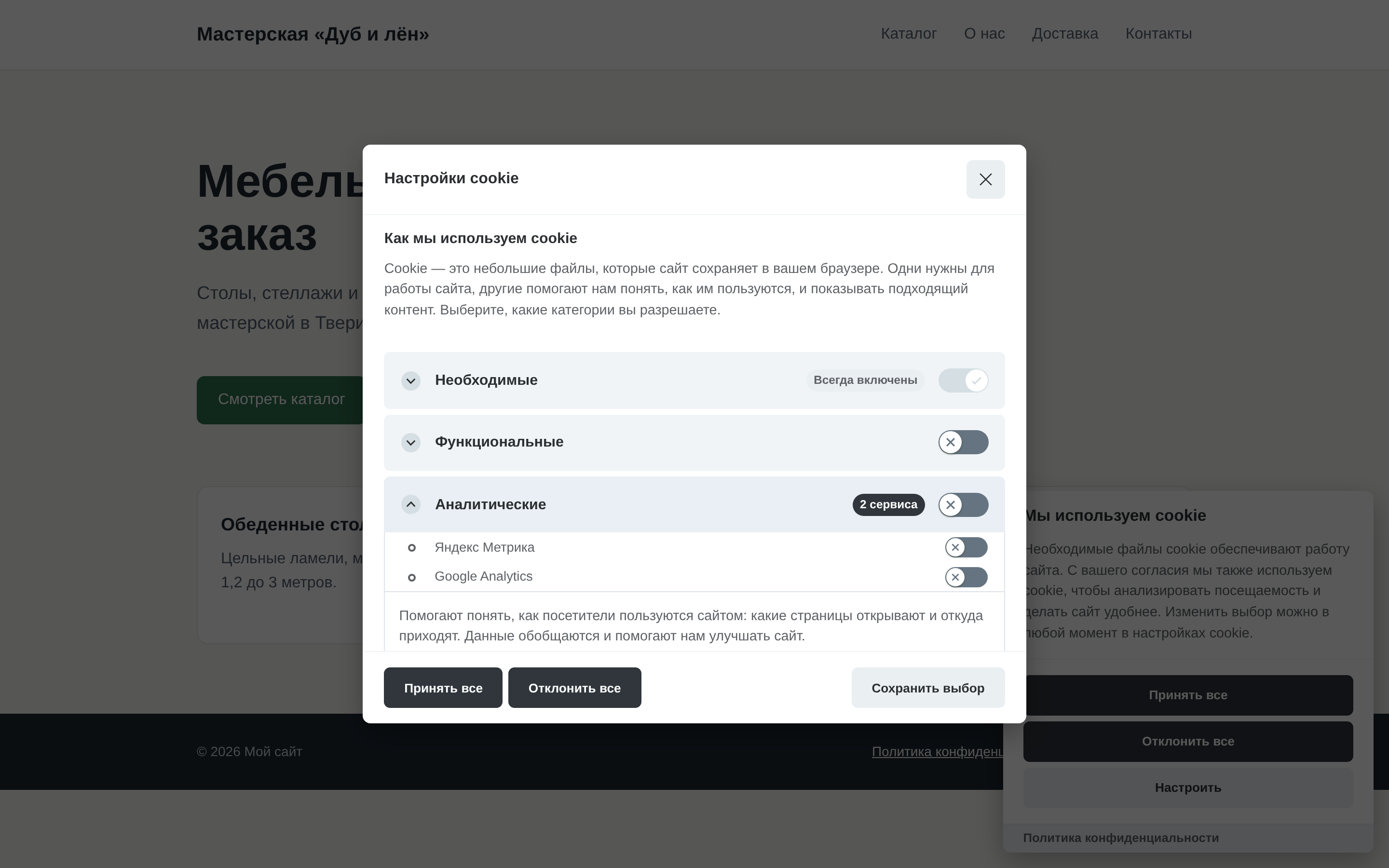
An embedded video, a map or a form with reCAPTCHA can be shown only to those who allowed the right category. Each visitor has their own choice, so call the snippet uncached:
[[!EasyCookiesAllowed?
  &category=`marketing`
  &tpl=`youtube`
  &tplElse=`youtube.stub`
]]

[[!EasyCookiesAllowed?
  &category=`analytics`
  &service=`ym`
  &tpl=`@INLINE <p>Thank you for helping us improve the site</p>`
]]

[[!EasyCookiesAllowed:is=`1`:then=`[[$map]]`:else=`[[$map.stub]]`? &category=`functionality`]]{'!EasyCookiesAllowed' | snippet : [
'category' => 'marketing',
'tpl' => 'youtube',
'tplElse' => 'youtube.stub',
]}
{if ('!EasyCookiesAllowed' | snippet : ['category' => 'functionality'])}
{'map' | chunk}
{else}
{'map.stub' | chunk}
{/if}| Parameter | Default | Description |
|---|---|---|
category | — | functionality, analytics or marketing; necessary is always allowed |
service | — | Service id from the profile (ym, ga4, vk…); empty means the whole category |
tpl | — | Chunk or @INLINE markup when allowed |
tplElse | — | Chunk or @INLINE markup when not |
profile | active profile of the context | Profile name or id |
Without tpl and tplElse the snippet returns 1 or an empty string — for output modifiers and conditions.
How the snippet decides:
A service id is the id key in the profile settings: the first service of each type gets its type as id (ym, ga4, gtm, vk, meta, custom), a repeated one gets a number (ym-2).
A page with such a call is reloaded by the banner when the allowed categories change, so the block appears or disappears at once.
Внимание
Behind full-page caching on a proxy or CDN the snippet does not work: there the page is the same for every visitor.
The banner script is loaded with defer, so window.EasyCookies is available by DOMContentLoaded.
EasyCookies.show() // show the banner again
EasyCookies.showPreferences() // open the preferences window
EasyCookies.accepted('analytics') // whether a category is allowed
EasyCookies.CookieConsent // the CookieConsent library itself
For example, send a Metrika goal only when analytics is allowed:
document.addEventListener('DOMContentLoaded', () => {
  document.querySelector('.order-button')?.addEventListener('click', () => {
    if (EasyCookies.accepted('analytics') && window.ym) {
      ym(94817263, 'reachGoal', 'order')
    }
  })
})
EasyCookies.CookieConsent gives access to the whole library API: acceptedService(), getUserPreferences(), getCookie() and more.